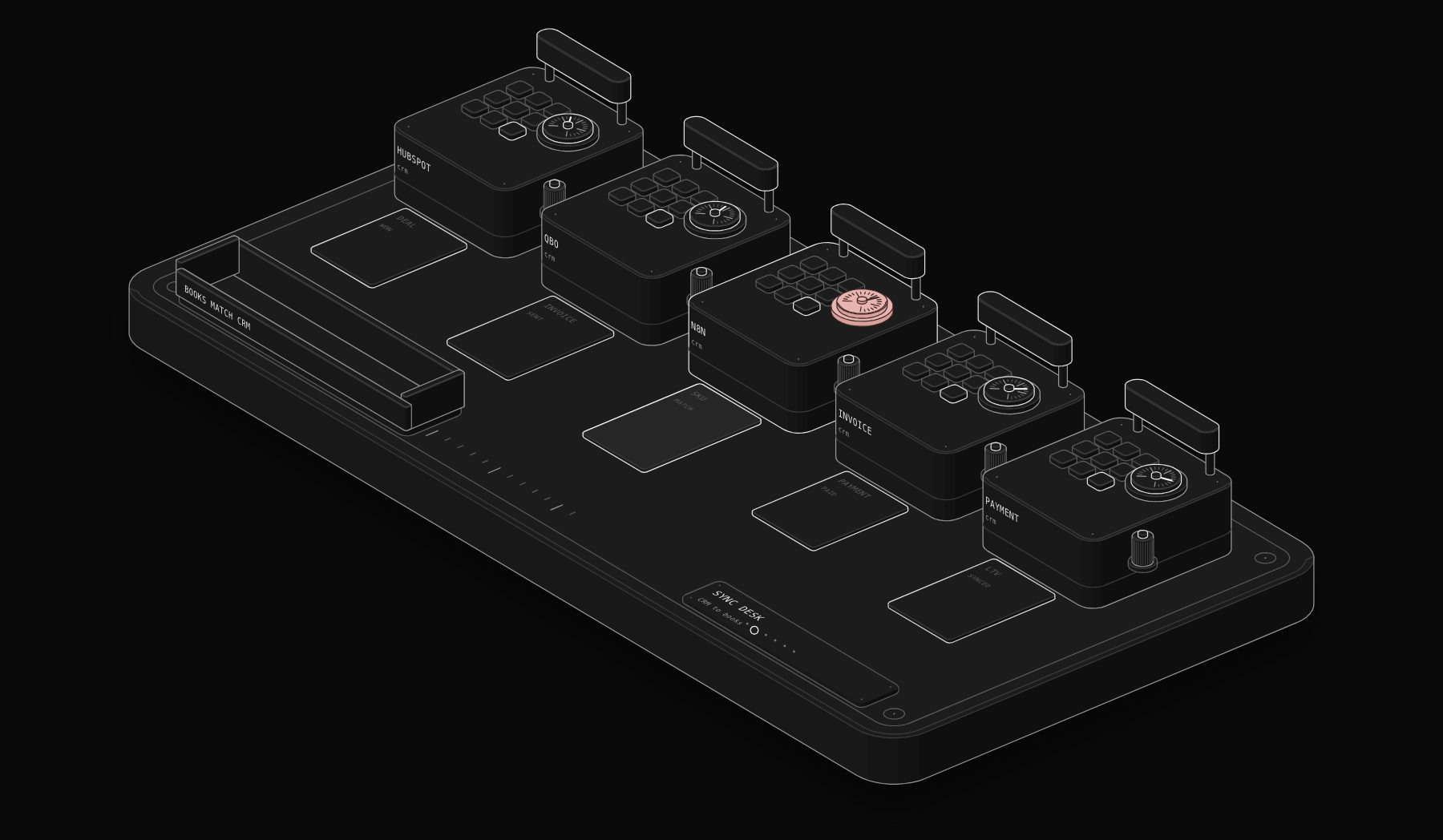
The HubSpot QuickBooks integration is HubSpot's own QuickBooks Online app: it syncs contacts with QuickBooks customers, products with Products & Services, and invoices and credit memos in both directions, on every HubSpot plan including the free CRM. It does not cover QuickBooks Desktop in HubSpot's documentation, it does not yet connect non-U.S. QuickBooks Online accounts, and it leaves gaps that matter to sales teams: invoices from QuickBooks are not attached to deals, payments made before you connect never appear, and HubSpot shows invoices rather than a customer's purchase history. This guide lists exactly what syncs, every documented limitation, and how to close the gaps with workflows or an n8n integration. Every fact comes from HubSpot's knowledge base, read on November 24, 2026.
In short. Install the QuickBooks Online app from the HubSpot App Marketplace (Super Admin or App Marketplace permission). It syncs Contact ⇔ Customer, Product ⇔ Products & Services (matched on SKU), Invoice ⇔ Invoice and Credit Memo ⇔ Credit Memo. HubSpot changes reach QuickBooks within a few minutes; QuickBooks changes come back every 30 minutes. It works with all HubSpot plans, and custom invoice field mappings need Data Hub Starter or above. Its main limits: U.S. QuickBooks Online accounts only, no QuickBooks Desktop in the documentation, no invoice-level taxes, payments split across several invoices do not sync, refunds do not sync automatically, and only payments created after you connect come across. To see lifetime value, open balance and last payment date on a contact, add a small sync of your own (for example in n8n) on top of the native app.
What the HubSpot QuickBooks Online integration syncs

| HubSpot object | QuickBooks Online object | Direction | Notes |
|---|---|---|---|
| Contact | Customer | Two-way | Customers created from HubSpot use the company name as Display Name |
| Product | Products & Services | Configurable; HubSpot recommends one-way from QuickBooks | Matched on SKU; products without a SKU are skipped by default |
| Invoice | Invoice | Two-way | Invoices from QuickBooks are linked to the contact's primary company, not to a deal |
| Credit memo | Credit memo | One-way or two-way | Voided credit memos sync in both directions |
| Payment | Shown on the invoice | From QuickBooks | Visible in the Payments card of the invoice record |
Source: compiled by PURIST (purist.online), November 24, 2026.
When the same record is edited in both tools, you choose which side wins: "Use HubSpot data" or "Use QuickBooks Online data". Unmatched invoice line items land on a product called "Custom Line Item".
How often does HubSpot sync with QuickBooks?
HubSpot detects its own changes and pushes them to QuickBooks within a few minutes. Changes made in QuickBooks are detected every 30 minutes. If you need a record now, the Sync now button in the CRM syncs tab of the app settings forces an update.
Which HubSpot plan do you need?
The QuickBooks Online app is available on all HubSpot products and plans, including the free CRM. One feature needs more: adding custom field mappings for invoices requires Data Hub Starter, Professional or Enterprise. Using synced invoices to trigger workflows depends on how many workflows your HubSpot tier allows.
How to connect HubSpot and QuickBooks Online
- 1 In HubSpot, open the App Marketplace, search for QuickBooks Online and click Install. You need Super Admin rights or App Marketplace permissions.
- 2 Click Connect to QuickBooks Online and sign in to the QuickBooks company you want to link. A QuickBooks sandbox company cannot be connected.
- 3 Configure each sync: contacts, products, invoices and credit memos. Choose the direction and the conflict rule for each.
- 4 Apply HubSpot's recommended filters, then widen them only if you mean to. By default the QuickBooks to HubSpot invoice filter starts from today, so past invoices do not flood your CRM.
- 5 If you use custom invoice fields, create them in QuickBooks as type Text and Number, category Transaction, Print Enabled and turned on for all Sales Forms. Only the first three custom invoice fields created in QuickBooks Online are visible.
- 6 Turn the sync on, then check Review sync statuses after the first 30 minutes. Failed invoices also show a banner on the invoices index with sync failure details.
HubSpot QuickBooks integration limitations
These are the limitations HubSpot documents. Most support tickets about the integration come down to one of them.
| Limitation | What happens | Workaround |
|---|---|---|
| Non-U.S. QuickBooks Online accounts | The app does not yet connect them | A custom sync through the QuickBooks Online API (n8n, Make or code) |
| QuickBooks Desktop | Not covered by HubSpot's documentation, which only describes QuickBooks Online | Move to QuickBooks Online, or use a Desktop connector that can talk to an API |
| Invoice-level taxes | Blocked with the error "An invoice cannot have invoice-level taxes" | Use line-item taxes, or HubSpot's automated sales tax, which syncs as a "HubSpot Sales Tax Payable" line |
| Line-item taxes to U.S. accounts | Do not sync to U.S.-based QuickBooks Online accounts | Let QuickBooks calculate tax, or use HubSpot automated sales tax |
| Editing a HubSpot invoice in QuickBooks | Adding or removing lines, changing prices, removing a payment or adding tax makes the invoice fail to sync | Edit HubSpot-created invoices in HubSpot only |
| Service dates | HubSpot invoices cannot carry a Service Date per line, which QuickBooks revenue recognition needs | Add service dates in QuickBooks on invoices created there |
| Payments covering several invoices | Do not sync to HubSpot | Record one payment per invoice, or sync payments yourself |
| Payments made before connecting | Never sync; only payments created after the connection come across | Backfill history with a one-off import or a custom sync |
| Refunds | Not synced automatically | Mark refunds manually or with a workflow |
| Deleting an invoice | The delete does not sync to QuickBooks | Void in QuickBooks as well |
| Editing payment records from HubSpot in QuickBooks | The invoice may show as unpaid, with no error | Leave HubSpot-originated payments untouched in QuickBooks |
| Two contacts at one company | QuickBooks needs a unique Display Name, so the second contact fails to sync | Sync one billing contact per company, or rename in QuickBooks |
| Card processing fees | Do not sync to invoices and do not create an expense in QuickBooks | Book fees in QuickBooks from your payout report |
| Accounting deal properties | The app does not write to the Accounting deal property group | Write deal-level totals yourself |
Source: compiled by PURIST (purist.online), November 24, 2026.
Does HubSpot integrate with QuickBooks Desktop?
HubSpot's knowledge base documents a QuickBooks Online integration only. If your books are in QuickBooks Desktop, you need either a third-party connector built for Desktop, or a move to QuickBooks Online before the native app can help. Check any connector's sync directions and objects against the table above before buying: the gaps that matter to sales, such as payment history, are often the same.
Why sales teams still miss purchase history
The native app was built to keep invoices accurate in both tools, not to tell a salesperson what a customer is worth. Three documented behaviours explain the gap:
- 1 Invoices from QuickBooks are not associated with deals. HubSpot links them to the contact's primary company, or to nothing if the contact has no company.
- 2 History starts the day you connect. The recommended invoice filter starts from today, and payments created before the connection never sync.
- 3 There is no roll-up. HubSpot shows invoice records and a Payments card on each invoice; it does not write a lifetime value, an open balance or a last payment date onto the contact.
That is why the common searches are "HubSpot QuickBooks integration customer purchase history" and "automate HubSpot follow-up from QuickBooks purchases": the data exists in QuickBooks, it just does not reach the contact record in a form sales can use.
Fill the gaps with n8n: purchase history on every contact

This workflow runs alongside the native app. The app keeps invoices in sync; the workflow reads all of a customer's invoices and payments in QuickBooks, history included, and writes four numbers onto the HubSpot contact.
- 1 Create four contact properties in HubSpot: Total invoiced (number), Open balance (number), Days overdue (number) and Last payment date (date).
- 2 Schedule Trigger: once a night. For a few thousand invoices, re-reading everything nightly is simpler and safer than tracking changes.
- 3 QuickBooks Online node, three times: Customer > Get Many, Invoice > Get Many and Payment > Get Many, with Return All on. Name them Customers, Invoices and Payments.
- 4 Code node: totals per customer, keyed by QuickBooks customer ID, then matched to an email address.
- 5 HubSpot node: Contact > Create or Update, matched on email, setting the four properties.
- 6 If node: when Days overdue is above 15, create a HubSpot task for the contact owner, so the follow-up happens before the next sales call.
The Code node:
const out = {}; const row = (id) => out[id] ??= { email: emails[id], total_invoiced: 0, open_balance: 0, days_overdue: 0, last_payment_date: null, }; const now = Date.now();
for (const { json: inv } of $('Invoices').all()) { const r = row(inv.CustomerRef.value); r.total_invoiced += inv.TotalAmt; r.open_balance += inv.Balance; if (inv.Balance > 0 && inv.DueDate) { const days = Math.floor((now - Date.parse(inv.DueDate)) / 864e5); r.days_overdue = Math.max(r.days_overdue, days); } }
for (const { json: p } of $('Payments').all()) { const r = row(p.CustomerRef.value); if (!r.last_payment_date || p.TxnDate > r.last_payment_date) r.last_payment_date = p.TxnDate; }
return Object.values(out).filter((r) => r.email).map((json) => ({ json })); ```
Worked example
A customer has three QuickBooks invoices: $1,200 paid in March, $800 paid in June, and $950 due on November 1 and still open. On November 24 the workflow writes Total invoiced 2,950, Open balance 950, Days overdue 23 and Last payment date the June payment date. Because 23 is above 15, the account owner gets a task. The native app alone would show the open invoice, but not the March payment (made before the connection), and not the total.
Automating follow-up from QuickBooks purchases
Once the numbers live on the contact, HubSpot can act on them like any other property:
- Upsell: when Total invoiced crosses a threshold, enrol the contact in a sequence or alert the owner.
- Win-back: when Last payment date is more than 90 days ago, create a check-in task.
- Collections: when Days overdue is above 15, notify the owner; above 45, notify finance.
- Reporting: build a revenue-by-owner report without exporting from QuickBooks.
HubSpot can also trigger workflows directly from synced invoice records. That is enough for "invoice paid, send a thank-you". The roll-up properties are what you need for anything based on a customer's history.
Troubleshooting the HubSpot QuickBooks sync
| Symptom | Likely cause | Fix |
|---|---|---|
| Invoice stuck with a sync error | Edited in QuickBooks after being created in HubSpot | Make the change in HubSpot, then click Sync now |
| "An invoice cannot have invoice-level taxes" | Tax set at invoice level | Move tax to line items or use automated sales tax |
| Second contact at a company never appears in QuickBooks | Display Name must be unique in QuickBooks | Use one billing contact per company |
| Product missing on synced invoices | Product has no SKU, or the SKUs differ | Add matching SKUs in both tools |
| Old invoices not in HubSpot | The default filter starts from the connection date | Widen the filter on purpose, or backfill with a custom sync |
| Invoice shows unpaid in HubSpot but paid in QuickBooks | Payment covered several invoices, or a HubSpot-originated payment was edited in QuickBooks | Record one payment per invoice; do not edit HubSpot payments in QuickBooks |
| QuickBooks change not visible yet | QuickBooks changes are picked up every 30 minutes | Wait, or click Sync now |
| Cannot connect at all | Non-U.S. QuickBooks Online account, or a sandbox company | Use a production U.S. company, or a custom sync |
Source: compiled by PURIST (purist.online), November 24, 2026.
Common mistakes
- Editing HubSpot invoices in QuickBooks. It is the most frequent cause of failed syncs. Pick one tool as the place where invoices are edited.
- Expecting history. The integration is not a migration. Plan a backfill if sales needs past purchases.
- Syncing every contact. Marketing contacts with no billing relationship create clutter in QuickBooks. Filter on lifecycle stage or a "customer" property.
- Forgetting SKUs. Without matching SKUs, products do not match and lines fall back to "Custom Line Item".
- Using the integration for collections. It shows unpaid invoices; it does not chase them. That is a workflow.
HubSpot QuickBooks integration: native app, connector or custom sync?
| Need | Best option |
|---|---|
| U.S. QuickBooks Online, invoices created in HubSpot, standard taxes | The native QuickBooks Online app |
| QuickBooks Desktop | A Desktop connector, or migrate to QuickBooks Online |
| Non-U.S. QuickBooks Online | A custom sync through the QuickBooks Online API |
| Purchase history, open balance and overdue alerts on contacts | Native app plus a small n8n or Make sync |
| Invoices created automatically when a deal is won, with your own rules | A workflow (n8n, Make or HubSpot workflows) on top of the native app |
Source: compiled by PURIST (purist.online), November 24, 2026.
For the same pattern with other tools, see our guides to Stripe and QuickBooks automation, Salesforce and HubSpot sync and CRM automation. If you are still choosing tools, compare QuickBooks alternatives and HubSpot alternatives.
Frequently asked questions
Does HubSpot integrate with QuickBooks?
Yes. HubSpot's QuickBooks Online app, installed from the App Marketplace, syncs contacts, products, invoices and credit memos with QuickBooks Online on every HubSpot plan, including the free CRM. It supports U.S. QuickBooks Online accounts.
Is the HubSpot QuickBooks integration free?
The app is available on all HubSpot products and plans, including free. Custom invoice field mappings require a paid Data Hub subscription (Starter, Professional or Enterprise). QuickBooks Online itself is a paid subscription.
Does HubSpot sync with QuickBooks Desktop?
HubSpot's documentation covers QuickBooks Online only. For QuickBooks Desktop, use a third-party connector built for Desktop or move to QuickBooks Online.
Can I see a customer's QuickBooks purchase history in HubSpot?
Partly. Synced invoices appear on the contact's company, and payments show on each invoice. Payments made before you connected do not sync, invoices from QuickBooks are not linked to deals, and nothing totals them on the contact. A small custom sync can write lifetime value, open balance and last payment date onto each contact.
Can I create QuickBooks invoices from HubSpot?
Yes. Invoices created in HubSpot are checked against your sync filters and, if eligible, synced to QuickBooks Online. Once synced, edit them in HubSpot: changing lines, prices, payments or tax in QuickBooks makes the invoice fail to sync.
How often does the HubSpot QuickBooks integration sync?
HubSpot changes reach QuickBooks within a few minutes. QuickBooks changes are picked up every 30 minutes. The Sync now button forces an immediate update.
Does the integration work outside the United States?
Not yet. HubSpot states that the QuickBooks Online integration does not support connecting non-U.S. QuickBooks Online accounts. A custom sync through the QuickBooks Online API is the alternative.
Sources
Read on November 24, 2026: HubSpot knowledge base, Connect HubSpot and QuickBooks Online (updated November 3, 2026) and Using the QuickBooks Online data sync integration for invoices (updated January 28, 2026). Integrations change; confirm on HubSpot's pages before relying on a specific behaviour.
Want QuickBooks purchase history, overdue alerts and deal-to-invoice rules running in your HubSpot? See our CRM and sales automation services.
Tags

Steve founded PURIST, a workflow automation studio working with n8n, Make and Claude AI, and is the point of contact on every project. Prices and features in our articles come from vendor documentation and public pricing pages. How we research and score tools.