Most push notification systems are built backwards. A marketing team decides on a message, picks a send time, blasts it to the entire user base, and calls the result a campaign. Then open rates decline every quarter, unsubscribe and opt-out rates climb, and nobody can explain why, because the system was never built to respond to what an individual user actually did. Trigger-based push notification automation flips this: the message exists because a specific user took, or failed to take, a specific action, and the workflow that decides what to send, when, and to whom runs entirely on data, not a marketing calendar.
This guide covers how to architect a trigger-based push notification system properly: the behavioral triggers worth building, the data model needed to track state per user without creating a maintenance nightmare, how to sequence drip campaigns so they respond to behavior rather than just elapsed time, the tools that actually handle delivery well, and the frequency-capping and deliverability considerations that determine whether your notifications get read or immediately muted.
Why Time-Based Notification Campaigns Underperform
A notification scheduled to send to everyone at 9am on a Tuesday ignores the single most important variable in whether it gets acted on: what that specific person was doing in your product in the hours or days before the notification arrived. A user who abandoned a cart ten minutes ago is in a completely different mental state than a user who has not opened the app in three weeks, and sending both the same generic re-engagement message treats a hot opportunity and a lost cause identically.
Trigger-based automation solves this by making the notification a direct response to behavior rather than a scheduled broadcast. The cart abandonment notification fires within minutes of the abandonment, while purchase intent is still warm. The re-engagement sequence for a dormant user follows an entirely different message and cadence, calibrated to someone who needs a reason to come back, not a nudge to finish something they were already doing.
The Data Model: Tracking State Per User Without Chaos
The foundation of any trigger-based system is a data model that tracks, per user, the events that matter and the state derived from them. This is where most implementations go wrong: teams either track too little (missing the events needed to build meaningful triggers) or track everything indiscriminately (creating an unmaintainable sprawl of event types nobody fully understands six months later).
A workable data model tracks three categories of information per user. First, discrete events with a timestamp: signed up, viewed product X, added item to cart, completed purchase, opened app, dismissed notification. Second, derived state that updates based on those events: days since last open, cart contents and abandonment timestamp if applicable, lifecycle stage (new, active, at-risk, dormant, churned). Third, notification history: what was sent, when, and whether it was opened or acted on, which is essential both for frequency capping and for measuring whether the automation is actually working.
A data model without notification history is flying blind. Teams that skip logging what was already sent to a user routinely end up re-sending the same message multiple times to someone who already ignored it twice, which is one of the fastest ways to train users to ignore your notifications entirely or disable them outright.
This state typically lives in whatever your primary user database is (a Postgres table, a customer data platform, or fields inside your existing CRM), with an orchestration workflow, commonly built in n8n, reading and writing to that state as events occur and triggers fire.
Behavioral Triggers Worth Building
Not every user action deserves a notification, and building a trigger for every event you can technically capture is how notification fatigue happens. The triggers with consistently strong return include: cart or form abandonment (fired 10 to 60 minutes after abandonment, before intent cools), first-session inactivity (a new user who signed up but never completed a key first action within 24 to 48 hours), milestone achievement (celebrating a genuine accomplishment tends to have very high open rates and builds goodwill rather than fatigue), price or availability changes on something a user showed interest in, and re-engagement for users approaching a dormancy threshold, sent before they fully churn rather than after.
The triggers that consistently underperform and generate opt-outs: generic "we miss you" messages sent on a fixed schedule regardless of actual behavior, promotional blasts unrelated to anything the specific user has shown interest in, and any trigger that fires more than once for the same underlying event because deduplication logic was not built correctly.
Building the Drip Sequence: Trigger-Based, Not Time-Based
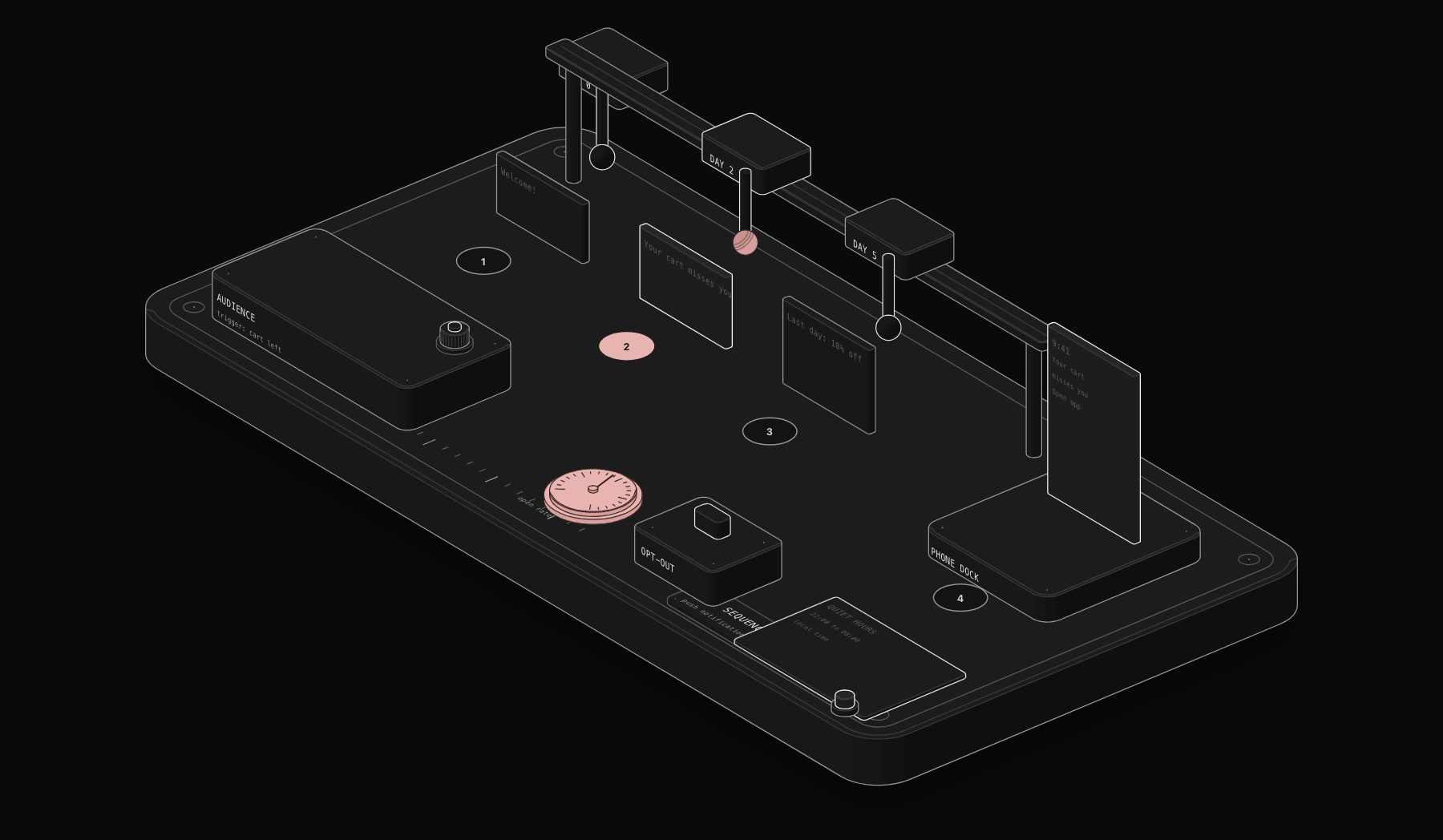
A drip sequence should branch based on what the user does at each step, not simply advance to the next message after a fixed delay regardless of response. A cart abandonment sequence built correctly looks like this: message one fires shortly after abandonment with a simple reminder, message two fires 24 hours later only if the cart is still abandoned and message one was not acted on, and message three, often including an incentive, fires 48 to 72 hours later only if the previous two produced no action, at which point the sequence ends regardless of outcome, since continuing to message an unresponsive user past this point has a negative return on both engagement and app uninstall risk.
The single biggest architectural mistake in drip sequence design is building the sequence as a fixed timeline that ignores what the user does in response to each message. If a user completes the action a message was designed to trigger, the sequence needs to detect that immediately and stop, not continue sending three more reminders for something already done.
Step-by-Step: Building a Trigger-Based Push Notification Workflow
Step 1: Define the events that matter
List the specific user actions and inactions worth triggering on, using the criteria above: does this event represent genuine intent or a meaningful state change, and is there a clear, non-generic message that responds directly to it. Resist the urge to build triggers for every trackable event.
Step 2: Build the event capture and state model
Set up event tracking from your app or website into a database or customer data platform, and define the derived state fields (lifecycle stage, days since last action, cart status) that your triggers will read from. This is typically the most time-consuming step and the one most worth getting right before building any actual notification logic on top of it.
Step 3: Connect your notification delivery provider
Integrate a delivery provider such as OneSignal, Firebase Cloud Messaging, or Braze with your orchestration workflow. Each provider handles the actual push delivery infrastructure (device tokens, platform-specific delivery, retry logic), while your workflow decides what to send and when based on the trigger logic.
Step 4: Build the trigger and sequencing logic
Using an orchestration tool like n8n, build the workflow that watches for trigger conditions in your event data, checks notification history to avoid duplicate or over-frequent sends, and calls the delivery provider's API with the appropriate message when a trigger condition is met. This is where the branching logic from the drip sequence design gets implemented as actual conditional workflow steps.
Step 5: Implement frequency capping
Build an explicit cap on how many notifications a single user can receive within a given window, independent of how many individual triggers technically fired for them, since a user who triggers three separate sequences simultaneously should not receive three notifications in one day. Most teams implement this as a simple rule (maximum two notifications per user per 24-hour period, for example) enforced as a check before any send action executes.
Step 6: Add tracking and iterate
Log every send, open, and conversion event back into your data model, and review performance by trigger type on a regular cadence. Triggers that show declining open rates or rising opt-out rates over time need either message refinement or, in some cases, retirement, since a trigger that worked well at launch can degrade as users adapt to it.
Choosing a Delivery Provider
The three most common push delivery providers differ meaningfully on cost structure, ease of setup, and how much marketing automation capability comes bundled versus needing to be built separately in your own orchestration layer.
| Provider | Pricing model | Setup complexity | Built-in segmentation | Best for |
|---|---|---|---|---|
| OneSignal | Free tier generous, paid scales with subscriber count | Low, well-documented SDKs | Moderate, decent built-in audience tools | Teams wanting a dedicated push tool with light built-in automation |
| Firebase Cloud Messaging | Free, part of Google's Firebase platform | Low if already using Firebase, moderate otherwise | Minimal, expects external orchestration | Teams already on Firebase who will build trigger logic separately |
| Braze | Enterprise pricing, quote-based | Higher, more powerful but heavier platform | Extensive, full customer engagement platform | Larger teams wanting an all-in-one engagement platform beyond just push |
For most small to mid-sized businesses building the trigger-based architecture described in this guide, OneSignal or Firebase Cloud Messaging paired with a dedicated orchestration workflow in n8n is the more cost-effective and flexible combination, since the trigger and sequencing logic lives in a tool you control rather than being locked into a single vendor's automation builder. Braze becomes the stronger choice once a business needs the full breadth of an enterprise customer engagement platform (email, SMS, push, and in-app messaging fully unified) and has the budget and team to run it.
Platform Differences: iOS and Android Push Behavior
iOS and Android handle push notification permissions and delivery differently in ways that directly affect trigger design. iOS requires explicit opt-in permission before any notification can be delivered, and that permission prompt, if shown at the wrong moment (immediately on app open, before the user has any reason to want notifications), gets denied at a much higher rate than if requested contextually, for example right after a user completes an action that notifications would meaningfully enhance, like enabling order status updates right after placing an order.
Android has historically been more permissive by default, though this has tightened in recent OS versions, and Android's broader range of device manufacturers means notification delivery reliability varies more than on iOS, since some manufacturers apply aggressive battery optimization that can delay or suppress notifications the app did not specifically request an exemption for. A trigger-based system built without accounting for this can see notifications for the exact same trigger delivered near-instantly to most users and delayed by hours for a meaningful minority on certain Android devices, which is worth knowing before assuming a delivery delay is a bug in your own workflow logic rather than a platform-level constraint.
A Worked Example: Cart Abandonment End to End
Consider an e-commerce business implementing the cart abandonment trigger described earlier. The event capture step logs an "item added to cart" event with a timestamp and the cart contents. A scheduled check, run every five minutes inside the n8n workflow, looks for carts with no corresponding "purchase completed" event within the last 15 minutes, flags them as abandoned, and writes that state to the user record.
The trigger fires the first notification at the 20-minute mark referencing the specific item left in the cart, pulled dynamically from the cart data rather than a generic "you left something behind" message. The workflow then waits and checks again: if a purchase event appears before the next scheduled message, the sequence stops immediately and logs the outcome as converted. If not, a second message fires at the 24-hour mark, and a final message, this time including a modest discount code generated dynamically through the workflow's connection to the discount code system, fires at 60 hours if the cart remains unconverted. Every send, whether opened, clicked, or ignored, gets logged back into the notification history table described in the data model section, both to prevent duplicate future sends and to measure which stage of the sequence is actually driving conversions.
This same architectural pattern, event capture, state derivation, conditional trigger, branching sequence with stop conditions, and outcome logging, applies almost unchanged to the other trigger types covered earlier: first-session inactivity, milestone celebration, and re-engagement for dormant users. Once the underlying data model and orchestration pattern exist for one trigger, adding additional trigger types is primarily a matter of defining new conditions and messages rather than rebuilding the infrastructure each time.
Frequency Capping and Deliverability Considerations
Deliverability for push notifications is a narrower problem than email deliverability, since there is no spam-filtering equivalent, but there is a functionally similar failure mode: users disabling notification permissions entirely at the OS level after being over-messaged. Once a user disables push notifications for your app, re-enabling that permission requires the user to manually change a device setting, which almost never happens, meaning that channel is effectively lost permanently for that user.
This makes frequency capping a retention issue, not just an engagement optimization. A reasonable default cap for most consumer apps is one to two notifications per user per day maximum, with stricter caps for users who have shown low engagement with recent notifications (an implicit signal that further messages are more likely to cause opt-out than drive action), and looser caps reserved only for high-intent moments like an active cart abandonment sequence where the user has demonstrated recent, direct interest.
Common Mistakes in Push Notification Automation
- Building triggers on events without building the corresponding notification history tracking, causing duplicate or excessive sends to the same user
- Treating a drip sequence as a fixed schedule rather than a branching flow that stops when the target action is completed
- Ignoring platform-specific delivery nuances between iOS and Android, which have different permission models and delivery reliability characteristics that a single generic workflow can miss if not explicitly handled
- Sending promotional content through the same channel and cadence as critical transactional notifications, training users to ignore the channel broadly because the signal-to-noise ratio dropped
- Failing to build a global frequency cap that accounts for a user being eligible for multiple trigger sequences simultaneously
Where This Intersects with Broader Marketing Automation
Push notification automation rarely exists in isolation from a business's broader marketing automation stack. The same behavioral event data driving push triggers typically also feeds email sequences, in-app messaging, and ad retargeting audiences, and the businesses that get the most value from this data build it once as a shared event and state model rather than maintaining separate, disconnected tracking for each channel. Our guide to marketing automation workflows for content and campaigns and our SDR pipeline and ad campaign workflow data model guide cover the adjacent data architecture for teams building this out across multiple channels rather than push notifications alone. For a broader look at how this fits into digital workflow automation generally, see our complete guide to digital workflow automation.
If you are building this kind of trigger-based, multi-channel marketing infrastructure and want it architected correctly the first time rather than patched together as separate disconnected automations, our team can scope the full data model and workflow build as part of a free automation audit.
Frequently Asked Questions About Push Notification Automation
Can push notification automation work alongside email and SMS automation?
Yes, and the strongest implementations treat push, email, and SMS as channels within one orchestration layer sharing the same event data and state model, rather than three separately built systems. This lets the workflow choose the most appropriate channel per trigger (an urgent, time-sensitive alert as push, a detailed weekly digest as email) and coordinate frequency capping across all three channels together, rather than a user receiving separate, uncoordinated caps on each channel that add up to significantly more total contact than intended.
What is the difference between trigger-based and scheduled push notifications?
Scheduled notifications send to a defined audience at a predetermined time regardless of individual user behavior. Trigger-based notifications send in direct response to a specific user action or state change, at a time determined by when that trigger condition is met, not a fixed calendar slot. Trigger-based notifications consistently outperform scheduled broadcasts on open rate and conversion because they respond to genuine, timely intent rather than an arbitrary send time.
How quickly should a cart abandonment notification fire after abandonment?
Most teams see the strongest results firing the first reminder between 10 and 60 minutes after abandonment, while purchase intent is still warm but after enough time has passed to be confident the user actually left rather than just switched tabs briefly. Firing immediately (within a minute or two) tends to feel intrusive and can trigger before the user has genuinely abandoned, while waiting several hours lets intent cool significantly.
How many notifications is too many for a single user?
There is no universal number, but most consumer apps see engagement decline and opt-out rates rise once a user receives more than two notifications in a 24-hour period, and the threshold is often lower for users who have shown limited engagement with recent messages. The safest approach is to make frequency caps adaptive: tighter for low-engagement users, more permissive only for a genuinely high-intent, active moment like a live cart abandonment.
What tools are needed to build this kind of system?
Three components are typically required: an event tracking and data storage layer (a database, customer data platform, or fields inside an existing CRM), an orchestration tool to implement the trigger and sequencing logic (commonly n8n), and a push delivery provider that handles the actual device-level notification sending (OneSignal, Firebase Cloud Messaging, or Braze are the most common choices).
Can this system incorporate AI to personalize message content?
Yes, and this is an increasingly common addition. Rather than sending a fixed message template for a given trigger, an AI model can generate or select personalized message copy based on the specific user's context (what product they abandoned, their purchase history, their engagement pattern), which typically improves open and conversion rates over static templates, provided the underlying trigger and frequency-capping logic described in this guide is already solid, since AI-personalized copy sent too frequently still causes the same opt-out problem as generic copy sent too frequently.
How do we measure whether the automation is actually working?
Track open rate, click-through or conversion rate, and opt-out rate per trigger type, not just in aggregate across all notifications. A trigger with a high open rate but rising opt-out rate over time is quietly damaging long-term engagement even while looking successful on the primary metric, which is why notification history and outcome tracking, covered in the data model section above, needs to be built in from the start rather than added later once a problem is already visible in overall app engagement numbers.
Should transactional and promotional notifications use the same trigger system?
They can share the same underlying orchestration infrastructure, but the frequency-capping and priority logic should treat them differently. A transactional notification (order shipped, appointment confirmed) is expected and rarely causes fatigue even at higher frequency, since the user directly requested the underlying action. A promotional or re-engagement notification is discretionary and should be held to the stricter frequency caps described earlier. Mixing both types under one undifferentiated cap either under-delivers important transactional updates or over-delivers promotional content, and separating the two categories at the workflow logic level, even while sharing the same delivery provider, avoids both failure modes.
Tags
Purist Team
The PURIST editorial team covers automation, AI agents, and operations strategy for businesses scaling with n8n, Make, and Claude AI.