Every vendor now calls their product "digital workflow automation," which has made the term nearly meaningless. Ask ten software companies what it means and you will get ten different answers: some point to RPA bots clicking through legacy screens, others point to a Kanban board with a few triggers attached, and others point to a full agentic system that reads documents, makes decisions, and updates six systems without a human touching a keyboard. The confusion is not an accident. It is the result of a category that has absorbed three distinct generations of technology under one marketing label.
Figures in this guide reflect aggregated outcomes across PURIST's client deployments in this category to date. Individual results vary by starting baseline, team size, existing tooling, and how closely a business follows the specific workflow design described; treat the numbers here as a realistic range, not a guarantee.
This guide draws a clear line around what digital workflow automation actually is in 2026, how it differs from the automation categories it gets confused with, what a production-grade architecture looks like, and how to evaluate whether a platform can deliver on the promise before you commit budget to it.
What Digital Workflow Automation Actually Means
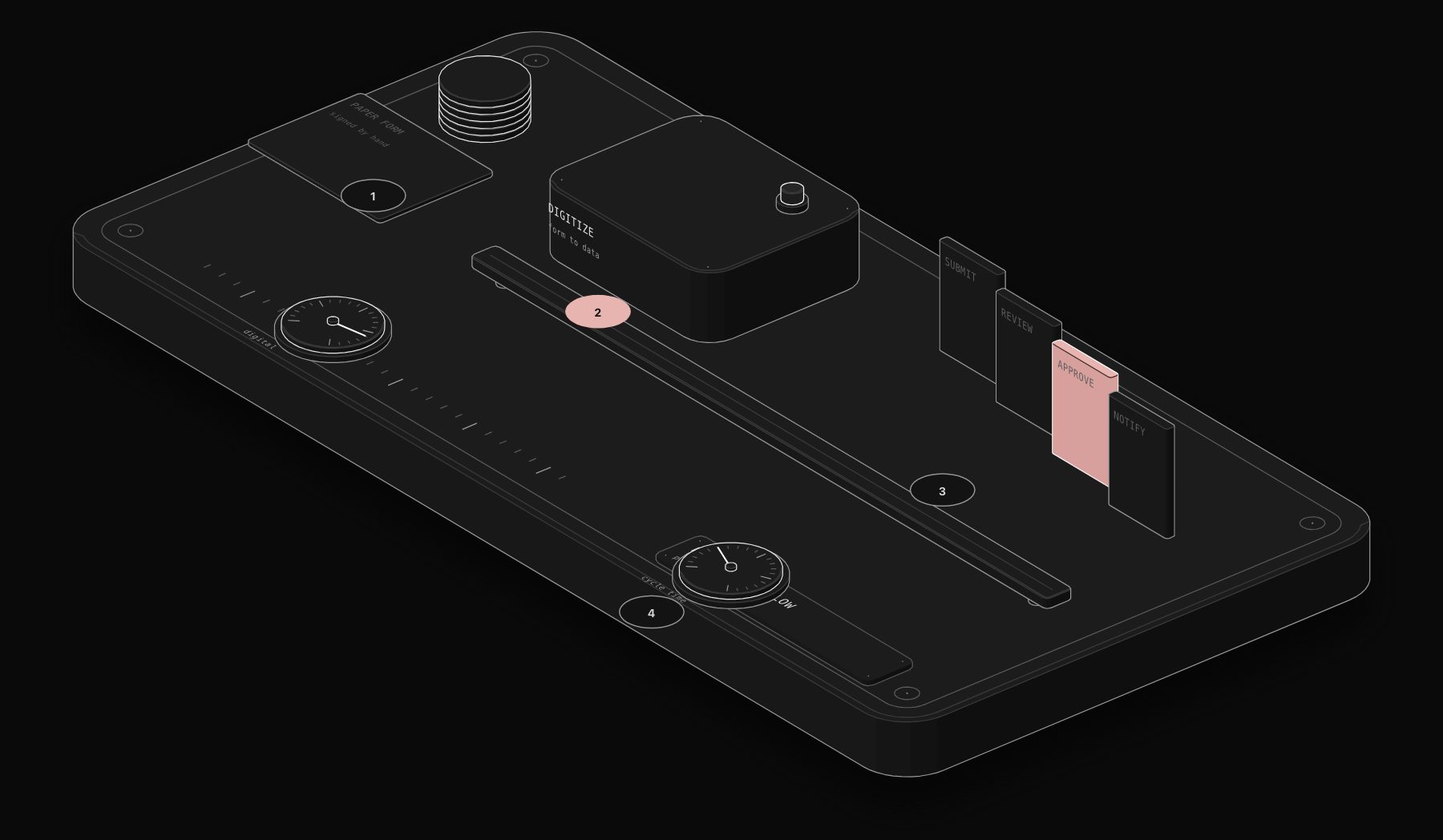
Digital workflow automation is the practice of connecting the systems, data, and decision points of a business process so that work moves from step to step without manual handoffs. The "digital" qualifier matters more than it sounds like it should: it distinguishes this category from paper-based or purely human-coordinated workflows (a form that gets printed, signed, scanned, and emailed) and from simple task automation that touches only one system at a time.
A useful definition: digital workflow automation is the orchestration layer that sits between your applications, APIs, and data sources, moving information and triggering actions across all of them according to rules, conditions, or (increasingly) AI-driven judgment, with full visibility into every step along the way.
Three properties separate a real digital workflow automation system from a collection of scripts or Zaps:
- Statefulness: the system knows where each item is in the process, not just that a trigger fired once
- Auditability: every step, decision, and data change is logged and reviewable
- Composability: individual steps can be reused, reordered, and recombined into new workflows without rebuilding from scratch
If a "workflow" cannot answer the question "where is item #4,821 right now, and what happened to it in the last 48 hours," it is not really a workflow system. It is a trigger.
How Digital Workflow Automation Differs from RPA, iPaaS, and BPM Software
The market segments overlap heavily in marketing copy but differ in what they were actually built to do.
RPA (Robotic Process Automation)
RPA tools like UiPath and Automation Anywhere were built to automate interactions with systems that have no API: legacy desktop applications, mainframe terminals, and screens that were never designed to be integrated. RPA bots simulate mouse clicks and keystrokes. This makes RPA powerful for a specific problem (old software with no integration path) and fragile everywhere else, because a UI redesign breaks the bot instantly. Digital workflow automation platforms increasingly absorb light RPA capability, but the core architecture is API-first, not screen-first.
iPaaS (Integration Platform as a Service)
Tools like MuleSoft, Boomi, and to some extent Zapier and Make sit in the iPaaS category: their job is moving data between systems reliably. iPaaS platforms are excellent at "when X happens in system A, create a record in system B." They get strained when a process needs branching logic, human approval steps, long-running state (a workflow that spans 14 days with multiple wait conditions), or AI-driven decisions partway through. iPaaS is a component of digital workflow automation, not the whole discipline.
BPM (Business Process Management) Suites
Enterprise BPM platforms like Appian, Pega, and IBM Business Automation Workflow were built around formal process modeling (often BPMN notation), governance, and compliance. They are powerful for large organizations with dedicated process teams but typically require months of implementation and six-figure licensing before the first workflow goes live. Digital workflow automation, as the term is used in the current market, usually refers to lighter, faster-to-deploy platforms that get 80% of BPM's orchestration value without the enterprise implementation tax.
Modern Workflow Automation Platforms (n8n, Make, Workato)
This is where most digital workflow automation actually happens today: platforms built API-first, with visual workflow builders, conditional branching, error handling, and (in the newer generation) native AI nodes for classification, extraction, and generation. n8n in particular has become a default choice for teams that want the flexibility of code (it can run arbitrary JavaScript and Python inside a workflow) with the speed of a visual builder, and it can be self-hosted, which matters for teams with data residency requirements.
According to Gartner's 2025 hyperautomation research, organizations running mature workflow automation programs report 25-40% reductions in process cycle time and 30%+ reductions in manual error rates, but the gains concentrate in the top quartile of implementations, the ones with proper monitoring and error handling, not the median deployment.
The Architecture of a Production Digital Workflow Automation System
A workflow that works reliably in a demo and a workflow that survives 18 months of production traffic are built differently. Here is the architecture pattern used across mature implementations, regardless of which platform runs it.
Layer 1: Triggers
Every workflow starts somewhere: a webhook fired from a form submission, a scheduled poll of an inbox, a database change event, a file landing in a folder, or a manual trigger from a human. Production systems treat triggers as unreliable by default. Webhooks get missed during deploys. Polling windows can double-fire. The trigger layer needs deduplication logic (a hash of the payload, or a unique ID check against a database) before anything downstream runs.
Layer 2: Validation and Enrichment
Before any business logic executes, incoming data gets validated against a schema and enriched with context the rest of the workflow needs: looking up the customer record, checking their plan tier, pulling related tickets or orders. This layer catches malformed data early instead of letting it propagate three steps deep where the error is harder to trace.
Layer 3: Decision Logic
This is where static rules and AI-driven judgment diverge, and where digital workflow automation is evolving fastest. A rules-based decision layer uses if/then branching: if amount > $10,000, route to manager approval. An AI-driven decision layer uses an LLM call to classify, score, or extract structure from unstructured input: reading a support email and deciding whether it is a billing question, a bug report, or a churn risk, then routing accordingly. Most production workflows in 2026 use a hybrid: hard rules for anything with legal or financial consequence, AI judgment for anything that would otherwise require a human reading unstructured text.
Layer 4: Action Execution
The workflow does the actual work: creating records, sending messages, updating statuses, generating documents, calling external APIs. Idempotency matters enormously here. If a workflow retries after a timeout, it must not create a duplicate invoice or send a duplicate email. Production workflows key every write operation to an idempotency token so retries are safe.
Layer 5: Error Handling and Observability
The layer most demo workflows skip entirely, and the layer that determines whether a system survives contact with real-world data. Every step needs a defined failure path: retry with backoff, dead-letter queue for manual review, or alert to a human. Without this layer, a single malformed record from an upstream system can silently halt a workflow for days before anyone notices revenue stopped moving.
A workflow with no error handling is not an automation. It is a single point of failure with extra steps. The workflows that actually save money long-term are the ones where a failure gets caught, logged, and routed to a human within minutes, not discovered three weeks later during a quarterly review.
Layer 6: Monitoring and Audit Trail
Every execution, its inputs, outputs, duration, and outcome gets logged somewhere queryable, whether that is the platform's native execution history, a dedicated Postgres table, or a tool like Datadog. This layer answers "how many orders processed today," "what is our average time-to-resolution," and, critically, "which workflow touched this record and when" when something needs to be audited or debugged.
Real Examples of Digital Workflow Automation in Production
Abstract architecture is easier to understand with concrete cases.
Client intake at a professional services firm. A form submission triggers a workflow that validates the submitted details, checks for an existing record in the CRM, creates a new matter if none exists, generates a welcome packet from a template with the client's specific details merged in, schedules a kickoff call based on the assigned team member's calendar availability, and sends a Slack notification to the account team. What used to take an admin 25 minutes per new client now completes in under two minutes, with the admin only stepping in if the workflow flags a data mismatch.
Order-to-fulfillment for an e-commerce operation. An order placed on Shopify triggers inventory checks across two warehouses, applies fraud-screening rules, routes to the correct fulfillment center based on stock and shipping zone, generates a packing slip, and updates the customer via SMS at each status change. The workflow also watches for orders stuck in "processing" for more than four hours and escalates automatically.
Invoice processing for accounts payable. Incoming vendor invoices (PDF attachments) get parsed with an AI extraction step that pulls vendor name, amount, line items, and due date, matches against open purchase orders, flags mismatches above a tolerance threshold for human review, and routes clean matches straight to the approval queue with the relevant approver notified based on amount thresholds.
Each of these examples shares the same underlying architecture: trigger, validate, decide, act, handle errors, log. The specific systems and business logic change; the skeleton does not.
Evaluating a Digital Workflow Automation Platform Before You Commit
Vendor demos are designed to look impressive in fifteen minutes. Production requirements surface in month four. Here is what to actually check before selecting a platform.
- Error handling depth: does the platform have native retry logic, dead-letter routing, and alerting, or does that all need to be hand-built in every workflow?
- State and long-running support: can a workflow pause for days waiting on a human approval or an external event, and resume correctly?
- Version control and rollback: can you see what a workflow looked like a month ago, and revert if a change broke something?
- Execution history retention: how long are logs kept, and can you search them by a business identifier (order ID, customer email), not just an internal execution ID?
- AI node maturity: if you need classification or extraction steps, does the platform have native LLM integration with structured output support, or are you gluing together custom HTTP calls?
- Self-hosting option: for teams with data residency or compliance requirements, is there a self-hosted deployment path, and what does it cost in infrastructure and maintenance?
- Total cost at scale: per-task or per-execution pricing can look cheap at 500 executions a month and become the largest line item in your SaaS budget at 50,000.
Questions to Ask in a Vendor Evaluation
- What happens to an in-flight workflow if the platform has an outage mid-execution?
- How do you debug a workflow that failed three steps in, with partial side effects already applied?
- Can two workflows share reusable sub-processes, or does every workflow get built from scratch?
- What is the actual cost per 10,000 executions once you exceed the entry-tier plan?
Teams that skip this evaluation frequently end up rebuilding their automation layer eighteen months later, once early wins from a lightweight tool run into its ceiling: no proper error handling, no audit trail a compliance team can accept, or execution costs that scaled faster than the business did.
Where Digital Workflow Automation Is Heading
The next phase of this category is not more triggers and more app connectors. Every major platform already connects to thousands of apps; that battle is largely won. The current frontier is judgment: workflows that read unstructured input (an email, a contract, a support ticket, a scanned form) and make a genuinely useful decision about what to do next, the way a competent employee would, rather than requiring every branch to be pre-specified by a human designer.
This is the shift from "digital workflow automation" to what the next section of this guide calls intelligent workflow automation: the same orchestration backbone, but with AI making the calls that used to require a person reading and deciding.
Common Mistakes When Adopting Digital Workflow Automation
The pattern repeats across nearly every failed rollout we get called in to fix.
Automating a Broken Process
Digital workflow automation makes a good process faster and a bad process fail faster. Teams that skip process mapping and jump straight into building workflows frequently end up automating a bottleneck instead of removing it. Before building anything, map the current process end to end, including every exception path, and ask which steps genuinely need to exist versus which ones are legacy habits nobody has questioned in years.
No Owner After Launch
A workflow is not a one-time project. APIs change their schemas, business rules shift, edge cases appear that nobody anticipated. Workflows built without a designated owner (a person or team responsible for monitoring execution health and updating logic) tend to silently degrade: a 2% failure rate creeps to 15% over six months as upstream systems change, and nobody notices until a customer complains.
Treating Every Exception as an Edge Case to Ignore
Teams frequently design the happy path carefully and wave away exceptions with "we will handle that manually." In practice, exceptions are rarely rare. A workflow that handles 95% of cases automatically but silently drops the other 5% into a void, rather than routing them to a human, creates a slow leak of unprocessed work that compounds over months.
Underestimating the Cost of Poor Documentation
When a workflow was built by a contractor or a single employee who has since left, and nobody documented what each step does or why a particular branch exists, updating it becomes archaeology. Every mature digital workflow automation practice maintains a living document per workflow: what triggers it, what each major branch does, and who to contact with questions.
Teams that document workflows properly resolve production incidents in an average of 22 minutes. Teams that do not average closer to 4 hours, according to internal benchmarking across PURIST's client base, because the first hour is typically spent just understanding what the workflow was supposed to do before anyone can fix it.
For a breakdown of how we scope, build, and support these systems, see our automation and AI agent services.
Frequently Asked Questions About Digital Workflow Automation
Is digital workflow automation the same as business process automation?
They overlap heavily but are not identical. Business process automation is the broader umbrella term covering any use of technology to reduce manual work in a process. Digital workflow automation specifically refers to the orchestration layer, the connective tissue that moves data and triggers actions between systems in a structured, stateful, auditable way. Most business process automation programs are implemented using digital workflow automation tooling.
How much does a digital workflow automation implementation typically cost?
Costs vary enormously by scope and platform choice. A single, well-scoped workflow (like automated client intake) built on a platform like n8n typically runs from a few thousand dollars for a straightforward integration to five figures for a workflow involving AI decision-making, multiple system integrations, and custom error handling. Enterprise BPM suite implementations start much higher, often six figures, due to licensing and lengthy implementation timelines.
Can digital workflow automation replace an entire department?
Rarely, and that is usually the wrong framing. The workflows that deliver the best ROI eliminate the mechanical, repetitive 60 to 80% of a role (data entry, status updates, routine follow-ups) so the people in that role spend their time on judgment calls, relationship building, and exceptions that genuinely need human attention. Teams that frame automation as full replacement tend to underinvest in the exception-handling paths that keep the system reliable.
What is the difference between digital workflow automation and just writing scripts?
A script executes once and stops. Digital workflow automation systems maintain state across long-running processes, provide visibility into where every item is at any moment, handle errors with defined recovery paths, and are typically maintainable by someone other than the original author through a visual builder rather than raw code. A well-built workflow platform gives you the reliability benefits of good software engineering without requiring every team member to be a software engineer.
Do I need a developer to build digital workflow automation?
Modern platforms like n8n and Make are designed for a hybrid audience: visual builders that a technically inclined operations person can use for straightforward workflows, with the ability to drop into custom JavaScript or Python code for logic that a no-code builder cannot express. Complex workflows involving AI decision-making, intricate error handling, or integration with poorly documented internal systems typically still benefit from an experienced automation engineer, even on a no-code platform.
Getting Digital Workflow Automation Right the First Time
The cheapest path to a working digital workflow automation system is rarely the cheapest platform subscription. It is getting the architecture right on the first build: proper error handling, idempotent actions, and a monitoring layer from day one, rather than retrofitting reliability onto a workflow that was rushed into production and is now quietly failing on 3% of records every week with nobody noticing.
PURIST builds production workflow automations for dental, legal, real estate, e-commerce and agency teams on the n8n plus Claude AI stack described in this guide, with error handling and monitoring included by default rather than sold as an add-on. If you are evaluating whether to build in-house, hire a freelancer, or bring in a specialist team, book a free automation audit and we will map your specific process and tell you honestly what a production-grade version of it looks like, and what it would take to get there.
The teams that get the most value from digital workflow automation are not the ones with the biggest budget or the fanciest platform. They are the ones who treat the architecture, not the trigger count, as the thing worth getting right, and who plan for the error paths and the edge cases from the first design session rather than the first outage.
Tags
Purist Team
The PURIST editorial team covers automation, AI agents, and operations strategy for businesses scaling with n8n, Make, and Claude AI.