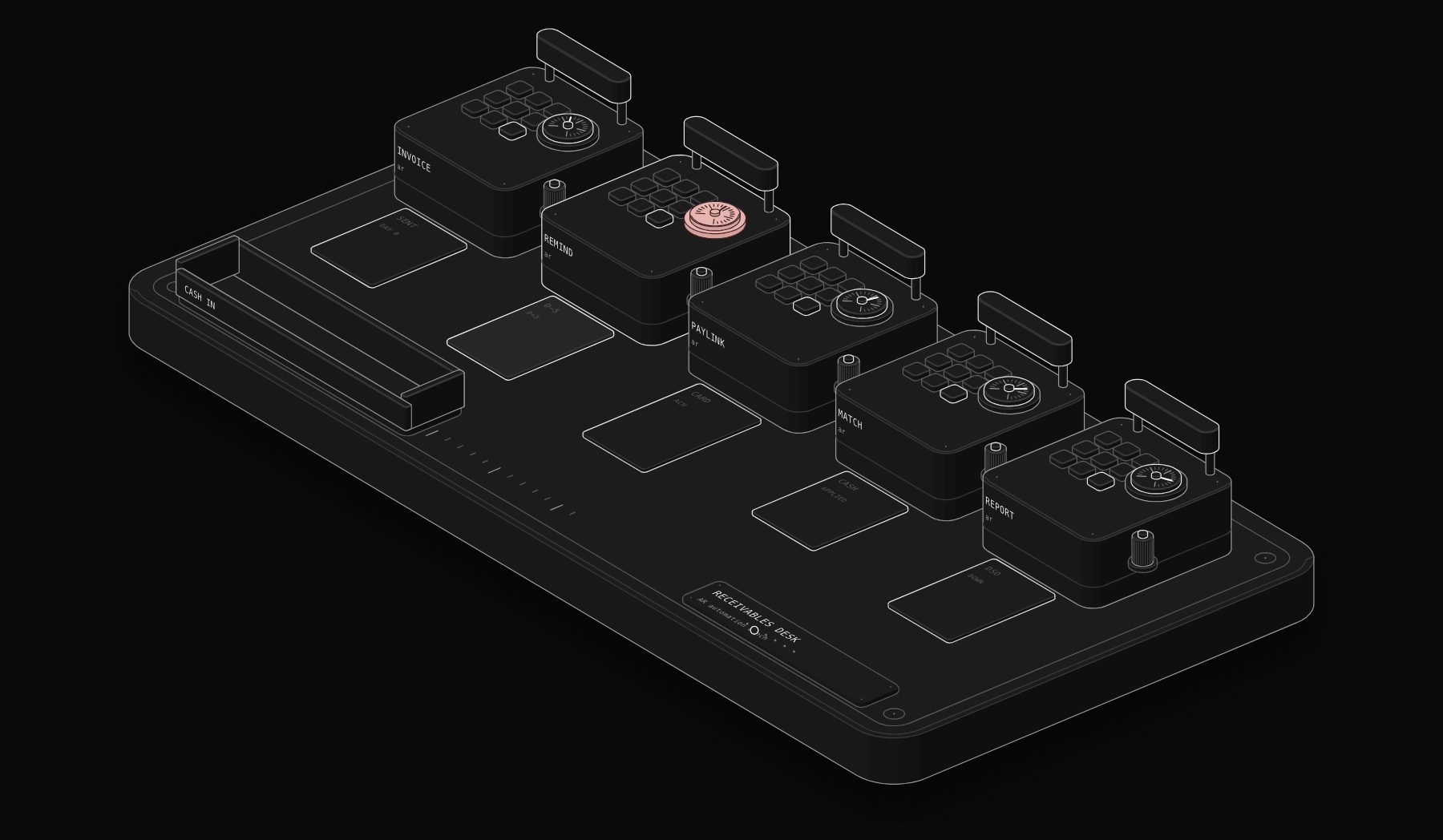
Accounts receivable automation is the use of software to send invoices, remind customers before and after due dates, accept online payments, match incoming payments to open invoices (cash application) and report on what is owed, so that a business gets paid faster with less chasing. Accounts receivable automation software, or AR automation software, connects to your accounting system or ERP and runs those steps on rules you set. This guide explains how AR automation works, compares the best accounts receivable software on prices PURIST read on the vendors' own pages on November 21, 2026, and gives a collection workflow you can copy.
In short. AR automation handles invoicing, reminders, payments, cash application and reporting. Small businesses can start with what their accounting tool already does (QuickBooks Online and Xero both send invoices and accept online payments) or with BILL ($49 to $89 per user per month, AP and AR together). Dedicated collections tools such as Chaser start from $259 per month (US price, monthly billing), while Upflow, HighRadius, Versapay, Billtrust and Tesorio price by quote and suit higher volumes. The biggest gains usually come from three things: automatic reminders, easy payment links and automatic cash application.
PURIST read every price in this guide on the vendors' official pages on November 21, 2026. Confirm on the linked page before you buy.
What is accounts receivable automation?
Accounts receivable is the money customers owe you for goods or services already delivered. AR automation applies software to every step between issuing an invoice and recording the cash. In a manual AR process, someone creates invoices by hand, sends them by email, keeps an aging spreadsheet, writes reminder emails one by one, phones late payers, downloads the bank statement and matches each payment to an invoice, often struggling with partial payments and missing remittance details. In an automated AR process, invoices are generated from your billing data and sent automatically, reminders go out on a schedule that matches each customer's terms, each invoice carries a payment link for card or ACH, incoming payments are matched to invoices by amount, reference and customer, disputes are logged and assigned, and the aging report updates itself. The finance team spends its time on the accounts that really need a conversation.
What can be automated in accounts receivable?
| AR task | Manual version | Automated version |
|---|---|---|
| Invoicing | Typed in the accounting tool | Created from orders, contracts or usage and sent automatically |
| Delivery | Email attachments, post | Email, customer portal or e-invoicing network |
| Reminders | Written one by one | Scheduled sequences before and after the due date |
| Payments | Bank transfer details in the PDF | Payment link for card and ACH, autopay for repeat customers |
| Cash application | Manual matching from bank statements | Automatic matching by amount, reference and customer |
| Disputes and deductions | Lost in email threads | Logged, categorised and assigned with a deadline |
| Credit decisions | Gut feeling | Credit limits and risk scores reviewed on a schedule |
| Reporting | Monthly aging spreadsheet | Live aging, DSO and forecast dashboards |
Source: compiled by PURIST (purist.online) from vendor pricing pages, November 21, 2026.
Best accounts receivable automation software in 2026
| Software | Best for | Starting price (read Nov 21, 2026) | Pricing model |
|---|---|---|---|
| QuickBooks Online | Small businesses already on QuickBooks | Simple Start $38 per month (regular price) | Accounting subscription, payment fees on top |
| Xero | Small businesses already on Xero | Early $27 per month (regular price, 20 invoices) | Accounting subscription |
| BILL | SMBs wanting AP and AR in one tool | $49 per user per month | Per user |
| Ramp | Teams already using Ramp for spend and AP | Free plan; Plus $15 per user per month plus platform fee | Per user |
| Chaser | Automated reminders and collections for SMBs | From $259 per month (US, monthly) | By plan and revenue band |
| Upflow | B2B companies up to and beyond $100M invoiced | By quote | By annual invoiced revenue |
| HighRadius | Mid-market and enterprise order-to-cash | By quote | Custom |
| Versapay, Billtrust, Tesorio | Mid-market B2B collections, payments and cash application | By quote | Custom |
Source: compiled by PURIST (purist.online) from vendor pricing pages, November 21, 2026.
QuickBooks Online and Xero: start with what you have
If you invoice fewer than a few hundred customers, your accounting software may already cover most AR automation. QuickBooks Online lets customers pay invoices by card and bank transfer through QuickBooks Payments, with status updates and reminders; its regular prices read on November 21, 2026 were $38 (Simple Start), $85 (Essentials), $140 (Plus) and $340 (Advanced) per month, with a 70% discount for the first 3 months shown at the time. Xero's US plans were $27 (Early, which includes 20 invoices), $59 (Growing) and $97 (Established) per month at regular price, with a 90% discount for the first 6 months shown until November 30. Turn on automatic reminders and online payments in either tool before buying anything else; for many small businesses that is half the gain. See QuickBooks vs Xero for the full comparison.
BILL
BILL sells accounts payable and receivable together in per-user plans: Essentials $49, Team $65 and Corporate $89 per user per month. On the receivables side, BILL's plan pages list invoice tracking, automated payment reminders, payment by ACH and credit card, and auto-charge and auto-pay. Team adds automatic two-way sync with leading accounting software. BILL lists a $0.59 fee for receiving an ACH payment and 2.9% for credit or debit card payments. It is a good fit when the same small team handles both bills and invoices.
Ramp
Ramp, known for corporate cards and AP, lists accounts receivable features on its pricing page: invoice creation, accepting payments by ACH, card and check, and automated customer follow-up and cash application. Its Free plan costs $0 and Plus costs $15 per user per month plus a platform fee. It makes sense if you already run spend and payables in Ramp and want receivables in the same place.
Chaser
Chaser focuses on automated payment reminders and receivables workflows. Its US prices on November 21, 2026 were: Compact from $259 per month ($233 billed yearly) for annual revenue under £4 million, with 4 users, 30 follow-up templates and 4 automated receivables workflows; Core from $779 per month ($700 yearly) for revenue under £10 million, with unlimited users, templates and workflows and multi-entity support; Complete from $1,169 per month ($1,050 yearly) for revenue under £100 million, adding a dedicated account manager, priority support and a receivables forecast; and Custom above that. Chaser suits SMBs whose main problem is late payment rather than volume.
Upflow
Upflow prices by quote, in tiers based on annual invoiced revenue: Starter up to $10 million (up to 40,000 new invoices a year, unlimited user seats, two-way Gmail and Outlook integration, and email, SMS, call and letter reminders), Grow up to $25 million (branded customer portals, Slack integration, REST API, multi-entity dashboards), Scale up to $50 million (a Smart Rules engine, two-way HubSpot integration and a Collections Agent), Accelerate up to $100 million (a Cash Application Agent and two-way Salesforce integration), and Enterprise above $100 million. Upflow also offers a free Discover plan for visibility on your receivables.
HighRadius, Versapay, Billtrust and Tesorio
These platforms target mid-market and enterprise B2B finance teams and price by quote. HighRadius describes its accounts receivable software as covering collections, cash application, invoicing, credit management, deductions and AR forecasting, connected to your ERP, and claims it reduces DSO by over 10% (a vendor claim, not a PURIST measurement). Tesorio covers collections, cash application, forecasting and the upload of invoices to customer supplier portals such as Ariba and Coupa. Versapay and Billtrust focus on collaborative AR, invoice delivery and B2B payments. Consider them when you issue thousands of invoices a month, receive many partial or remittance-less payments, or deal with large customers that require invoices in their own portals.
Accounts receivable software for small business: a decision table
| Your situation | Start with |
|---|---|
| Under 100 invoices a month, one accounting tool | Reminders and payment links in QuickBooks Online or Xero |
| You also need to pay bills with approvals | BILL or Ramp |
| Late payment is the main problem, a few hundred invoices a month | Chaser |
| B2B, growing fast, CRM and accounting must talk to each other | Upflow |
| Thousands of invoices, deductions, customer portals, ERP | HighRadius, Versapay, Billtrust, Tesorio |
Source: compiled by PURIST (purist.online) from vendor pricing pages, November 21, 2026.
Accounts receivable examples
Accounts receivable appears whenever you deliver first and get paid later. A few common examples:
- A marketing agency invoices a client $8,000 on 30-day terms after a campaign launches: $8,000 sits in accounts receivable until the client pays.
- A wholesaler ships $25,000 of goods to a retailer on net 60 terms: the invoice is a receivable for up to 60 days.
- A SaaS company bills an annual contract by invoice instead of card: the full amount is a receivable until the transfer arrives.
- A contractor bills a milestone and the customer pays only part of it: the unpaid balance stays open in receivables.
In accounting, the invoice increases accounts receivable (an asset) and revenue; the payment then increases cash and reduces accounts receivable. Automation does not change that logic; it makes each event happen on time and records it without re-keying.
A collection workflow you can copy
This reminder sequence is a sensible default for B2B invoices on 30-day terms. Adapt the timing to your terms and your customers.
- 1 Invoice day: send the invoice with a payment link and the due date in the first line.
- 2 Due date minus 5 days: friendly reminder with the amount, due date and payment link.
- 3 Due date: short note: "Your invoice is due today", with the link.
- 4 Due date plus 3 days: polite overdue notice; ask whether anything is blocking payment.
- 5 Due date plus 10 days: second overdue notice, copied to the account owner in your team.
- 6 Due date plus 20 days: personal email or call from the account owner; agree a payment date.
- 7 Due date plus 30 days: escalation per your policy (pause service, payment plan, or formal notice).
Every step should stop automatically when the payment arrives, and every reply should land in one shared place so nobody chases a customer who has already paid. That one rule, stopping reminders on payment, is where most home-made AR automations fail.
Cash application: the most underrated part of AR automation
Cash application means matching each incoming payment to the invoices it pays. It sounds simple until a customer pays three invoices in one transfer, deducts a credit note, or sends the money without any reference. Automated cash application reads bank data and remittance information (emails, PDFs, portal data), proposes the most likely match by amount, customer and invoice number, and sends only the doubtful cases to a person. Upflow's Accelerate tier includes a Cash Application Agent, Ramp lists cash application among its AR features, and Tesorio shows automatic payment matching in its product. If your team spends hours each week matching payments, automate this before adding more reminders.
How to measure AR performance
| Metric | Formula | What it tells you |
|---|---|---|
| DSO (days sales outstanding) | Accounts receivable ÷ credit sales for the period × days in the period | How long, on average, customers take to pay |
| Aging buckets | Open invoices grouped by 0 to 30, 31 to 60, 61 to 90 and 90+ days | Where the risk sits |
| CEI (collection effectiveness index) | (Beginning AR + credit sales − ending total AR) ÷ (beginning AR + credit sales − ending current AR) × 100 | How much of the collectible amount you actually collected |
| Percentage paid on time | Invoices paid by the due date ÷ invoices due | Whether reminders and terms work |
| Unapplied cash | Payments received but not matched to invoices | Whether cash application keeps up |
Source: compiled by PURIST (purist.online) from vendor pricing pages, November 21, 2026.
Measure DSO and the share paid on time for one month before automating, then again after two full billing cycles. The difference is your real result.
AR automation with n8n or Make: when it makes sense
If you invoice from Stripe, a CRM or a custom system, a workflow tool such as n8n or Make can connect the steps the dedicated tools do not: create the invoice in QuickBooks or Xero when a deal closes, post an alert in Slack when a large invoice becomes overdue, update the CRM when payment arrives, or route a disputed invoice to the account owner. This is often cheaper than a dedicated AR platform for a few hundred invoices a month, and it keeps your own rules. Above a few thousand invoices, or when deductions and customer portals appear, a dedicated platform is usually the better choice. Related guides: invoice automation, failed payment recovery and Stripe and QuickBooks integration.
AR automation in the order to cash cycle
Accounts receivable is the second half of the order to cash process: after an order is accepted and fulfilled, AR turns the invoice into cash. If your problem starts earlier, with orders entered twice, credit checks done by email or invoices sent late because nobody knew the goods had shipped, read order to cash automation. For the supplier side of your cash flow, see accounts payable automation software.
Frequently asked questions
What is accounts receivable automation?
Software that sends invoices, reminds customers, collects payments, matches them to invoices and reports what is owed, based on rules you set, so you get paid faster with less manual chasing.
What is the best accounts receivable software?
For small businesses, the invoicing and reminders built into QuickBooks Online or Xero, or BILL when you also pay bills. For collections-focused SMBs, Chaser. For growing B2B companies, Upflow. For mid-market and enterprise, HighRadius, Versapay, Billtrust or Tesorio.
How much does AR automation software cost?
On the pages PURIST read on November 21, 2026: BILL $49 to $89 per user per month, Chaser from $259 per month in the US on monthly billing, and quote-based pricing for Upflow, HighRadius, Versapay, Billtrust and Tesorio.
What is cash application in accounts receivable?
Matching each incoming payment to the invoice or invoices it pays, including partial payments and deductions. Automated cash application proposes matches from bank and remittance data and sends only unclear cases to a person.
Does AR automation reduce DSO?
It can, mainly by sending invoices on time, reminding customers consistently and making payment easier. Measure your own DSO before and after two full billing cycles rather than relying on vendor averages.
Is accounts receivable automation worth it for a small business?
Yes, if late payments hurt your cash flow. Start with the reminders and payment links your accounting software already offers, then add a dedicated tool when volume or complexity grows.
What is the difference between AR automation and AP automation?
AR automation handles money customers owe you; AP automation handles money you owe suppliers. Some tools, such as BILL and Ramp, cover both.
Sources
Official pages read by PURIST on November 21, 2026: BILL pricing, Ramp pricing, Chaser pricing, Upflow pricing, HighRadius accounts receivable software, Tesorio, QuickBooks Online pricing and Xero US pricing. The collection workflow, decision table and metric formulas are standard practice presented by PURIST.
Want invoices sent, reminders scheduled and payments matched automatically in your own accounting system? See our workflow automation services.
Tags

Steve founded PURIST, a workflow automation studio working with n8n, Make and Claude AI, and is the point of contact on every project. Prices and features in our articles come from vendor documentation and public pricing pages. How we research and score tools.