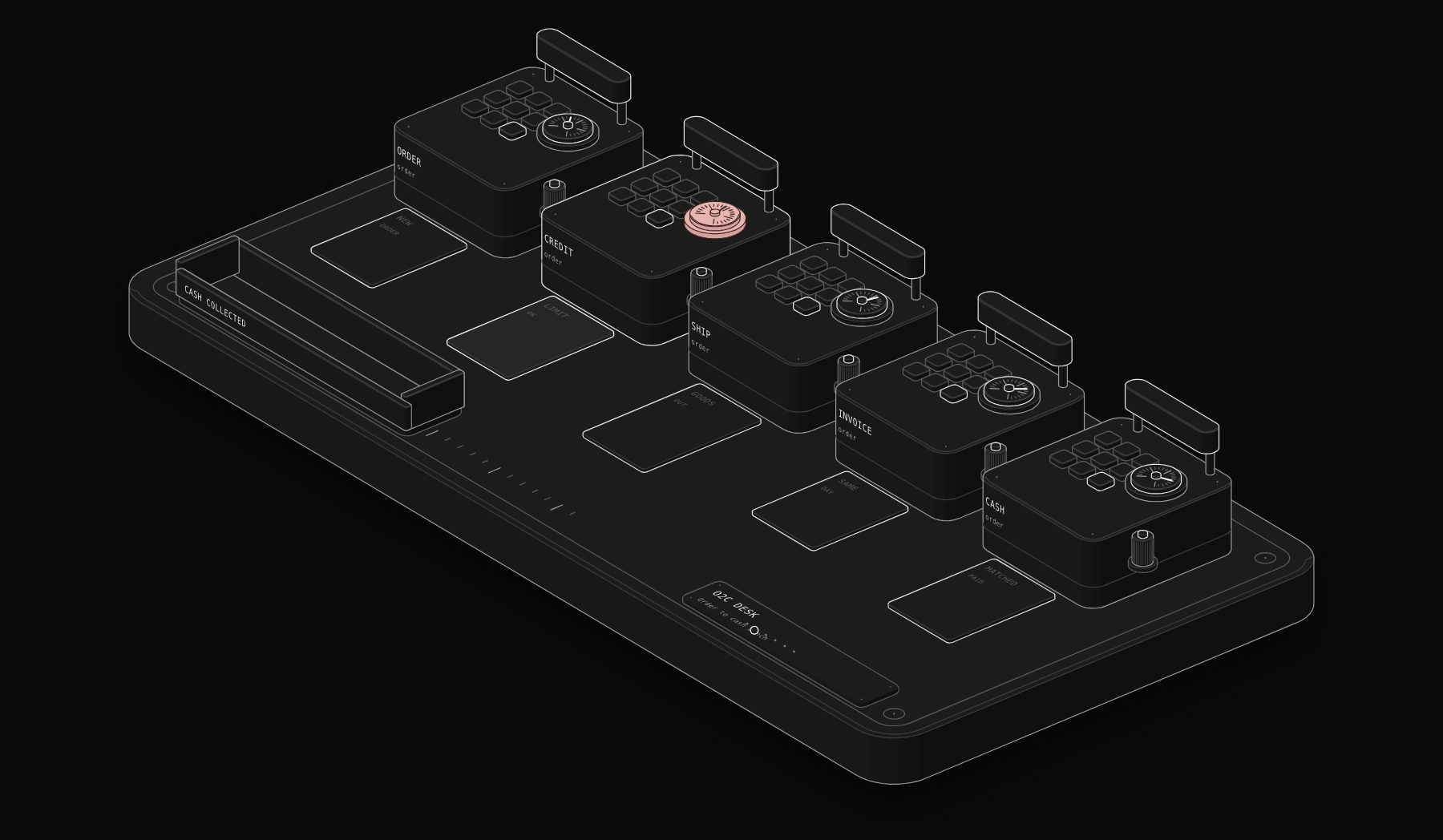
The order to cash process (O2C, or OTC) is the end-to-end set of steps a business follows from receiving a customer order to collecting and recording the payment: order management, credit check, fulfillment, invoicing, accounts receivable and collections, cash application, and reporting. Order to cash automation uses software and workflows to move each order through those steps without re-keying, so orders ship faster, invoices go out on time and cash arrives sooner. This guide explains the order to cash process steps, the order to cash process in SAP, a process flow you can map, where automation pays first, the software that covers O2C and the metrics to track.
In short. Order to cash has 7 core steps: order, credit, fulfillment, invoicing, collections, cash application and reporting. Most delays come from the handoffs between them: an order typed twice, a credit check done by email, an invoice sent days after shipment, a payment nobody can match. Automate the handoffs first: order capture into the ERP, invoice on shipment, scheduled reminders, and automatic cash application. Measure DSO, order-to-invoice time and the share of invoices paid on time before and after.
What is the order to cash process?
Order to cash is the customer-facing financial cycle of a business. It starts when a customer places an order, by e-commerce checkout, sales rep, EDI, email or a signed quote, and ends when the cash is in your bank account and correctly recorded in the general ledger. Between those two points sit several teams: sales, credit, warehouse or service delivery, billing, accounts receivable and accounting. Each team usually works in a different tool, which is why O2C is one of the processes with the most manual handoffs in a growing company. The order to cash cycle matters because it directly controls working capital: every day an invoice is late, every unmatched payment and every disputed deduction is cash the business has earned but cannot use. Order to cash automation does not replace those teams; it connects their tools so information flows once, in the right order, with a person only where a decision is needed.
The order to cash process steps
| Step | What happens | Typical manual problem | What automation does |
|---|---|---|---|
| 1. Order management | Order received and entered | Orders retyped from email or PDF into the ERP | Orders captured from checkout, EDI, CRM or email straight into the ERP |
| 2. Credit management | Customer credit checked against limits | Credit approved by email, orders blocked for days | Rules approve within limits, route exceptions to credit |
| 3. Fulfillment | Goods shipped or service delivered | Billing not told that the order shipped | Shipment or delivery event triggers the next step |
| 4. Invoicing | Invoice created and sent | Invoices batched weekly, errors in prices or tax | Invoice generated on shipment with correct prices and tax |
| 5. Accounts receivable and collections | Customer reminded and chased | Ad hoc reminders, aging spreadsheet | Scheduled reminders, payment links, dispute logging |
| 6. Cash application | Payment matched to invoices | Hours of manual matching | Automatic matching from bank and remittance data |
| 7. Reporting | Results recorded and analysed | Month-end spreadsheets | Live DSO, aging and cash forecast dashboards |
Source: compiled by PURIST (purist.online), November 21, 2026.
Two more steps appear in many companies: deductions and disputes (short payments, claims and credit notes, common in retail and distribution) and returns (credit memos and refunds). Map them explicitly; they are often where the most cash leaks.
Order to cash process flow chart
A simple order to cash process map, written as a flow you can draw in any diagram tool:
- 1 Order received (web, EDI, sales rep, email) → order validated (customer, products, prices, tax).
- 2 Credit check → within limit: release; over limit: route to credit team → approve, require prepayment or reject.
- 3 Fulfillment → pick, pack and ship, or deliver the service → shipment or completion event recorded.
- 4 Invoice → created from the order and shipment → sent by email, portal or e-invoicing.
- 5 Collections → reminders on schedule → dispute? log it, assign it, resolve it → credit note if needed.
- 6 Payment received → cash application matches it to invoices → unmatched? route to AR.
- 7 Close → revenue and cash recorded in the general ledger → reporting updated.
When you map your own flow, write the owner and the system next to each box. The places where the owner or the system changes are the handoffs to automate first.
Order to cash process in SAP
In SAP ERP and SAP S/4HANA, order to cash runs mainly through the Sales and Distribution (SD) and Financial Accounting (FI) areas. A classic SAP O2C flow uses these transactions: create a sales order with VA01, create the outbound delivery with VL01N, post the goods issue from the delivery, create the billing document with VF01 (which posts the receivable to accounting), and post the incoming customer payment with F-28. Credit management checks can block the order or the delivery when a customer exceeds its limit. In SAP S/4HANA, many of these steps are also available as Fiori apps, and SAP's own collections, dispute and cash application functions sit in its financial operations tools. Automation in an SAP landscape usually means capturing orders into SAP without manual entry, triggering billing on goods issue, and adding collections and cash application automation, either with SAP's own modules or with a specialist such as HighRadius or Esker connected to SAP.
Where to start automating order to cash
Do not try to automate the whole cycle at once. Start where the delay or the manual work is largest. In most small and mid-sized companies, the same four handoffs are worth automating first:
- 1 Order capture. Orders arriving by email or PDF are typed into the ERP. Automate with e-commerce or CRM integration, EDI, or document capture that reads the order and creates a draft for approval.
- 2 Invoice on shipment. Invoices are created in weekly batches. Trigger the invoice from the shipment or delivery event, so it goes out the same day.
- 3 Reminders and payment links. Customers are chased only when someone remembers. Run scheduled reminder sequences that stop automatically on payment; see the workflow in accounts receivable automation software.
- 4 Cash application. Payments are matched by hand. Use automatic matching from bank and remittance data, with a person handling only unclear cases.
If you sell across US states, add sales tax to the list: wrong or missing tax on the invoice is one of the most common reasons for corrections and disputes. See sales tax automation software.
Order to cash automation software
| Tool type | Examples | Covers |
|---|---|---|
| ERP with built-in O2C | NetSuite, SAP S/4HANA, Microsoft Dynamics 365, Sage Intacct | Orders, fulfillment, invoicing, receivables and the general ledger in one system |
| O2C and AR platforms | HighRadius, Esker, Upflow, Versapay, Billtrust, Tesorio | Credit, collections, cash application, deductions, customer portals |
| SMB accounting with AR | QuickBooks Online, Xero, BILL | Invoices, reminders, online payments, basic AR |
| Billing platforms | Stripe Billing, Chargebee, Recurly | Subscriptions, usage-based billing, automated invoices and payment retries |
| Workflow automation | n8n, Make | Connecting CRM, e-commerce, ERP, accounting and messaging where no native integration exists |
Source: compiled by PURIST (purist.online), November 21, 2026.
HighRadius describes an order to cash suite covering collections, cash application, deductions, credit management and electronic invoicing for mid-market and enterprise companies. Esker markets an order-to-cash solution that includes order management. For subscription businesses, the billing platform is effectively the O2C system; see Chargebee vs Recurly vs Stripe Billing. For the ERP choice, see NetSuite vs Sage Intacct vs QuickBooks Enterprise.
An order to cash workflow example with n8n
A distribution company that sells through a sales team and a Shopify store could connect its order to cash steps like this:
- 1 Trigger: a new Shopify order or a deal marked "won" in the CRM.
- 2 Validate: check the customer exists in the accounting system; create it if not; check the credit limit field.
- 3 Branch: within limit → continue; over limit → send an approval request to the finance manager and wait.
- 4 Create: the sales order or invoice in QuickBooks, Xero or NetSuite, with the correct tax from the tax engine.
- 5 Notify: send the warehouse a pick list, or the service team a start notice.
- 6 On shipment: send the invoice with a payment link.
- 7 On payment: mark the invoice paid, update the CRM, and post a message in the finance channel for large amounts.
Each step is logged, and nothing is sent to a customer without the approval rules you set. The same structure works in Make. For a deeper look at building workflows like this, see our workflow automation examples.
Order to cash metrics to track
| Metric | Formula or definition | Why it matters |
|---|---|---|
| Order-to-invoice time | Time between order shipped or delivered and invoice sent | Every day of delay pushes cash a day later |
| DSO | Accounts receivable ÷ credit sales for the period × days in the period | Average time to get paid |
| Percentage of invoices paid on time | Invoices paid by due date ÷ invoices due | Whether terms and reminders work |
| Invoice accuracy | Invoices sent without correction ÷ invoices sent | Errors cause disputes and late payment |
| Unapplied cash | Payments received but not matched | Whether cash application keeps up |
| Deductions open | Value and age of unresolved short payments | Hidden revenue leakage |
| Perfect order rate | Orders delivered complete, on time, with a correct invoice ÷ all orders | The whole cycle in one number |
Source: compiled by PURIST (purist.online), November 21, 2026.
Take a baseline over one full month before you change anything, then compare after two full billing cycles.
Order to cash by business model
The seven steps are the same everywhere, but the hard part changes with the business model:
| Business model | Where O2C usually breaks | What to automate first |
|---|---|---|
| B2B distribution and wholesale | Orders by email and PDF, deductions and short payments | Order capture, deductions management, cash application |
| Manufacturing | Credit holds, partial shipments, invoices per shipment | Credit rules, invoice on each goods issue |
| Professional services and agencies | Time and milestones not billed on time | Invoice triggered by milestone or timesheet approval |
| SaaS and subscriptions | Failed card payments, usage not billed | Billing platform with payment retries and usage invoicing |
| E-commerce selling to businesses | Tax on invoices across states, net terms | Tax engine at checkout, payment links on net-terms invoices |
Source: compiled by PURIST (purist.online), November 21, 2026.
For service businesses, the "fulfillment" step is often a project milestone or an approved timesheet. Connecting that approval to invoicing removes most of the delay. For SaaS, see subscription billing automation and failed payment recovery.
Who owns order to cash?
In a small company, one finance person often runs the entire cycle. In a mid-sized company, ownership is split, which is exactly why handoffs fail. A clear model:
- Sales or customer service owns order accuracy: correct customer, products, prices and terms.
- Credit (often the controller in smaller teams) owns credit limits and holds.
- Operations owns fulfillment and the shipment or delivery record.
- Billing or AR owns invoices, reminders, disputes and cash application.
- The controller or CFO owns the metrics: DSO, unapplied cash, deductions and the cash forecast.
Write one sentence per owner describing what "done" means for their step. Esker's order-to-cash pages describe the same idea from a software angle: protecting cash flow upstream by improving order accuracy and credit control before invoicing begins.
Order to cash vs procure to pay
Order to cash is the customer side of cash flow: from order to cash received. Procure to pay (P2P) is the supplier side: from purchase request to supplier paid. They mirror each other: your sales order is your customer's purchase order, and your invoice is their payable. A finance team that automates both gets a complete view of cash coming in and going out. For the supplier side, see accounts payable automation software and our AP automation comparison.
Common order to cash mistakes
- 1 Automating invoicing before fixing order data. If prices, tax codes or customer records are wrong, automation sends wrong invoices faster.
- 2 No owner for exceptions. Credit holds, disputes and unmatched payments need a named owner and a deadline.
- 3 Reminders that do not stop. Reminders must stop the moment payment arrives, or customers who paid get chased.
- 4 Ignoring deductions. Short payments left unresolved become write-offs.
- 5 Measuring nothing. Without a baseline DSO and order-to-invoice time, you cannot prove the project worked.
Frequently asked questions
What is the order to cash process?
The complete cycle from receiving a customer order to collecting and recording the payment: order management, credit check, fulfillment, invoicing, collections, cash application and reporting.
What are the order to cash process steps?
Order management, credit management, fulfillment, invoicing, accounts receivable and collections, cash application, and reporting. Many companies also manage deductions, disputes and returns as separate steps.
What is order to cash automation?
Using software and workflows to move orders through every O2C step without manual re-entry: orders captured into the ERP, invoices triggered by shipment, reminders sent on schedule and payments matched automatically.
What is the order to cash process in SAP?
In SAP, a sales order (VA01) leads to a delivery (VL01N) and goods issue, then a billing document (VF01) that posts the receivable, and finally the incoming payment (F-28). Credit checks can block orders or deliveries.
What is the difference between order to cash and procure to pay?
Order to cash covers money coming in from customers; procure to pay covers money going out to suppliers, from purchase request to supplier payment.
Which software is best for order to cash automation?
An ERP such as NetSuite or SAP S/4HANA covers the core. Mid-market and enterprise companies add O2C and AR platforms such as HighRadius, Esker or Upflow; small businesses often combine QuickBooks or Xero with a billing tool and workflow automation.
What is the most important order to cash metric?
DSO is the most used, but order-to-invoice time is often the quickest to improve: sending invoices the day goods ship brings cash in sooner without asking anything of customers.
Sources
Read by PURIST on November 21, 2026: HighRadius accounts receivable and order to cash software, Esker order-to-cash and Upflow pricing. SAP transaction codes are those of SAP's standard Sales and Distribution and Financial Accounting modules. The process map, the n8n workflow example, the starting priorities and the metric definitions are PURIST's own presentation of standard finance practice.
Want orders, invoices, reminders and payments connected across your CRM, store and accounting system? See our workflow automation services.
Tags

Steve founded PURIST, a workflow automation studio working with n8n, Make and Claude AI, and is the point of contact on every project. Prices and features in our articles come from vendor documentation and public pricing pages. How we research and score tools.