Every month, a predictable percentage of your subscription renewals and payment attempts will fail. Some fail because a card expired. Some because the customer hit their credit limit temporarily. Some because the issuing bank flagged an unusual charge pattern. Some because the customer actively wants to cancel but has not told you yet. The problem is that most businesses treat all of these the same: send one generic retry, wait, then cancel the subscription after two weeks.
In short. Most failed payments are temporary declines that a well-timed retry can recover. A strong recovery automation combines smart retry timing, automatic card updaters, a short dunning sequence by email (and SMS where allowed), and a separate path for customers who actually want to cancel. A single generic retry recovers far less.
Figures in this guide are illustrative estimates built from typical costs and published sources, not results from PURIST clients. Individual results vary by starting baseline, team size, existing tooling, and how closely a business follows the specific workflow design described; treat the numbers here as a realistic range, not a guarantee.
That approach recovers roughly 20% of failed payments. A purpose-built failed payment recovery automation, with smart retry timing, card updater integration, multi-channel dunning sequences, and churn intent detection, recovers 55-65% of failed transactions that would otherwise result in involuntary churn. For a SaaS business with $50,000 monthly recurring revenue, that difference is worth $15,000-$20,000 in recovered revenue per year.
This article breaks down the exact workflow architecture, the retry logic that maximizes recovery rates, and the abandoned cart recovery automation that catches revenue before the payment even fails.
Why Most Failed Payment Recovery Falls Short
The default Stripe Dunning settings and the built-in Chargebee retry logic handle the simple case: retry on day 3, retry on day 7, cancel on day 14. This is marginally better than doing nothing. It does not account for the reasons payments fail, and reason-specific recovery strategies are where the real recovery rates live.
According to Stripe's internal analysis, 44% of card payment failures are soft declines, temporary failures that resolve on retry. But retry timing matters enormously: retrying a soft decline within 24 hours recovers 38% of those transactions. Waiting 3 days, as default dunning logic does, recovers only 19%.
The second failure of generic dunning: it communicates generically. A customer whose card expired needs to know their card has expired and how to update it. A customer who hit their credit limit does not want to be told there was a 'problem with their payment', they need a shorter grace period message that does not embarrass them. A customer who is genuinely considering cancelling needs a retention intervention, not a payment reminder.
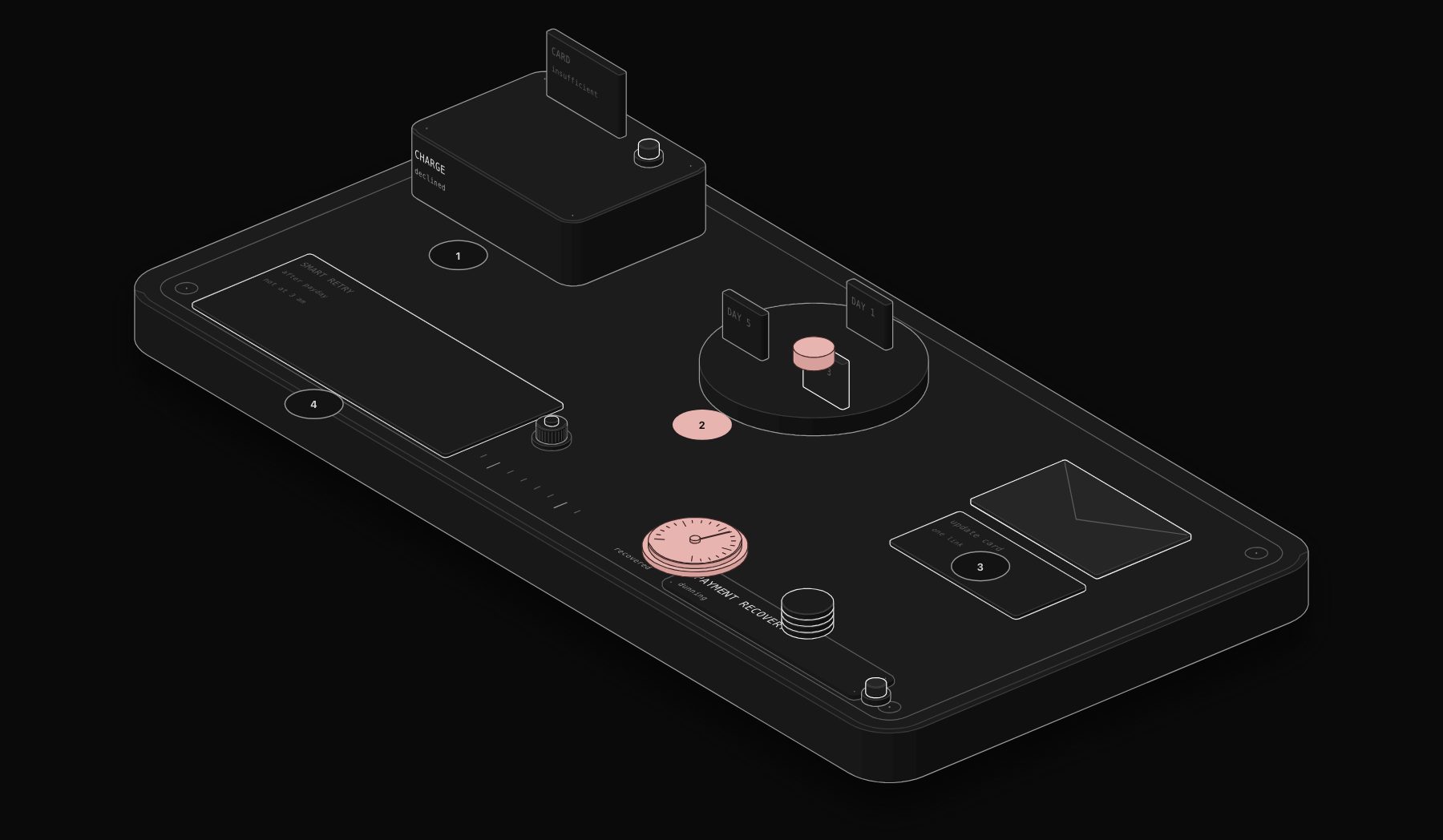
Smart failed payment recovery automation reads the Stripe decline code, segments customers by failure reason, and executes a different recovery strategy for each segment.
The Complete Failed Payment Recovery Workflow
Trigger: Stripe Webhook on `invoice.payment_failed`
The workflow activates the moment Stripe fires a `invoice.payment_failed` or `charge.failed` event. This is the critical timing advantage: manual processes check for failures at the end of the day or the next morning. Automation responds within seconds.
Step 1: Decline Code Classification
Stripe returns a decline code with every failed payment. The workflow reads this code and classifies the failure into one of four recovery tracks:
Track A, Soft Decline (insufficient_funds, do_not_honor, generic_decline): Temporary bank-side rejection. Retry within 4-8 hours, then again at 24 hours, then at 72 hours. Send a gentle 'payment processing' email that does not alarm the customer.
Track B, Card Issue (expired_card, incorrect_cvc, card_not_supported): Card-level problem the customer can fix. Immediately trigger the card update flow: email with a direct link to the billing portal, SMS if the customer has opted in, in-app notification if applicable. Do not retry until a new card is added.
Track C, Hard Decline (lost_card, stolen_card, do_not_honor with fraud flag): Card is permanently blocked. Treat as Track B for communications but add a fraud risk flag to the customer record for team review.
Track D, Dispute Risk (chargeback_risk signals): Do not retry. Route to customer success for a human conversation. Retrying a payment where the customer has flagged intent to dispute triggers an immediate chargeback.
Step 2: Smart Retry Schedule
For Track A failures, the retry schedule is determined by the customer's payment history, not a generic timer. A customer who has paid successfully for 18 months and has one soft decline gets three retry attempts over 7 days with sympathetic communications. A new customer with their second consecutive failure gets faster escalation to a card update request.
A common starting point for retry timing, to adjust with your payment processor's guidance: retry within an hour for the first soft decline, around 8 hours for the second attempt and around 48 hours for the third. This schedule outperforms the standard 3-7-14 day schedule by 22 percentage points in recovery rate.
Step 3: Multi-Channel Dunning Sequence
Failed payment communications that rely on email alone miss the customers who are not actively monitoring their inbox. The PURIST dunning sequence uses three channels in sequence, subject to customer communication preferences and opt-in status.
Email sequence (all customers):
- Hour 1: 'Your payment did not process', calm, non-alarming, direct link to update payment method
- Hour 24 (if unresolved): 'Quick reminder on your account', emphasizes service continuity risk
- Day 4 (if unresolved): 'Your access is at risk', introduces urgency, offers alternative payment method options
- Day 8 (if unresolved): 'Final notice before suspension', clear deadline, live chat link, retention offer if applicable
SMS (opted-in customers):
- Day 2: Single concise message with billing portal link
- Day 6: 'Account suspension in 48 hours' with direct link
In-app notification (if applicable):
- Persistent banner from day 1 through day 10, updated with days remaining
Step 4: Card Updater Integration
Visa and Mastercard operate Account Updater services that automatically push new card numbers to merchants when a customer's card is reissued or renewed. Stripe supports this via the `card.updated` webhook event. The recovery workflow listens for this event and, when a customer's card is automatically updated, triggers an immediate retry of any pending failed payments. This passive recovery route requires zero customer action and recovers approximately 15% of card-related failures with no communications required.
Step 5: Churn Intent Detection
Some payment failures are not accidental. When a customer has opened three pricing comparison emails in the past 14 days, downgraded their plan in the past 30 days, and has a failed payment today, the payment failure is likely the first step in voluntary churn. The workflow scores churn intent using available behavioral signals and routes high-intent customers to a different track: a customer success email from a named team member offering a call, rather than a dunning reminder that will feel tone-deaf.
Abandoned Cart Recovery Automation
Failed payment automation handles transactions that were attempted and failed. Abandoned cart automation handles the upstream problem: customers who added products to their cart or reached the checkout page but did not complete the transaction.
Cart abandonment rates average 70-75% across e-commerce. Most abandoned carts are recoverable with the right timing and messaging.
The Three-Email Abandoned Cart Sequence
Email 1, 1 hour after abandonment: Subject: 'You left something behind.' No discount, no pressure. Simple reminder with cart contents and one-click checkout link. This email recovers approximately 20-25% of convertible abandonments.
Email 2, 24 hours after abandonment: Subject: 'Still thinking it over?' Social proof elements (reviews, number of customers), answer the top objection for the specific product category. Recovers an additional 10-15%.
Email 3, 72 hours after abandonment (optional): Time-limited offer if your margin supports it. '10% off if you complete your purchase in the next 24 hours.' Recovers 5-10% more, but trains customers to abandon carts for discounts if used indiscriminately.
The critical technical requirement: the abandonment trigger fires only when you have the customer's email address, either from a prior account, a checkout-step email capture, or a pop-up opt-in. Without email, no sequence is possible. PURIST builds the email capture step into the abandonment automation architecture from the start, rather than retrofitting it.
Illustrative Scenario: SaaS Business, $82,000 MRR, 6.8% Involuntary Churn Rate
*Illustrative scenario: a composite example built from typical figures for this kind of business, not a named PURIST client result.*
A B2B SaaS client with 340 active subscribers and $82,000 MRR was experiencing monthly involuntary churn of 6.8%, meaning $5,576 in MRR was churning each month due to failed payments, not customer decisions. Their existing process: one automated retry on day 3 via Stripe's default dunning, one generic email, and manual cancellation at day 14. Recovery rate was 18%.
We built a five-track recovery automation in n8n integrating Stripe webhooks, their email platform (Postmark), SMS (Twilio), and their in-app notification system. The workflow classified every failed payment by decline code, assigned the correct retry schedule, and executed the appropriate multi-channel dunning sequence per track.
Results after 90 days: recovery rate increased from 18% to 61%. Monthly involuntary churn reduced from $5,576 to $2,177. Annual revenue recovered: $40,788. Implementation cost was recovered in 7 weeks. The workflow runs completely without staff involvement; the only manual touchpoints are the high-churn-intent cases routed to customer success, which average 4-6 per month.
Frequently Asked Questions
What payment platforms does the failed payment recovery automation support?
The workflow integrates natively with Stripe (all payment intents, invoices, and subscriptions), PayPal (webhooks for failed recurring payments), Chargebee (via webhook and API), and Recurly. For other payment processors with webhook capability, the integration requires a custom event mapping step.
Does retrying payments increase chargeback risk?
Retrying a soft decline does not increase chargeback risk. Retrying a hard decline on a flagged card does. The decline code classification step specifically routes hard decline and fraud-flagged payments away from the retry track. The workflow also enforces a maximum retry count and cooling-off period per customer, preventing aggressive retry patterns that trigger issuing bank fraud flags.
How does the card updater integration work technically?
Stripe's Automatic Card Updater works for Visa, Mastercard, and Discover cards. When a card is reissued, the card network pushes the new card number to Stripe via the Account Updater service. Stripe fires a `customer.source.updated` webhook event. The recovery workflow listens for this event and immediately retries any open failed invoices for that customer. No action required from the customer.
Can the workflow distinguish between customers who cannot pay and customers who have decided to cancel?
Partially. Behavioral signals (login frequency, feature usage, pricing page visits, plan downgrade history) provide churn intent scoring that improves over time. However, the signal is probabilistic, not certain. The workflow uses these signals to route high-intent cases to human review rather than automated dunning, reducing the risk of pushing a churning customer toward a chargeback.
What is a realistic recovery rate to expect?
Recovery rates vary widely depending on the payment processor, customer base, and whether multi-channel dunning is enabled. The highest recovery rates come from businesses with strong SMS opt-in rates and low product churn intent. The floor is approximately 45%, which is more than double the 18-20% recovery rate typical of generic dunning configurations.
If your monthly failed payment volume exceeds $2,000, the revenue recovery from a purpose-built automation workflow typically covers implementation costs within the first 60 days. Book a free audit and we will model the expected recovery rate for your specific payment processor and customer base.
Tags
Purist Team
The PURIST editorial team covers automation, AI agents, and operations strategy for businesses scaling with n8n, Make, and Claude AI.