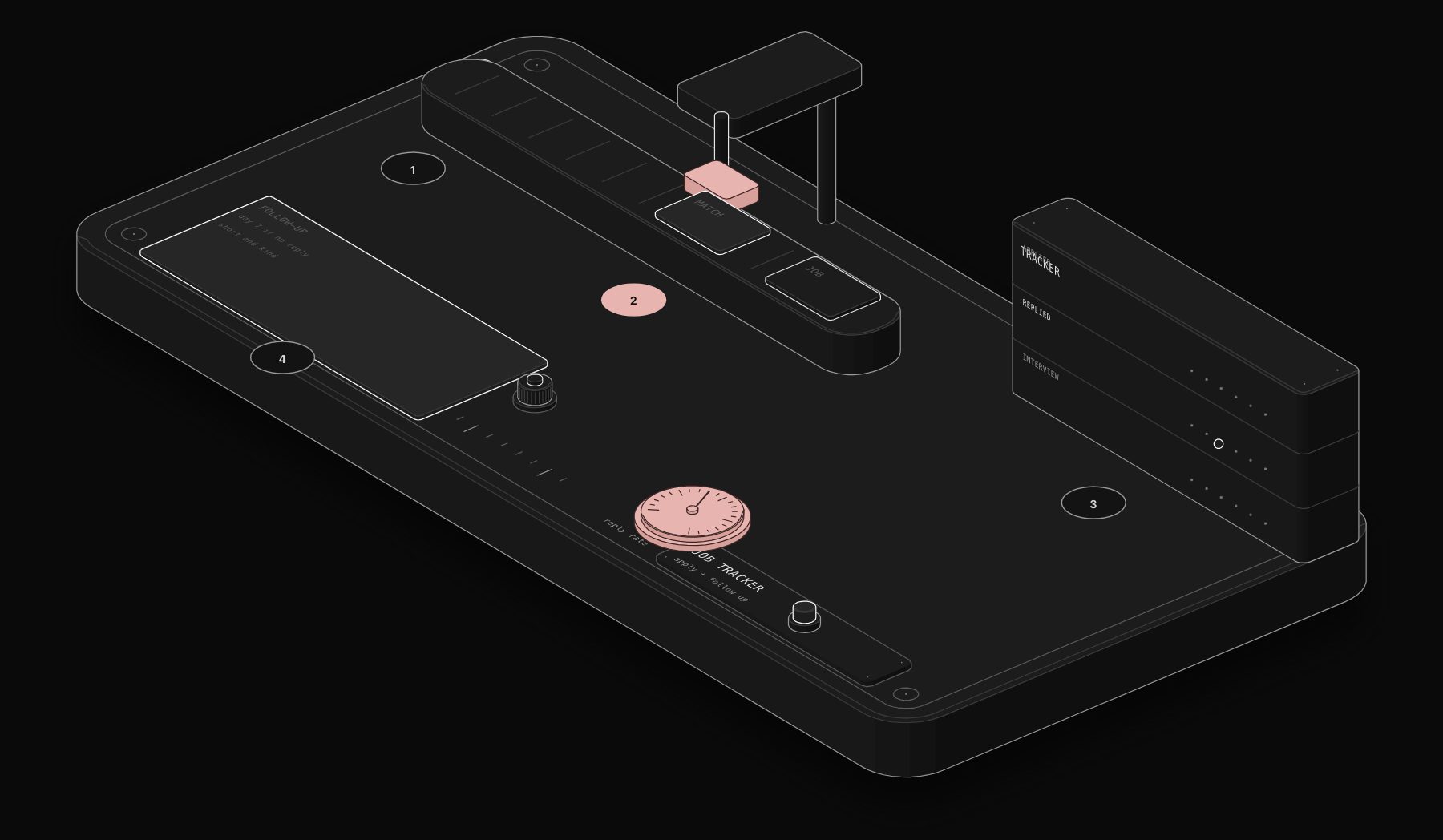
LinkedIn is where many recruiters source candidates, and an active job search on it can easily take hours every day. Most of that time is not strategic. It is mechanical: scrolling through listings, checking whether a role matches your criteria, copying job descriptions into a document, writing yet another cover letter variation, submitting an application, and then losing track of which companies you have already applied to. Two weeks in, you have a messy spreadsheet, 40 open browser tabs, and no clear picture of your pipeline.
In short. An n8n workflow can watch LinkedIn job listings, filter them against your criteria, draft tailored applications and track every application with follow-up dates. The main gain is speed and organisation: you apply sooner and never lose track of a role. Respect LinkedIn's terms of use and review every application before it goes out.
n8n LinkedIn job automation eliminates the mechanical parts entirely. A properly built workflow monitors LinkedIn for new job postings matching your criteria, scores each listing against your profile, generates personalised application materials using Claude AI, tracks every application in a structured database, and triggers follow-up sequences at precisely the right intervals. You spend your time on interviews and networking. The workflow handles everything else.
This guide covers the complete architecture of a production LinkedIn job automation system built on n8n, from the initial job monitoring trigger through application tracking and follow-up sequences.
Why LinkedIn Job Search Automation Matters in 2026
The LinkedIn job market has fundamentally changed. Companies now receive an average of 250 applications per job posting, up from 118 in 2020. The increase is driven partly by AI-assisted mass applications, which means that speed and personalisation are now the two factors that separate successful applicants from the pile.
Applying early matters: recruiters often review the first applications first. Automation does not replace quality, it ensures your quality application arrives first.
The core problem with manual job searching is not effort, it is latency. A perfect-fit role gets posted at 9am on Tuesday. You discover it on Thursday afternoon. By then, the recruiter has already shortlisted 15 candidates and scheduled first-round interviews. Your application lands in a queue that may never be reviewed.
An n8n workflow running on a 15-minute polling cycle detects that posting within 15 minutes and can have a tailored application ready within 30 minutes of the listing going live. That is the difference between being candidate number 3 and candidate number 247.
The Architecture of an n8n LinkedIn Job Automation Workflow
The complete system has five connected workflows that handle the full job search lifecycle:
- Job Monitor: Polls LinkedIn job listings every 15 minutes for new posts matching your saved search criteria
- Job Scorer: Evaluates each new listing against your profile, skills, and preferences using Claude AI, assigning a fit score from 0-100
- Application Builder: Generates tailored cover letters and adapts your CV summary for high-scoring listings
- Pipeline Tracker: Logs every listing, score, application status, and follow-up date in a Postgres database or Airtable
- Follow-Up Engine: Sends timed follow-up messages to hiring managers and recruiters at optimal intervals
Step 1: Job Monitoring with RSS and LinkedIn Search
LinkedIn does not offer a public API for job search (their API is restricted to approved partners). The workaround used in production is combining LinkedIn's built-in job alert RSS feeds with n8n's RSS polling node.
Here is how it works: go to LinkedIn, perform a job search with your desired filters (role, location, experience level, remote/hybrid), and create a job alert. LinkedIn generates an RSS feed URL for that alert. The n8n RSS node polls this feed every 15 minutes, extracting new job listings with their title, company, location, posted date, and LinkedIn URL.
For more advanced monitoring, the workflow uses the HTTP Request node to query LinkedIn's public job search page and parse the results using the HTML Extract node. This captures additional data points not available in the RSS feed: salary range (when listed), number of applicants, whether the poster is the hiring manager, and required skills tags.
The key principle is reliability. RSS feeds are stable and officially supported by LinkedIn. Web scraping provides richer data but requires maintenance when LinkedIn updates their HTML structure. A production workflow uses RSS as the primary source and web scraping as an enrichment layer.
Step 2: Deduplication and Storage
Every new listing passes through a deduplication check against your Postgres database. The workflow stores the LinkedIn job ID and checks for duplicates before processing. This prevents the same job from being scored and queued multiple times when LinkedIn refreshes its RSS feed.
New unique listings are stored with the following fields: LinkedIn job ID, title, company name, location, posted date, job description (full text), URL, source feed name, and a processing status flag set to "new."
Step 3: AI-Powered Job Scoring with Claude
This is where the automation becomes genuinely powerful. Each new listing is sent to Claude AI with a structured prompt that includes your CV, your target role criteria, and the full job description. Claude returns a structured JSON response with:
- Fit score (0-100), How well the role matches your experience and goals
- Match reasons: The top 3 reasons this role fits your profile
- Gap analysis: Skills or experience the role requires that you may lack
- Salary estimate: Based on the role level, company size, and location
- Application priority: High, medium, or low based on fit score and posting recency
- Red flags: Any concerning signals (unrealistic requirements, high turnover indicators)
Listings scoring above 75 are automatically queued for application. Listings scoring 50-74 are flagged for your manual review. Below 50 are archived with their scores for future reference.
Configure your scoring prompt carefully. Include your non-negotiable criteria (minimum salary, maximum commute, visa requirements) as hard filters that set the score to 0 regardless of other factors. Soft preferences (industry, company size, tech stack) should influence the score proportionally.
Step 4: Personalised Application Generation
For every listing that passes the scoring threshold, the workflow generates application materials tailored to the specific role. The Claude AI node receives the job description, your master CV, and the scoring analysis, then generates:
- Tailored cover letter: Addresses the specific requirements mentioned in the listing, references relevant experience from your CV, and matches the company's tone (formal for enterprise, conversational for startups)
- CV summary paragraph: A 3-4 sentence professional summary customised to emphasise the experience most relevant to this specific role
- Connection request message: A brief, personalised message for the hiring manager or recruiter if their LinkedIn profile is identified
- Follow-up email template: Pre-written for use 5 business days after application
The generated materials are stored in the pipeline database linked to the job listing record. You receive a Slack notification (or email, or Telegram message) with the listing details, fit score, and generated materials for review before submission.
Step 5: Application Tracking Dashboard
The pipeline tracker maintains a real-time view of your entire job search. Every listing flows through defined stages: New → Scored → Application Ready → Applied → Follow-Up Sent → Interview Scheduled → Offer → Accepted/Rejected.
The tracker stores: application date, method of application (LinkedIn Easy Apply, company website, referral), follow-up dates and content, recruiter contact details, interview dates and notes, and outcome. This structured data enables analytics that manual tracking cannot: average time from application to first response, conversion rate by industry, which cover letter styles generate more interviews, and optimal follow-up timing.
For the dashboard interface, the workflow syncs data to Airtable or Notion, giving you a visual Kanban board of your pipeline without building a custom frontend.
Step 6: Automated Follow-Up Sequences
The follow-up engine runs on a daily schedule trigger. It queries the pipeline database for applications that meet follow-up criteria:
- First follow-up: 5 business days after application, if no response received
- Second follow-up: 10 business days after application, if no response to first follow-up
- Networking touch: 3 business days after applying, send a connection request to the hiring manager with a brief, relevant message
Each follow-up is personalised using the original job listing data and application materials. The Claude AI node generates a natural, non-pushy follow-up that references a specific detail from the job description or company news, demonstrating genuine interest rather than template spam.
LinkedIn Job Automation: What You Should Not Automate
Automation handles the mechanical pipeline. But there are critical parts of the job search that should remain manual:
- Final application review: Always review AI-generated cover letters before submission. The workflow queues materials for your approval; it does not auto-submit
- Interview preparation: Use the AI scoring analysis as input, but do your own company research
- Salary negotiation: This requires real-time human judgment
- Networking conversations: Automated connection requests open doors, but the conversations that follow must be genuine
- Referral requests: Never automate asking someone to refer you. This must be personal
The purpose of n8n LinkedIn job automation is not to remove the human from the job search. It is to remove the mechanical work so the human can focus on the parts that actually determine the outcome: interview performance, relationship building, and career strategy.
Technical Requirements and Setup
The complete workflow requires the following stack:
- n8n: Self-hosted (recommended for data privacy) or n8n Cloud
- Claude AI API: For job scoring and content generation (Sonnet model is sufficient, ~$0.02 per job listing processed)
- PostgreSQL or Airtable: For pipeline tracking and deduplication
- Slack, Telegram, or Email: For notifications and approval requests
- LinkedIn account: Free tier works for job alerts; Premium provides additional data
Total running cost for an active job search processing 50-100 new listings per week: approximately $15-25/month for AI API calls plus your n8n hosting cost.
n8n Workflow Configuration
The job monitor workflow uses the Schedule Trigger node set to run every 15 minutes during business hours (Monday-Friday, 7am-9pm in your target timezone). Off-hours polling is unnecessary for most markets and reduces API costs.
The RSS Feed Read node connects to your LinkedIn job alert RSS URLs. You can monitor multiple searches simultaneously: one for your primary target role, one for adjacent roles you would consider, and one for reach positions at companies you particularly want to join.
The Function node handles data normalisation, extracting structured fields from the RSS XML and cleaning company names, locations, and job titles for consistent storage. Edge cases handled: LinkedIn sometimes includes promoted listings in RSS feeds, the workflow filters these based on the absence of a standard posting date.
Advanced Techniques for LinkedIn Job Automation
Company Research Enrichment
For listings scoring above 80, the workflow triggers an additional enrichment step: it queries the company's website, recent news, and Glassdoor profile to build a company brief. This brief is included in the cover letter generation prompt, enabling Claude to reference specific company initiatives, recent funding rounds, or product launches.
Recruiter Identification
The workflow uses LinkedIn's public company page to identify likely hiring managers and recruiters for each role. It searches for people with titles matching "Recruiter," "Talent Acquisition," or the hiring manager title indicated in the listing. This data feeds the connection request and follow-up sequences.
Salary Intelligence
Over time, the pipeline database accumulates salary data from listings that include compensation ranges. The workflow builds a salary benchmark dataset segmented by role type, seniority, location, and company size. After 100+ processed listings, this dataset provides accurate market salary intelligence for negotiation preparation.
Application Timing Optimisation
The workflow analyses which application times correlate with faster recruiter responses. Most data suggests Monday through Wednesday, 8-10am in the recruiter's timezone, generates the fastest response times. The workflow queues applications for optimal submission timing rather than submitting immediately.
Results: What to Expect
Illustrative estimates, which depend on your field, your criteria and how many roles are posted:
- Time saved: 12-18 hours per week compared to manual job searching
- Application speed: Average 22 minutes from posting to application-ready (vs. 2-3 days manual)
- Pipeline visibility: 100% of applications tracked with follow-up dates
- Listings processed: 300-500 relevant listings per month vs. 40-60 manually reviewed
Workflows like this one are exactly what our n8n automation agency builds and maintains for clients who would rather not manage the infrastructure themselves.
Frequently Asked Questions
Is automating LinkedIn job applications against LinkedIn's terms of service?
This workflow does not automate actions within LinkedIn itself. It monitors RSS feeds (officially provided by LinkedIn), generates application materials externally, and tracks your pipeline in a separate database. The actual application submission is done manually by you. This approach stays within LinkedIn's acceptable use policy.
Can this workflow auto-submit applications through LinkedIn Easy Apply?
We deliberately do not automate the submission step. Auto-submitting applications creates compliance risk with LinkedIn's automation policies and removes your quality control checkpoint. The workflow prepares everything and notifies you; you click submit after reviewing.
How much does it cost to run this automation?
For an active job search processing 50-100 listings per week: approximately $15-25/month for Claude AI API calls, $5-10/month for a small Postgres database or Airtable Pro, and your n8n hosting cost ($20/month for n8n Cloud starter or free if self-hosted). Total: $40-55/month, less than one hour of consulting time in most professional fields.
Does it work for non-English job markets?
Yes. Claude AI processes job descriptions and generates application materials in any major language. The workflow supports multilingual job searches, you can monitor English, French, German, and Spanish listings simultaneously with language-appropriate application generation.
Can I use this with other job platforms besides LinkedIn?
The architecture is platform-agnostic. The same workflow pattern works with Indeed, Glassdoor, AngelList, and any job board that provides RSS feeds or structured HTML listings. LinkedIn is the primary target because of its market dominance, but adding additional sources requires only adding new RSS or HTTP Request nodes to the monitoring workflow.
How do I handle multiple job search criteria simultaneously?
Create separate LinkedIn job alerts for each search (e.g., "Product Manager London," "Senior PM Remote," "Head of Product Fintech"), each generating its own RSS feed URL. The n8n workflow monitors all feeds in parallel using multiple RSS nodes feeding into the same deduplication and scoring pipeline.
Getting Started
The fastest path to deploying an n8n LinkedIn job automation workflow is a 30-minute scoping call where we map your specific search criteria, target roles, and existing tools. PURIST deploys the complete 5-workflow system in 3-5 days, including scoring prompt calibration, pipeline database setup, and notification configuration. Book your free automation audit and tell us about your job search goals, we will show you exactly how many hours per week the workflow saves for your specific situation.
Tags
Purist Team
The PURIST editorial team covers automation, AI agents, and operations strategy for businesses scaling with n8n, Make, and Claude AI.