When a new lead submits a form, how quickly does your automation respond? If the answer is 'within 5 seconds,' you are probably using webhooks. If the answer is 'within 15 minutes,' you are almost certainly using polling, and you may not even know it. The distinction between webhook-driven and poll-driven automation is the most consequential architecture decision in workflow automation, and it is made by default more often than it is made deliberately.
In short. Use webhooks whenever the source system supports them and speed matters: they react in seconds and waste no API calls. Use polling only when no webhook exists, such as with files, databases or legacy systems, and choose the longest interval your process can tolerate. A durable webhook receiver should acknowledge fast, queue the work and handle retries.
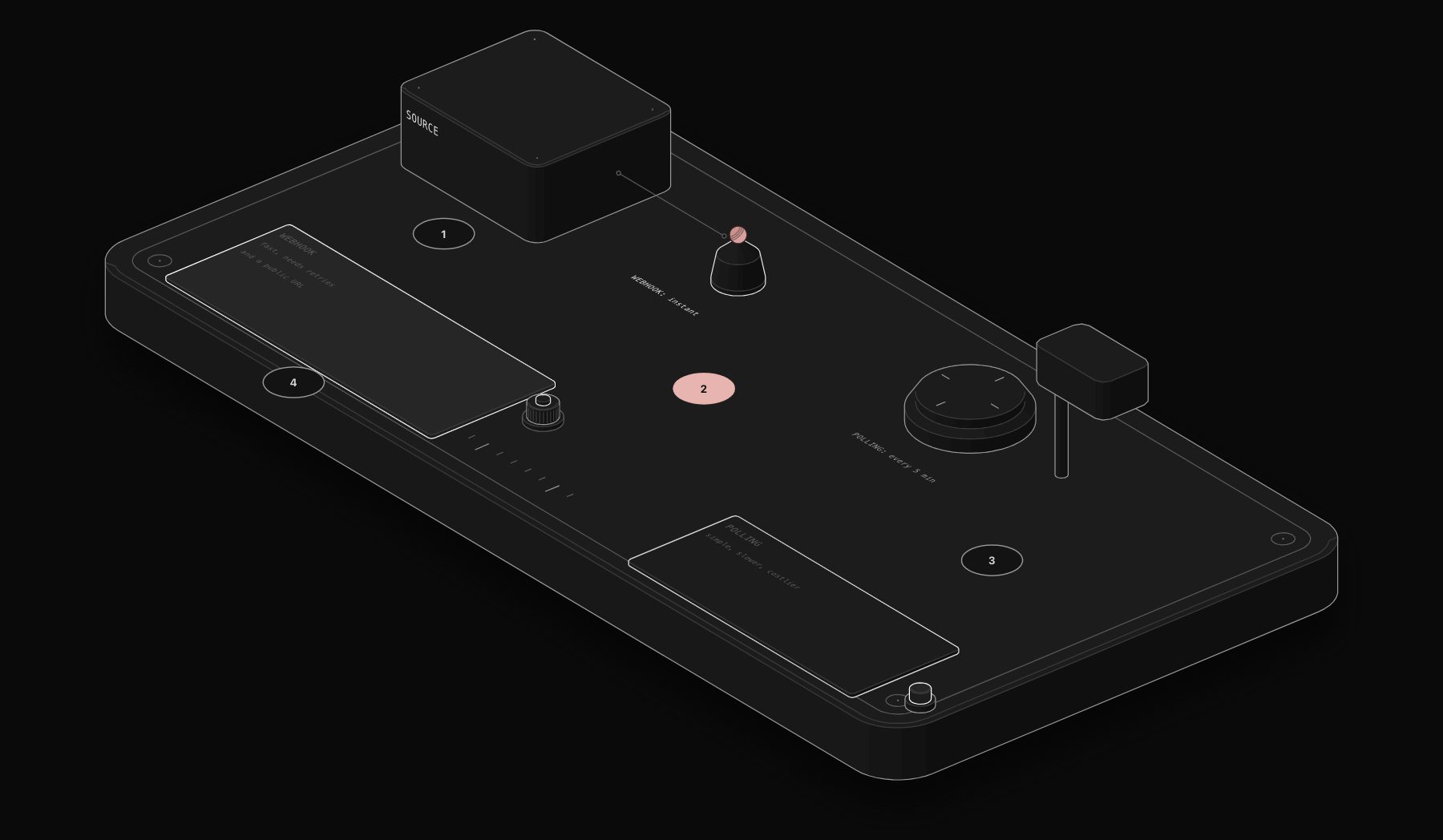
Polling means your automation checks a data source on a schedule, every 5 minutes, every 15 minutes, every hour, and processes any new records it finds. Every major automation platform defaults to polling for most triggers because it is simpler to implement. Polling does not require the external system to support outbound notifications. It does not require a publicly accessible endpoint. It works even with systems that have no webhook capability. The trade-offs are latency (15-minute polling means up to 15 minutes of delay before your automation fires), API quota consumption (polling against a rate-limited API every 5 minutes burns quota regardless of whether there is anything new), and inefficiency (the vast majority of polls return no new data).
Webhooks invert the model: instead of your automation asking 'is there anything new?', the external system tells your automation 'something happened, here is the data.' Webhook-driven triggers fire within milliseconds of the triggering event. They consume no API quota during idle periods. They are the right architecture for any workflow where latency matters, lead response, appointment confirmations, payment notifications, real-time stock updates, customer support ticket routing.
The practical guidance we apply: use webhooks wherever the source system supports them and latency is meaningful. Use polling where webhooks are unavailable, where the data source is a file system or database rather than a SaaS application, or where the workflow is inherently batch-oriented (weekly reports, daily data syncs). Never use polling with a sub-5-minute interval unless webhooks are genuinely unavailable, the API quota consumption and the operational noise of constant empty polls are rarely justified.
One architectural nuance that matters in production: webhook reliability. Webhooks delivered to a system that is temporarily unavailable are lost unless the sending platform implements retry logic. For high-value events, payment confirmations, signed contracts, we implement a webhook receiver that acknowledges receipt immediately (returning a 200 status within 100ms to prevent the sender timing out), pushes the payload to a queue, and processes asynchronously. This decouples receipt from processing and ensures that a momentary processing slowdown does not cause event loss. The queue, we typically use Redis or a simple Postgres table as a queue store, provides the durability that raw webhook-to-workflow architectures lack.
Decision Table: Webhook or Polling?
| Scenario | Recommended approach | Why |
|---|---|---|
| Source system supports webhooks, latency matters | Webhook | Sub-second response, zero idle API consumption |
| Source system has no webhook support | Polling | Only option; choose the longest interval the use case tolerates |
| Data source is a file system, database, or legacy system | Polling | Webhooks require the source to initiate the call; most legacy systems can't |
| Inherently batch-oriented work (weekly reports, nightly syncs) | Polling on a schedule | Real-time delivery adds no value if the output is only consumed once a day anyway |
| High-value, time-sensitive events (payments, signed contracts, lead capture) | Webhook, with a durable queue | Latency and reliability both matter; a lost event is expensive |
The Latency Math That Actually Matters
A 15-minute polling interval doesn't just mean "up to 15 minutes of delay," it means an *average* delay of 7.5 minutes across all events, since an event arriving right after a poll waits nearly the full interval, while one arriving right before waits almost none. For lead response specifically, where conversion rate drops sharply as response time increases past the first few minutes, that average delay is the difference between a lead handled while still actively engaged and one handled after they've moved on to a competitor's form. This is the concrete mechanism behind why webhook-driven lead capture consistently outperforms polling-based capture, not a general preference for "modern" architecture, a specific, quantifiable latency cost.
Building a Durable Webhook Receiver, Step by Step
The pattern described in this article's final paragraph, acknowledge immediately, queue, process asynchronously, deserves unpacking because it's the single most commonly skipped piece of production webhook architecture:
- 1 The receiving endpoint validates the webhook's signature (to confirm it's genuinely from the expected sender, not a spoofed request) and returns an HTTP 200 within milliseconds, before any business logic runs.
- 2 The raw payload is written immediately to a durable queue (a Postgres table or Redis list works for most SMB-scale workloads; higher-volume systems may warrant a dedicated queue service).
- 3 A separate worker process (or a scheduled workflow) pulls from the queue and executes the actual business logic, retrying on failure without needing the original sender to resend.
This separation means a temporary slowdown in your processing logic, a downstream API being briefly rate-limited, a database connection hiccup, never causes the sending platform to see a timeout and potentially drop the event, which many platforms will do if a webhook receiver doesn't respond within a few seconds.
Sources & Further Reading
For the platform-level implications of this architecture decision, see our n8n vs Make vs Zapier comparison, since the three platforms differ meaningfully in how much control they give you over webhook receipt and retry behavior. For the broader error-handling discipline this connects to, see building a 24/7 error handling system.
Frequently Asked Questions
How do I know if a platform I'm integrating with supports webhooks?
Check the platform's developer documentation for terms like "webhooks," "outbound notifications," or "event subscriptions." If none of these appear, the platform likely only supports polling via its API, confirm by searching for a "webhook" section specifically rather than assuming based on API availability alone.
What polling interval should I use if webhooks aren't available?
Match it to how quickly a delay would actually cost you something. Lead-related data warrants the shortest interval the API's rate limits allow (often 1-5 minutes); routine reporting or sync tasks can safely run hourly or daily without any practical downside.
Is it worth building the queue-based durable webhook pattern for a low-volume, low-stakes workflow?
Generally not; the added complexity is justified specifically for high-value or time-sensitive events. A low-stakes internal notification workflow can usually tolerate the occasional missed webhook without the queue architecture.
Can a single workflow use both webhooks and polling for different parts of the same process?
Yes, and this is common: a lead-capture trigger might be webhook-driven for instant response, while a nightly reconciliation step that cross-checks for any missed records runs on a polling schedule as a safety net, combining the latency benefit of webhooks with the reliability backstop of periodic verification.
Does n8n handle the queue-based durable webhook pattern natively?
n8n supports webhook triggers natively and can be combined with a database or queue node to implement the acknowledge-then-process pattern; the queue and worker logic itself is typically built explicitly as part of the workflow rather than being a single built-in toggle, which is part of why this architecture decision requires deliberate design rather than a default setting.
Tags
Purist Team
The PURIST editorial team covers automation, AI agents, and operations strategy for businesses scaling with n8n, Make, and Claude AI.