There is a well-documented, career-defining problem with Facebook Lead Ads: they are extraordinarily easy for prospects to fill out, and extraordinarily easy for businesses to respond to slowly. The friction-free form format, pre-populated with Facebook profile data, generates leads at a lower cost-per-lead than almost any other ad format. And those leads sit in a Facebook-hosted spreadsheet, accumulating, until someone remembers to export them.
In short. Facebook Lead Ads leads lose value fast while they sit in Facebook's export. A real-time integration sends each lead to your CRM (HubSpot, Salesforce, Pipedrive and others) the moment the form is submitted, assigns it, starts a follow-up sequence and alerts the right person, so you reply within minutes instead of days.
The MIT Lead Response Management Study found that businesses responding to web leads within 5 minutes are 100x more likely to make contact than businesses that respond after 30 minutes. For Facebook Lead Ads, the average first-contact time across businesses that do not have automated CRM sync is 47 hours. That is not a minor competitive disadvantage. It is the difference between a lead that converts and a lead that has already spoken to three competitors and made a decision.
This article explains exactly how Facebook Lead Ads to CRM automation works, which CRM integrations are available, what the workflow does beyond simple field copying, and what the speed improvement is worth in close rate terms.
The Core Problem With Facebook's Native Export
Facebook's built-in lead export is a manual, scheduled process. You navigate to your Meta Business Suite, find the Lead Ads library, download a CSV, import that CSV into your CRM. The fastest this happens is same-day. The most common cadence in businesses without automation is once a week. By the time a lead from Tuesday afternoon hits your CRM on Friday morning, that prospect has made a decision.
Facebook does provide a Lead Ads webhook API that enables real-time data delivery to external systems. This is the technical foundation for genuine automation, but setting it up requires webhook configuration, app review approval, token management, and payload mapping that goes significantly beyond the scope of most CRM's built-in Facebook integrations.
Facebook's native CRM integrations (including the native HubSpot and Salesforce Facebook connections) use a polling mechanism that syncs leads every 10-30 minutes, not in real time. For high-value service businesses where lead response time directly affects close rate, a 15-30 minute delay is still a significant competitive disadvantage.
The Architecture of a Real-Time Facebook Lead Ads to CRM Integration
A production Facebook Lead Ads to CRM automation operates through the Meta Lead Ads webhook API, not the polling-based sync used by most native integrations. The architecture:
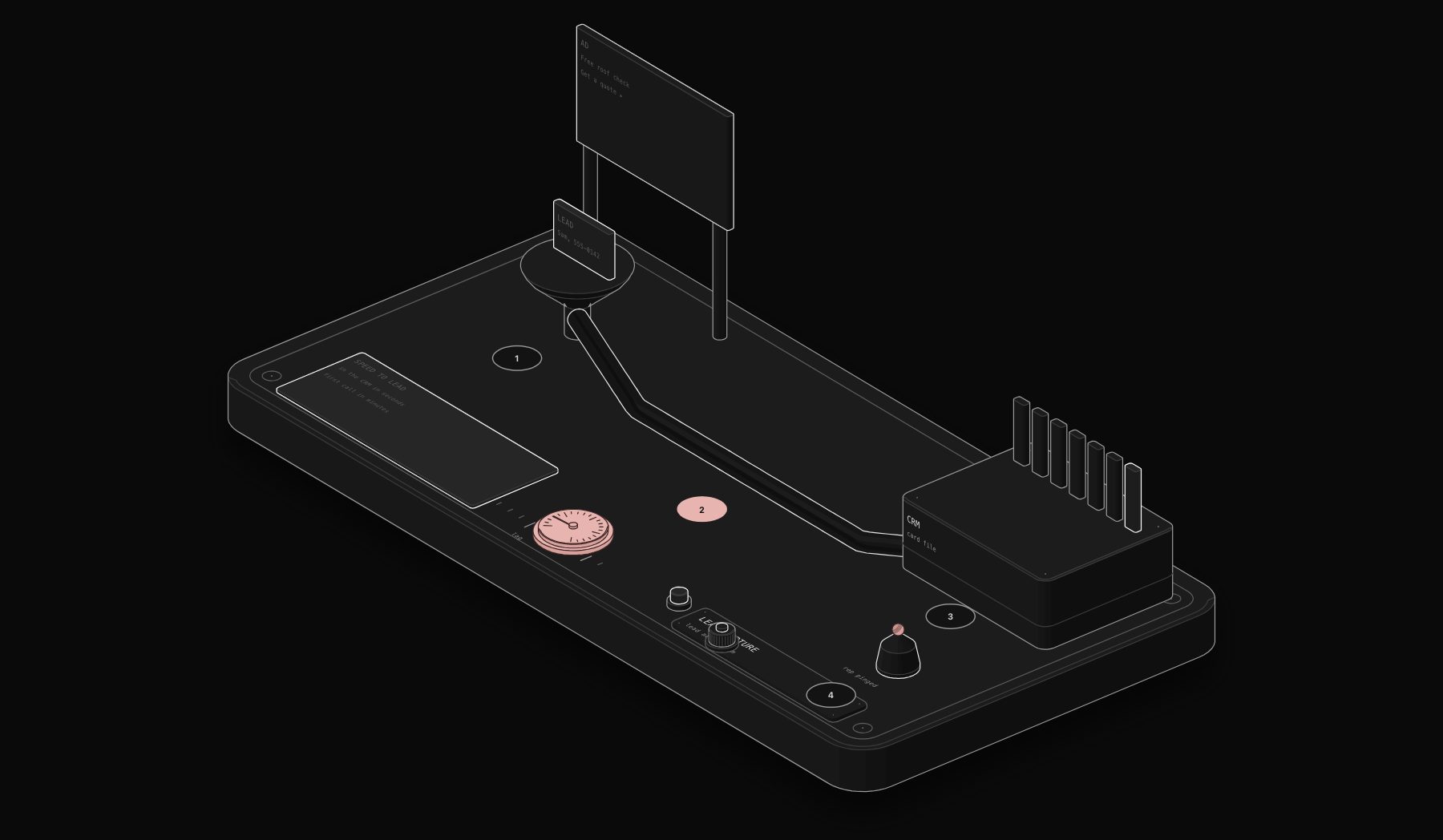
Meta Business Platform → Webhook → n8n → CRM + Notifications
When a prospect submits a Facebook Lead Ad form, Meta fires a webhook event to your n8n endpoint within seconds. The workflow receives the payload, validates the signature, extracts the lead fields, enriches the record where possible, creates or updates the CRM contact, routes the lead to the correct sales rep or pipeline stage, and fires a notification to the assigned rep, all within 30-90 seconds of form submission.
Step-by-Step Workflow
Step 1, Webhook receipt and signature verification. The Meta webhook payload includes an HMAC signature using your app secret. The workflow verifies this signature before processing, preventing unauthorized payloads from being ingested. Invalid signatures are logged and discarded.
Step 2, Form identification and field mapping. A single Meta Business account can run dozens of Lead Ad forms across multiple pages and campaigns. The workflow reads the `form_id` field in the payload and looks up the corresponding field mapping configuration: which form fields map to which CRM fields for this specific form. This configuration-based approach means adding a new campaign form requires only a mapping table update, not a workflow change.
Step 3, Lead source attribution. The payload includes the campaign name, ad set name, ad name, and page name. The workflow extracts these UTM-equivalent fields and populates the CRM lead source fields with structured attribution data: `Source = Facebook`, `Medium = Lead Ad`, `Campaign = [campaign name]`, `Ad Set = [ad set name]`. This enables accurate cost-per-acquisition tracking directly in your CRM without relying on URL parameters.
Step 4, Deduplication check. The workflow queries the CRM for an existing contact matching the lead's email address. If a match exists, the workflow updates the existing record with the new activity rather than creating a duplicate. The Facebook form submission is logged as an activity on the existing contact, preserving the relationship history.
Step 5, Lead scoring and routing. Optional but high-value: the workflow applies a lead scoring model based on available data. For B2B leads: company size (from LinkedIn enrichment if the email domain is a business domain), job title, and the specific ad form submitted (different forms may target different buyer segments). For B2C: location, age range if available, and which offer the form was attached to. The score determines which pipeline stage the lead enters and which sales rep receives the notification.
Step 6, CRM contact creation. The workflow creates the CRM contact with all mapped fields, source attribution, lead score, and the timestamp of Facebook form submission. The `Created Date` field records when the form was submitted, not when the workflow processed it, preserving accurate lead time tracking.
Step 7, Immediate rep notification. Within seconds of form submission, the assigned sales rep receives a Slack message and/or email containing: lead name, lead contact information, the specific form submitted, the campaign name, and a direct link to the CRM contact record. The message is structured for immediate action, the rep can begin outreach without navigating the CRM.
Step 8, Automated first-touch email (optional). For businesses where an immediate automated response is appropriate, the workflow triggers a personalized first-touch email within 60 seconds of form submission. The email is addressed to the lead by first name, references the specific offer or content they responded to, and sets the expectation for when a team member will follow up. This positions the business as responsive before a human has even seen the notification.
Which CRMs Does the Integration Support?
The Facebook Lead Ads to CRM automation supports direct API integration with:
- HubSpot: contact creation via Contacts API, deal creation in specified pipeline stage, list enrollment for lead nurture sequences
- Salesforce: lead creation via REST API with custom field mapping, assignment rules respected, campaign member creation for attribution
- Pipedrive: person and deal creation, activity scheduling for follow-up task
- GoHighLevel: contact creation, pipeline stage assignment, workflow trigger activation
- Monday.com CRM: item creation in configured board and group
- Airtable: record creation in configured base and table
- Google Sheets: row creation for businesses using Sheets as a lightweight lead database
For CRMs not in this list, the integration uses the CRM's REST API or webhook ingestion endpoint with custom field mapping.
Illustrative Scenario: Home Services Business, Facebook Leads as Primary Acquisition Channel
*Illustrative scenario: a composite example built from typical figures for this kind of business, not a named PURIST client result.*
A double-glazing installation company in the Midlands was running Facebook Lead Ads as their primary acquisition channel, generating 60-90 leads per month at £18 cost-per-lead. Their process: the marketing manager exported the Facebook leads spreadsheet each Monday and Thursday morning, imported them into their CRM, and the sales team called through the list. Average first-contact time: 3.2 days.
Close rate on Facebook leads was 8%. Their close rate on warm referrals was 31%. The team attributed the gap entirely to lead quality, 'Facebook leads are just colder.' In reality, a significant portion of the gap was response time.
We built a real-time Facebook Lead Ads to HubSpot automation. Leads now enter HubSpot within 45 seconds of form submission. Each rep receives an immediate Slack notification with the lead's contact details and a direct HubSpot link. The lead receives an automated email within 90 seconds referencing their specific enquiry. Reps are instructed to make first contact within 10 minutes of the Slack notification.
Results after 90 days: average first-contact time fell from 3.2 days to 18 minutes. Facebook lead close rate increased from 8% to 19%. At 75 leads per month with an average job value of £3,400, the 11-point close rate improvement generated 8 additional jobs per month, worth £27,200 in additional monthly revenue. The automation paid back implementation cost in its first week of operation.
Facebook + CRM Integration: Frequently Asked Questions
Does this work with Instagram Lead Ads as well?
Yes. Instagram Lead Ads use the same Meta Lead Ads infrastructure and the same webhook API. The same workflow handles Instagram Lead Ad submissions with no additional configuration beyond form ID mapping.
What happens if a lead submits the same form twice?
The deduplication check on email address prevents duplicate CRM contacts. The second submission is logged as a new activity on the existing contact record, and the CRM contact's lead score may be updated to reflect the repeated engagement signal.
How does lead routing work for teams with multiple sales reps?
Routing logic is configured in the workflow's field mapping table. Options include: round-robin assignment across a rep pool, assignment by territory or region (using the lead's city or postcode from the form), assignment by campaign (different campaigns route to different reps), and assignment by lead score tier. The routing configuration is updated in the mapping table without touching the workflow.
Can the automation trigger a Meta Conversions API event when a lead is created?
Yes. Sending a `Lead` conversion event back to Meta's Conversions API when a lead is created in the CRM enables better attribution and improves the Facebook ad algorithm's optimization signals. This is especially valuable for lead quality optimization, combined with CRM outcome data, it enables Meta to optimize for leads that actually convert, not just leads that submit forms.
Is there a limit to how many Facebook pages or ad accounts the integration can handle?
No practical limit. The integration uses the Meta Business account's webhook subscription, which covers all pages and ad accounts under that Business account. Additional Business accounts require separate webhook subscriptions and workflow configurations.
If you are running Facebook Lead Ads and your first-contact time exceeds 30 minutes, you are losing deals that the automation would close. Book a free audit and we will show you exactly what the integration looks like for your CRM and ad account setup.
Tags
Purist Team
The PURIST editorial team covers automation, AI agents, and operations strategy for businesses scaling with n8n, Make, and Claude AI.