Accounts payable automation software is software that captures supplier invoices, extracts their data, routes them for approval, matches them to purchase orders and receipts, pays the vendor and records everything in your accounting system without manual keying. AP automation replaces the inbox, the spreadsheet and the paper check with one workflow that a finance team supervises instead of typing. This guide explains how AP automation works, compares the best AP automation software on prices PURIST read on the vendors' own pages on November 21, 2026, and shows what a small business, a mid-market team and a NetSuite company should choose.
In short. AP automation software turns every supplier invoice into a controlled workflow: capture, coding, approval, matching, payment and sync to the ledger. For small businesses, Ramp has a $0 plan and Melio starts at $0 for one user; BILL costs $49 to $89 per user per month; Tipalti starts at $99 per month with unlimited users and suits global payables. Mid-market and enterprise tools such as Stampli, Medius and AvidXchange price by quote. Choose on four things: your accounting system, invoice volume, how many approvers you have, and whether you pay suppliers abroad.
PURIST read every price in this guide on the vendors' official pricing pages on November 21, 2026. Prices change often, so confirm on the linked page before you buy.
What is accounts payable automation?
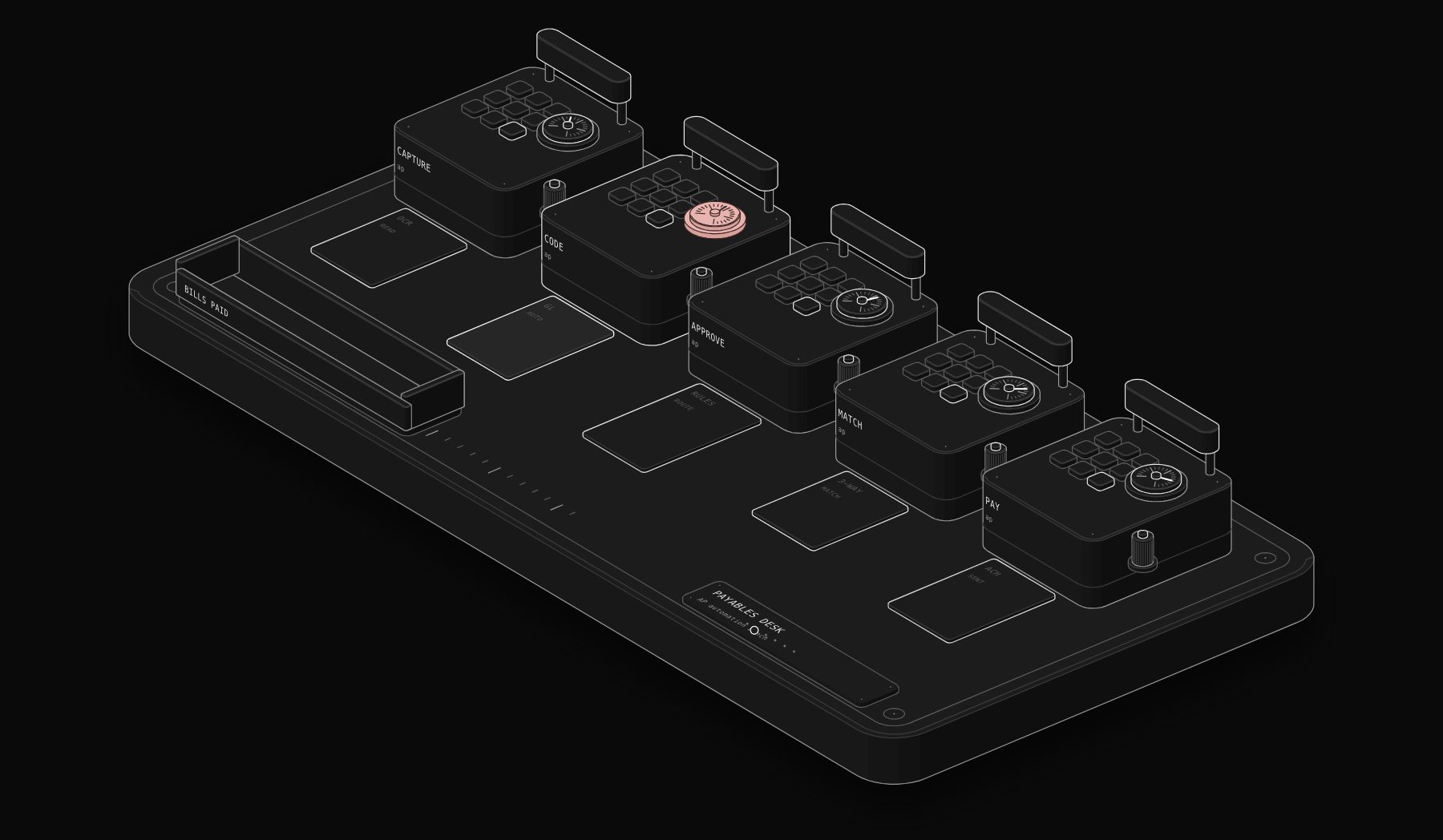
Accounts payable automation is the use of software to handle the supplier invoice cycle from receipt to payment with as little manual work as possible. In a manual AP process, invoices arrive by email or post, someone keys them into the accounting system, chases a manager for approval by email, checks them against the purchase order, writes or schedules a payment and files the paperwork. Each step is a chance for a late payment, a duplicate payment or a fraud attempt. In an automated AP process, invoices arrive in one dedicated inbox or supplier portal, the software reads them with OCR and AI, suggests the general ledger coding, sends them to the right approver based on rules you set (amount, department, vendor), performs two-way or three-way matching, pays by ACH, card, check or wire on the due date, and syncs the bill and the payment back to QuickBooks, Xero, NetSuite, Sage Intacct or another ERP. The finance team handles exceptions instead of every invoice.
How AP automation works, step by step
| Step | Manual process | Automated process |
|---|---|---|
| 1. Receive | Invoices scattered across inboxes and paper mail | One AP inbox or supplier portal for every invoice |
| 2. Capture | Someone types vendor, amount, date, lines | OCR and AI extract the fields automatically |
| 3. Code | Accountant picks GL account and class | Software suggests coding learned from past bills |
| 4. Approve | Email chains and reminders | Rules route each bill to the right approvers, with mobile approval |
| 5. Match | Manual comparison with the PO and receipt | Automatic 2-way or 3-way matching with tolerance rules |
| 6. Pay | Checks written, bank portal uploads | Scheduled ACH, virtual card, check or international payment |
| 7. Record | Re-keyed in the ledger | Two-way sync with the accounting system |
| 8. Report | Spreadsheet of open bills | Live dashboard of payables, approvals and cash needs |
Source: compiled by PURIST (purist.online) from vendor pricing pages, November 21, 2026.
Two-way matching compares the invoice with the purchase order; three-way matching adds the receiving record, so you only pay for what was ordered and actually delivered. BILL's pricing page, for example, lists purchase orders, tolerance rules and 2-way matching on its higher plans.
Best accounts payable automation software in 2026
| Software | Best for | Starting price (read Nov 21, 2026) | Pricing model |
|---|---|---|---|
| Ramp | Small and mid-sized teams that also want cards and expenses | $0 (Free); Plus $15 per user per month plus a platform fee | Per user, 20% off annually |
| Melio | Very small businesses paying US vendors | $0 for one user; Core $25 per month after 90 days free | Flat monthly plus $10 per extra user |
| BILL | Established SMBs wanting AP and AR in one tool | $49 per user per month (Essentials) | Per user, plus payment fees |
| Tipalti | Global and high-volume payables | $99 per month, unlimited users | Platform fee plus transaction pricing |
| Stampli | Mid-market teams with many approvers | By quote | Custom |
| Medius | Mid-market and enterprise AP | By quote | Packages, unlimited users |
| AvidXchange | Mid-market companies in real estate, construction and similar | By quote | Custom |
| NetSuite AP | Companies already on NetSuite ERP | Part of NetSuite licensing | ERP subscription |
Source: compiled by PURIST (purist.online) from vendor pricing pages, November 21, 2026.
Ramp
Ramp's Free plan costs $0 per user per month. Its Plus plan costs $15 per user per month plus a platform fee based on team size, with 20% off for annual billing, and adds accounting automation with NetSuite and Sage Intacct integrations, AI coding for every field and multi-entity support. Enterprise is custom. Ramp's pricing page lists bill pay by check, ACH, card and wire, 1099 filing at $0.65 per IRS filing with free state filing, and a 30-day free trial of Plus. Ramp suits teams that want corporate cards, expenses and AP in one place. For a head-to-head with BILL, Tipalti and Melio, see our AP automation comparison.
Melio
Melio has a free Go plan limited to one user with 5 free ACH payments a month. Core costs $25 per month after 90 days free ($20 per month billed annually) plus $10 per additional user, with 20 free ACH payments a month. Boost costs $55 per month ($44 annually) with 50 free ACH payments, advanced approvals and QuickBooks Desktop sync, and Unlimited costs $80 per month ($64 annually) with unlimited free ACH payments, unlimited users and NetSuite sync. Melio integrates with QuickBooks Online, Xero, QuickBooks Desktop and NetSuite. It is the simplest option for a small business that mainly needs to pay US vendors without writing checks.
BILL
BILL's accounts payable and receivable plans are priced per user per month: Essentials $49, Team $65 and Corporate $89, with custom pricing for Enterprise and multi-entity organisations. Team adds automatic two-way sync with leading accounting software; Corporate adds purchase requests, purchase orders, tolerance rules and 2-way matching. Payment fees apply on top: BILL lists $0.59 per ACH payment, $1.99 per mailed check, free virtual card payments and $19.99 for an international USD wire. BILL also has a $0 Spend & Expense plan. It suits small and mid-sized businesses that want payables and receivables in one product, and accounting firms through its $49 per month accountant console.
Tipalti
Tipalti's accounts payable plans start at $99 per month and include unlimited users, a self-service supplier portal and core automation such as PO matching and reconciliation. Its mass payments product, built for paying large networks of payees across borders with automated tax compliance, starts at $249 per month. Transaction pricing per invoice and payment applies on top, and expenses, procurement and treasury modules are available. Tipalti fits companies that pay many suppliers or contractors in several countries and currencies.
Stampli, Medius and AvidXchange
These three sell by quote. Stampli positions itself as a procure-to-pay platform with procurement, accounts payable, vendor management, payments and an AI assistant it calls Billy, and supports payment by domestic check and ACH, global ACH and wire, and virtual cards. Medius publishes packages (AP Essentials includes AP automation, multi-way matching, prepayments, recurring invoices, capture, analytics and unlimited users for one entity) and asks you to contact sales for a quote. AvidXchange covers purchase order, invoice and payment automation, accounts payable as a service and a supplier hub, with pricing on request. Expect these tools when your invoice volume, approval chains or ERP make the per-user SMB tools a poor fit.
Best AP automation software for small business
For a small business, the right AP tool is usually the one that costs least for your number of approvers and payments. A sole owner paying 20 vendors a month can often stay on Melio's free plan or Ramp Free. A 5-person team with two approvers usually compares Melio Core or Boost (flat fee plus users), Ramp Free or Plus, and BILL Essentials or Team (per user). As a rule of thumb from the published prices: if many people need to approve, flat or unlimited-user pricing (Melio Unlimited, Tipalti) wins; if one or two people do everything, per-user pricing stays cheap. Also check whether you already have bill pay: QuickBooks Online plans include bill pay with free ACH allotments and charge $0.50 per standard ACH transaction over the allotment, which may be enough at very low volume.
| Team profile | Sensible first look | Why |
|---|---|---|
| 1 person, US vendors only | Melio Go or Ramp Free | $0 software cost |
| 2 to 5 people on QuickBooks Online or Xero | Melio Core or Boost, Ramp, BILL Essentials | Accounting sync and approvals |
| 5 to 50 people, cards and expenses too | Ramp Plus | AP, cards and expenses in one tool |
| Many approvers, AP and AR together | BILL Team or Corporate | Approval rules, AR, 2-way matching on Corporate |
| Suppliers or contractors abroad | Tipalti | Global payments and tax compliance |
| Hundreds of invoices a day, ERP-heavy | Stampli, Medius, AvidXchange | Built for volume and complex approvals |
Source: compiled by PURIST (purist.online) from vendor pricing pages, November 21, 2026.
AP automation for NetSuite and Sage Intacct
NetSuite includes accounts payable inside its ERP: vendor bills, purchase orders, approvals and payments live in the same system as the general ledger. Many NetSuite companies still add a dedicated AP automation layer for invoice capture, AI coding and payment execution. Among the tools above, Ramp lists NetSuite and Sage Intacct integrations on its Plus plan, Melio lists NetSuite sync on its Unlimited plan, and BILL, Tipalti, Stampli, Medius and AvidXchange all market ERP integrations. When you evaluate AP automation for NetSuite, ask each vendor three precise questions: does it sync vendor bills and payments both ways, does it respect NetSuite subsidiaries and approval roles, and does it write the payment back so bank reconciliation still works. For a wider comparison of the ERP itself, see NetSuite vs Sage Intacct vs QuickBooks Enterprise.
AI in accounts payable: what it really does
"AI accounts payable software" is now how most vendors describe themselves, so it helps to know what AI does in practice. First, it reads invoices: OCR plus a language model extract vendor, invoice number, dates, totals, tax and line items, even from messy PDFs. Second, it suggests coding: the GL account, class, department or project, learned from how you coded the same vendor before. Third, it flags anomalies: duplicate invoices, a changed bank account, an amount far above the vendor's usual bills. Fourth, it drafts answers to supplier questions about payment status. What AI should not do on its own is approve or pay: approval rules and a human approver stay the control that protects you. Ramp, for instance, describes "AI coding for every field" on its Plus plan; Stampli and Medius market AI agents for invoice processing. The safe pattern is the same in every tool: AI prepares, a person approves.
How to calculate the ROI of AP automation
You can estimate the return on AP automation with your own numbers in four lines:
- 1 Time: invoices per month × minutes per invoice today × hourly cost, compared with the minutes per invoice after automation (exceptions only).
- 2 Payment fees: checks mailed per month × your current cost per check, compared with the ACH, card or check fees on the plan you choose.
- 3 Late fees and lost discounts: late fees paid in the last 12 months, plus early-payment discounts you missed.
- 4 Software cost: the plan price × users (or flat fee) × 12, plus transaction fees.
A simple example with illustrative numbers: 300 invoices a month at 10 minutes each is 50 hours of keying, approving and filing. If automation brings that to 3 minutes per invoice, the team saves 35 hours a month. Put your real hourly cost and fees into the same four lines before deciding; the answer depends far more on your volume than on the vendor.
How to implement AP automation in 30 days
| Week | What to do |
|---|---|
| Week 1 | List vendors, payment methods, approvers and current approval rules. Export open bills. Choose the tool on a 2-week trial. |
| Week 2 | Connect the accounting system, import vendors, set up the AP inbox and approval rules (by amount, department, vendor). |
| Week 3 | Run new invoices through the tool in parallel with the old process. Invite vendors to the portal or to ACH. Test duplicate detection. |
| Week 4 | Switch payments to the tool, stop paper checks where possible, set up reporting and a weekly payables review. |
Source: compiled by PURIST (purist.online) from vendor pricing pages, November 21, 2026.
Keep one rule from day one: no vendor bank detail changes without a call-back to a known phone number. Payment fraud through fake bank-change emails is the risk that AP automation should reduce, not automate.
Common mistakes with AP automation
- 1 Automating a broken approval policy. Write down who approves what before configuring rules.
- 2 Ignoring transaction fees. Per-payment fees on checks, wires and instant payments can exceed the software price.
- 3 Paying for seats you do not need. On per-user plans, give full access only to people who create, approve or pay bills; BILL's own FAQ suggests this.
- 4 One-way sync. If payments do not flow back to the ledger, reconciliation stays manual.
- 5 No owner. Someone must review exceptions every day, or invoices simply pile up in a new place.
AP automation vs AR automation vs order to cash
Accounts payable automation handles the money you owe suppliers. Accounts receivable automation handles the money customers owe you: invoicing, reminders, payments and cash application; see our guide to accounts receivable automation software. Order to cash is the full customer-side process from order to collected cash; see order to cash automation. Many businesses start with AP because it is internal and quick to control, then automate AR to get paid faster. If you sell across US states, sales tax is the next process to automate: see sales tax automation software.
Frequently asked questions
What is accounts payable automation software?
Software that receives supplier invoices, extracts their data, routes them for approval, matches them to purchase orders, pays vendors and syncs everything to your accounting system, so the finance team only handles exceptions.
What is the best AP automation software?
It depends on size and complexity. Ramp and Melio are strong low-cost options for small businesses, BILL suits SMBs wanting AP and AR together, Tipalti suits global payables, and Stampli, Medius and AvidXchange suit mid-market and enterprise volumes.
How much does AP automation software cost?
On the pages PURIST read on November 21, 2026: Ramp from $0, Melio from $0 for one user and $25 per month for Core, BILL $49 to $89 per user per month, and Tipalti from $99 per month with unlimited users. Mid-market tools price by quote. Payment fees are extra on most plans.
What is the best accounts payable software for small business?
For most small businesses, Melio or Ramp, because both have free plans and sync with QuickBooks and Xero. BILL is a good choice when you want payables and receivables in one tool and accept per-user pricing.
Does NetSuite have AP automation?
NetSuite includes accounts payable in its ERP. Many NetSuite companies add a dedicated AP automation tool for invoice capture, AI coding and payments; Ramp Plus, Melio Unlimited, BILL, Tipalti, Stampli and Medius all integrate with NetSuite.
What is three-way matching in accounts payable?
Comparing the supplier invoice with the purchase order and the receiving record before payment, so you only pay for goods or services that were ordered and received at the agreed price.
Can AI fully automate accounts payable?
AI can read invoices, suggest coding and flag duplicates or suspicious bank changes, but approval and payment should stay with a person. The safe design is AI preparing the work and a human approving it.
Sources
Official pricing pages read by PURIST on November 21, 2026: Ramp pricing, Melio pricing, BILL pricing, Tipalti pricing, Stampli pricing, Medius pricing, AvidXchange, NetSuite accounts payable and QuickBooks Online pricing. The step-by-step process, team profiles, ROI method and 30-day plan are PURIST's own.
Want supplier invoices captured, approved, paid and synced to your ledger without anyone re-keying them? See our workflow automation services.
Tags

Steve founded PURIST, a workflow automation studio working with n8n, Make and Claude AI, and is the point of contact on every project. Prices and features in our articles come from vendor documentation and public pricing pages. How we research and score tools.