Docusign's prices look simple on the surface (three self-service plans and one enterprise plan) but the real cost depends on envelope limits, billing choice, add-ons and which features sit in which plan. This guide explains every Docusign eSignature plan as published on November 19, 2026, how envelope allowances work, what you actually pay per signed document, and how to choose the cheapest plan that covers your needs.
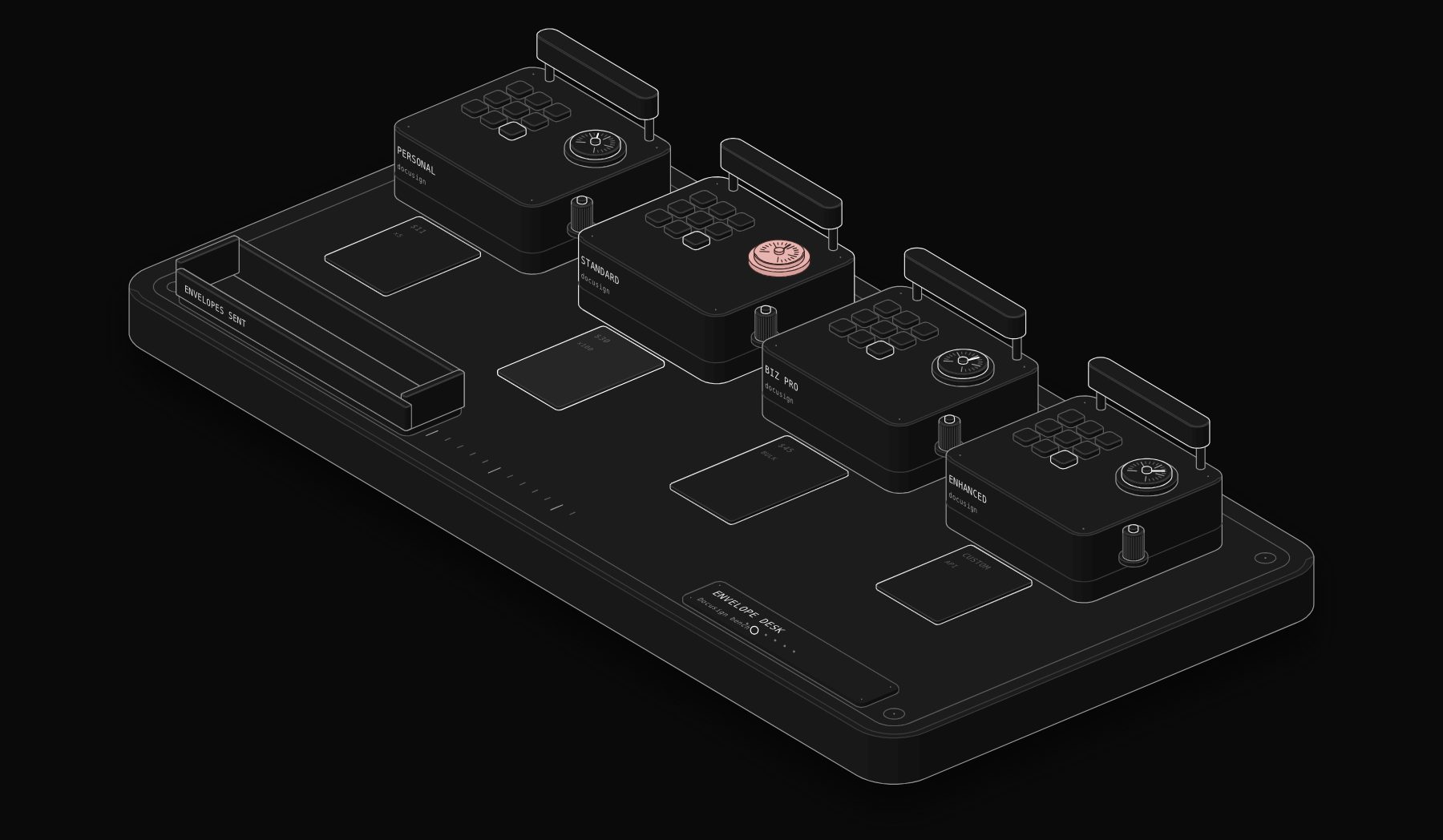
In short. Docusign eSignature costs $11 per month for Personal (5 envelopes a month), $30 per user per month for Standard and $45 per user per month for Business Pro on annual plans, with Enhanced priced by sales. Annual Standard and Business Pro plans include a total of 100 envelopes per user per year; monthly-billed options allow up to 10 envelopes per user per month. Bulk send, payment collection, web forms and API access through a developer account start at Business Pro. Add-ons include SMS delivery from $0.36 and identity verification from $2.40 per attempt. There is no free plan, but annual purchases have a 30-day refund.
Docusign eSignature pricing in 2026
| Plan | Price | Annual commitment | Envelope allowance | Users |
|---|---|---|---|---|
| Personal | $11 per month | $132 per year | 5 envelopes per month | 1 |
| Standard | $30 per user per month | $360 per user per year | 100 envelopes per user per year | Teams |
| Business Pro | $45 per user per month | $540 per user per year | 100 envelopes per user per year | Teams |
| Enhanced | Contact sales | Custom | Custom envelope limits | Enterprise |
Source: compiled by PURIST (purist.online) from vendor pricing pages, November 19, 2026.
Source: Docusign eSignature plans and pricing, read November 19, 2026. The page labels these prices "Annual, billed monthly". Its FAQ adds that monthly-billed options allow up to 10 envelopes per user per month.
What is an envelope?
An envelope is one sending: a package of one or more documents sent to one or more recipients for signature. Three PDFs sent together to two signers is one envelope. Sending the same contract separately to 20 clients is 20 envelopes. Understanding this is the key to Docusign pricing, because plans are limited by envelopes, not by signatures or documents.
What each Docusign plan includes
Personal: $11 per month
Personal is for one person who signs and sends occasionally: 5 envelopes per month, basic fields and reusable templates for a single user. It is enough for a freelancer who sends a few agreements a month. It is not designed for teams.
Standard: $30 per user per month
Standard adds team features: shared templates, real-time commenting, your own branding and delegated signing. On annual plans, each user can send a total of 100 envelopes per year. This is the plan most small businesses start with.
Business Pro: $45 per user per month
Business Pro is where Docusign's advanced sending features live. The plan table lists bulk send, collecting payments during signing, web forms, PowerForms, signer attachments and locked templates. It also includes the developer account and API access listed in the feature table (shown as included on Business Pro and Enhanced). The envelope allowance is the same as Standard: 100 per user per year on annual plans.
Enhanced: custom pricing
Enhanced is sold through Docusign's sales team, with custom envelope limits and enterprise features. Large organisations with high volumes, advanced identity requirements or complex integrations negotiate here.
Docusign add-ons
| Add-on | Published starting price |
|---|---|
| Send with SMS | From $0.36 per delivery |
| Verify recipient identity | From $2.40 per ID verification attempt |
| Extra envelopes beyond your allowance | Pay as you go; rate not shown on the page |
Source: compiled by PURIST (purist.online) from vendor pricing pages, November 19, 2026.
All tiers include access to Docusign's library of more than 1,000 integrations and cloud storage connectors, according to the plan comparison.
What does Docusign really cost per envelope?
The price per envelope depends on how many of your allowance you actually use.
| Plan | Annual cost per user | Envelopes per user per year | Cost per envelope if you use all of them |
|---|---|---|---|
| Personal | $132 | 60 (5 a month) | $2.20 |
| Standard | $360 | 100 | $3.60 |
| Business Pro | $540 | 100 | $5.40 |
Source: compiled by PURIST (purist.online) from vendor pricing pages, November 19, 2026.
If a Standard user sends only 30 envelopes a year, the effective cost is $12 per envelope. If they need 150, they run out after about eight months. Use this script to find your real cost:
For four users sending 70 envelopes each per year, Standard costs $1,440 a year, or about $5.14 per envelope. Business Pro costs $2,160, about $7.71 per envelope, which only makes sense if you need bulk send, payments or the API.
Monthly or annual billing?
The prices above are annual plans billed monthly, with an annual commitment ($360 per user per year for Standard). Docusign also offers monthly-billed options, and its FAQ states these allow up to 10 envelopes per user per month. Monthly billing gives flexibility for seasonal businesses; annual plans lower the price. Check the live page for the monthly-billed price in your country before deciding, and remember that annual purchases on docusign.com can be refunded within 30 days.
How to choose the right Docusign plan
- One person, a few contracts a month: Personal at $11.
- A small team sending fewer than about 100 envelopes per person per year: Standard.
- You need bulk send, payments during signing, web forms or the API: Business Pro.
- Hundreds of users, very high volume, identity checks at scale: Enhanced.
The most common mistake is buying Business Pro for every user when only one person runs bulk sends or integrations. Ask whether your contract can mix plan levels.
How to lower your Docusign bill
- 1 Count envelopes, not users. If only two people send contracts, only two need sending licences.
- 2 Combine documents. Send related documents in one envelope instead of several.
- 3 Use templates. Templates do not reduce envelope count, but they cut sending time and errors.
- 4 Avoid unnecessary SMS and ID checks. At $0.36 and $2.40 each, they add up on high volumes. Reserve them for high-risk documents.
- 5 Negotiate at renewal. Bring a written quote from an alternative with the same volume.
- 6 Compare unlimited plans. If your volume keeps growing, several competitors publish unlimited envelopes per user.
Docusign pricing compared with alternatives
| Tool | Comparable plan | Price per user per month | Envelope allowance |
|---|---|---|---|
| Docusign | Standard | $30 (annual) | 100 per user per year |
| BoldSign | Business | $15 (yearly) or $25 (monthly) | Unlimited |
| Dropbox Sign | Standard | $17.50 (annual) or $25 (monthly), min. 2 users | Unlimited signature requests |
| Signeasy | Business | $20 | Unlimited |
| PandaDoc | Starter | $19 (billed annually) | Unlimited e-signatures |
| DocuSeal | Pro (cloud) | $20, or $200 per year | Unlimited |
Source: compiled by PURIST (purist.online) from vendor pricing pages, November 19, 2026.
All prices from each vendor's official page on November 19, 2026. Our full guide to Docusign alternatives compares features, free plans and integrations, and Docusign vs PandaDoc vs Dropbox Sign covers the three most popular options in depth.
Docusign API pricing
Docusign's eSignature plan table lists a developer account and "industry-leading APIs" as included on Business Pro and Enhanced. The separate API plans page we tried to read returned an error during our check, so we do not quote API plan prices here. Docusign offers free developer sandbox accounts for building and testing; production API usage is tied to a paid plan or a contract. For comparison, BoldSign publishes API pricing at $0.75 per envelope from $30 a month with 40 envelopes included, and DocuSeal at $0.20 per completed document.
Automate Docusign without writing an integration from scratch
Automation platforms such as n8n, Zapier and Make connect Docusign to your CRM and storage. A typical pattern: when a deal reaches "Contract sent" in the CRM, create an envelope from a template; when the envelope is completed, save the signed PDF to the client's folder and move the deal to "Won". Here is the second half of that pattern as a starter n8n workflow, listening to Docusign Connect notifications:
Configure a Docusign Connect configuration pointing to the workflow's production URL, then add the storage and CRM steps your process needs. Webhook-based Connect is available according to your plan and account settings, so confirm it is enabled on your account.
Docusign plan features compared
| Feature | Personal | Standard | Business Pro | Enhanced |
|---|---|---|---|---|
| Price (annual plan) | $11 per month | $30 per user per month | $45 per user per month | Contact sales |
| Envelopes | 5 per month | 100 per user per year | 100 per user per year | Custom |
| Users | 1 | Teams | Teams | Enterprise |
| Reusable templates | Yes, for one user | Shared templates | Shared and locked templates | Yes |
| Real-time commenting | No | Yes | Yes | Yes |
| Your own branding | No | Yes | Yes | Yes |
| Delegated signing | No | Yes | Yes | Yes |
| Bulk send | No | No | Yes | Yes |
| Collect payments during signing | No | No | Yes | Yes |
| Web forms and PowerForms | No | No | Yes | Yes |
| Signer attachments | No | No | Yes | Yes |
| Developer account and APIs | No | No | Yes | Yes |
| 1,000+ integrations and storage connectors | Yes | Yes | Yes | Yes |
Source: compiled by PURIST (purist.online) from vendor pricing pages, November 19, 2026.
Table built from the plan comparison on Docusign's pricing page on November 19, 2026. Where the page did not mention a feature for a plan, we marked it as not included; confirm any feature that matters to you during the purchase.
Docusign pricing by use case
The right plan depends less on company size than on how documents flow through the business. Here are five common situations with the plan we would choose and why.
Freelancer or consultant sending a few contracts a month
A designer, consultant or coach who sends two or three agreements a month fits inside Personal's 5 envelopes. At $132 a year, the cost per signed contract is about $3.70 at 3 envelopes a month. Personal is single-user, so as soon as an assistant needs to send on your behalf, Standard becomes necessary.
Real estate agent
An agent can send many envelopes during busy months: offers, counter-offers, disclosures and addenda. Standard's 100 envelopes per year can run out in peak season. Two options: combine documents into fewer envelopes when they go to the same parties at the same time, or compare with an alternative that publishes unlimited envelopes. Payment collection (for example, for earnest money workflows handled by your brokerage's processes) only arrives on Business Pro.
HR team onboarding new hires
Onboarding packs usually contain several documents for one person (offer letter, policies, tax forms), which fits in one envelope. An HR team hiring 60 people a year with two HR users sits well inside Standard's 200 envelopes. If HR also sends policy acknowledgements to the whole company once a year, that is a bulk send, which requires Business Pro, or one envelope per employee counted against the allowance.
Sales team sending order forms
Sales contracts are where envelope limits bite. Five reps closing four deals a week each need about 1,000 envelopes a year, against an allowance of 500 on Standard or Business Pro with five users. In that case, ask Docusign for an Enhanced quote with a custom envelope volume, or compare with unlimited plans. If your contracts start in the CRM, the API on Business Pro lets you create envelopes automatically.
Software company embedding signatures in its product
A product that sends signature requests on behalf of its users needs API access, which starts at Business Pro in the plan table, and usually a custom Enhanced or API agreement for production volumes. Compare the published per-envelope API prices of alternatives (BoldSign at $0.75, DocuSeal at $0.20 per completion) before negotiating.
Total cost with add-ons: a worked example
Consider a team of three on Business Pro that sends 250 envelopes a year, verifies identity on 40 high-value contracts and sends SMS notifications on 100 envelopes.
| Item | Calculation | Annual cost |
|---|---|---|
| Business Pro licences | 3 users x $540 | $1,620 |
| Identity verification | 40 attempts x $2.40 (starting price) | $96 |
| SMS delivery | 100 deliveries x $0.36 (starting price) | $36 |
| Total | $1,752 |
Source: compiled by PURIST (purist.online) from vendor pricing pages, November 19, 2026.
The add-ons are small next to the licences at this volume, but they scale per use. At 2,000 SMS deliveries a year, SMS alone would cost $720 at the starting price.
Docusign vs Adobe Acrobat pricing
Many companies already pay for Adobe Acrobat, which includes e-signature. Acrobat Standard for teams costs $16.99 per licence per month and Acrobat Pro for teams $23.99 (annual plans billed monthly), with e-signature and tracking on all tiers and PDF editing included. Docusign Standard costs $30 per user per month. If your team needs to edit PDFs anyway, Acrobat may cover simple signing at a lower total cost. If you need Docusign's templates, bulk send, payments, integrations and audit features, Docusign is the more complete signing platform. Acrobat's envelope limits were not stated on the pricing page we read, so check them for your volume.
When to talk to Docusign sales about Enhanced
Self-service plans fit most small and mid-size teams. Contact sales when one of these applies:
- You need more than a few hundred envelopes per user per year.
- You need custom envelope pooling across a large team.
- You need advanced identity verification, regulated-industry features or enterprise single sign-on.
- You are embedding signing in a product at scale through the API.
- You want a multi-year price commitment.
Prepare your annual envelope volume, the number of senders, the add-ons you use and a competing quote before the call.
Docusign plans and pricing: quick answers
Docusign pricing plans
The Docusign pricing plans for eSignature are Personal ($11 per month), Standard ($30 per user per month), Business Pro ($45 per user per month) and Enhanced (contact sales), on annual plans billed monthly. Docusign personal pricing covers one user and 5 envelopes per month.
Docusign API pricing
For Docusign API pricing, the eSignature plan table shows a developer account and APIs included on Business Pro and Enhanced; production API agreements are negotiated with Docusign. See the API section above.
Docusign nonprofit pricing
Docusign's eSignature pricing page we read did not list nonprofit pricing. If you are a registered nonprofit, ask Docusign's sales team whether a nonprofit programme applies before buying a self-service plan.
Frequently asked questions
How much does Docusign cost per month?
Docusign eSignature costs $11 per month for Personal, $30 per user per month for Standard and $45 per user per month for Business Pro, on annual plans billed monthly, according to Docusign's pricing page on November 19, 2026. Enhanced is priced by sales.
How many envelopes do I get with Docusign?
Personal includes 5 envelopes per month. Standard and Business Pro on annual plans include a total of 100 envelopes per user per year, and Docusign's FAQ states monthly-billed options allow up to 10 envelopes per user per month. Enhanced has custom limits.
Does Docusign have a free plan?
No free plan was listed on Docusign's eSignature pricing page during our check. Docusign offers free developer sandbox accounts for testing the API, and annual purchases on docusign.com can be refunded within 30 days.
What happens if I go over my Docusign envelope limit?
Docusign offers pay-as-you-go pricing for additional envelopes beyond your allowance. The per-envelope rate was not shown on the pricing page, so ask Docusign or check your account before a large send.
Is Docusign Business Pro worth it?
Business Pro at $45 per user per month is worth it if you use bulk send, collect payments during signing, publish web forms or PowerForms, or need API access. If you only send contracts one by one, Standard at $30 is enough.
Is there a cheaper alternative to Docusign?
Yes. BoldSign Business costs $15 per user per month billed yearly with unlimited envelopes, Dropbox Sign Standard $17.50 billed annually with unlimited signature requests, and Signeasy Business $20 with unlimited envelopes. See our Docusign alternatives guide.
Does Docusign charge per signature?
No. Docusign charges per envelope, not per signature. One envelope can contain several documents and several signers.
What is the difference between Docusign Standard and Business Pro?
Both include 100 envelopes per user per year on annual plans. Business Pro ($45 per user per month) adds bulk send, payment collection during signing, web forms, PowerForms, signer attachments, locked templates and API access through a developer account. Standard ($30) covers shared templates, comments, branding and delegated signing.
Can I get a refund on Docusign?
Docusign's pricing page states that annual purchases made on docusign.com can be refunded within 30 days.
How much does Docusign cost for one person?
The Personal plan costs $11 per month on an annual commitment of $132, with 5 envelopes per month for a single user.
Is Docusign priced per user?
Yes, for teams. Personal is a single-user plan at $11 per month. Standard ($30) and Business Pro ($45) are priced per user per month, and each user receives the envelope allowance of the plan (100 per year on annual plans). Enhanced is priced through a custom contract.
Can I pay for Docusign monthly?
The published prices are annual plans billed monthly, with an annual commitment. Docusign's FAQ also describes monthly-billed options, which allow up to 10 envelopes per user per month. Check the live page for the monthly-billed price in your region.
Which Docusign plan do most small businesses choose?
Most small businesses that send contracts as a team start on Standard at $30 per user per month, because it adds shared templates, branding and delegated signing. They move to Business Pro only when they need bulk send, payments, web forms or the API.
Sources
Read on November 19, 2026: Docusign eSignature plans and pricing, BoldSign pricing, Dropbox Sign pricing, Signeasy pricing, PandaDoc pricing and DocuSeal pricing. Prices and limits change; confirm on the official page before buying.
Want contracts generated from your CRM, sent for signature and filed automatically? See our workflow automation services.
Tags

Steve founded PURIST, a workflow automation studio working with n8n, Make and Claude AI, and is the point of contact on every project. Prices and features in our articles come from vendor documentation and public pricing pages. How we research and score tools.