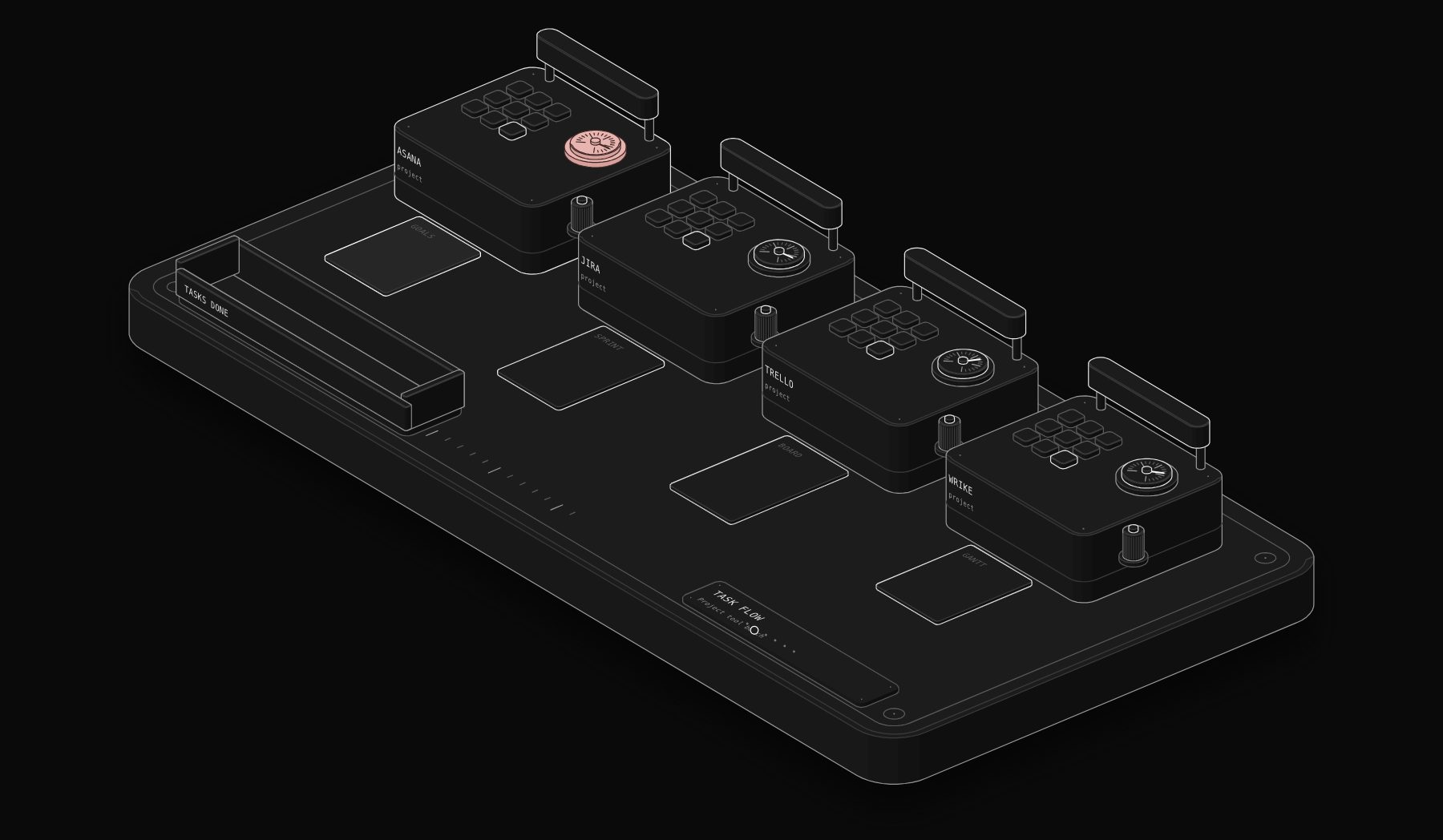
Project management software only works if the whole team uses it every day, which makes choosing it a bigger decision than the price suggests. Asana, Jira, Trello and Wrike are four of the tools teams shortlist most, and they were built for different jobs: Asana for cross-team work management, Jira for software teams, Trello for simple boards and Wrike for project-heavy organizations that need Gantt charts and resource planning. This guide compares them on published plans, prices, free tiers, automation limits and AI features, all checked on the official pricing pages on November 13, 2026.
In short. Trello is the cheapest and simplest, free for up to 10 collaborators and $5 a user a month billed yearly for Standard. Jira is the right choice for software and technical teams, free for up to 10 users with sprints, backlogs and generous automation. Asana is the best all-round work management tool for marketing, operations and cross-functional teams, from $10.99 a user a month billed yearly. Wrike suits project-driven teams that need Gantt charts, workload and resource planning, from $10 a user a month billed yearly.
How the Four Tools Differ
- Asana organizes work into tasks, projects, portfolios and goals for whole companies. It shines when several teams depend on each other.
- Jira is Atlassian's tool for tracking work items through custom workflows, with backlogs, boards and sprints. It started in software development and is now used by many technical and operations teams.
- Trello, also owned by Atlassian, is a visual board of lists and cards. It is the fastest to learn and the easiest to share with clients.
- Wrike is a project management platform with Gantt charts, workload views, request forms and resource planning, built for teams that run many projects at once.
The PURIST Fit Score: How We Compare Them
| Dimension | What it measures | Weight |
|---|---|---|
| Planning depth | Timeline and Gantt, dependencies, workload, portfolios | 25% |
| Ease of adoption | Learning curve, free plan, how fast a team gets going | 25% |
| Value | Price per user, free tier limits, what each paid plan adds | 25% |
| Automation and AI | Automation limits, AI features, integrations | 25% |
Scores are PURIST's editorial judgment based on the official pricing pages listed at the end. No vendor paid for its position.
The Comparison Table
| Tool | Planning depth | Ease of adoption | Value | Automation and AI | PURIST Fit Score |
|---|---|---|---|---|---|
| Asana | 9/10 | 8/10 | 7/10 | 9/10 | 8.3/10 |
| Jira | 9/10 | 6/10 | 9/10 | 9/10 | 8.3/10 |
| Trello | 5/10 | 10/10 | 10/10 | 6/10 | 7.8/10 |
| Wrike | 9/10 | 6/10 | 7/10 | 7/10 | 7.3/10 |
Asana and Jira tie. Pick Asana for business teams and Jira for software or technical teams. Trello wins on simplicity and price, and Wrike on project control for teams that live in Gantt charts.
Pricing Side by Side
All prices are per user per month in US dollars, as published on November 13, 2026.
| Plan level | Asana | Jira | Trello | Wrike |
|---|---|---|---|---|
| Free | Personal: $0, up to 2 users | Free: $0, up to 10 users | Free: $0, up to 10 collaborators per Workspace | Free: $0 |
| Entry paid | Starter: $10.99 billed yearly, $13.49 monthly | Standard: $8.48 (monthly billing, default team size) | Standard: $5 billed yearly, $6 monthly | Team: $10, billed yearly |
| Advanced | Advanced: $24.99 billed yearly, $30.49 monthly | Premium: $15.56 (monthly billing, default team size) | Premium: $10 billed yearly, $12.50 monthly | Business: $25, billed yearly |
| Enterprise | Enterprise and Enterprise+: contact sales | Enterprise: billed yearly, contact sales | Enterprise: $17.50 billed yearly ($210 a user a year) | Pinnacle and Apex: contact sales |
Notes on each page:
- Jira prices change with team size, and annual billing saves up to 17%. The figures above are the monthly-billing prices shown for the page's default team size.
- Wrike prices are "priced per month and billed on an annual per-user basis," and Business and above are annual only. Team is for 2 to 15 users and Business for 5 to 200 users. Seats are sold in groups of five up to 30 users.
- Trello Enterprise is billed yearly. Premium is described as best for teams up to 100.
- Asana paid plans have no user seat limit.
What a 10-person team pays each month
| Option | Monthly cost for 10 users |
|---|---|
| Trello Standard (billed yearly) | $50 |
| Jira Standard (monthly billing) | $84.80 |
| Trello Premium (billed yearly) | $100 |
| Wrike Team (billed yearly) | $100 |
| Asana Starter (billed yearly) | $109.90 |
| Jira Premium (monthly billing) | $155.60 |
| Trello Enterprise (billed yearly) | $175 |
| Asana Advanced (billed yearly) | $249.90 |
| Wrike Business (billed yearly) | $250 |
A team of 10 can also stay on Jira Free or Trello Free, both of which allow 10 users, which no other tool here matches.
Yearly cost as the team grows
| Plan | 5 users | 25 users | 50 users |
|---|---|---|---|
| Trello Standard | $300 | $1,500 | $3,000 |
| Trello Premium | $600 | $3,000 | $6,000 |
| Jira Standard* | $509 | $2,544 | $5,088 |
| Jira Premium* | $934 | $4,668 | $9,336 |
| Asana Starter | $659 | $3,297 | $6,594 |
| Asana Advanced | $1,499 | $7,497 | $14,994 |
| Wrike Team | $600 | Not available (2 to 15 users) | Not available |
| Wrike Business | $1,500 | $7,500 | $15,000 |
*Jira figures multiply the monthly-billing price shown for the page's default team size by 12. Jira's real price per user changes with team size and annual billing saves up to 17%, so use Atlassian's calculator for an exact quote. All other figures use annual billing.
Free Plans Compared
| Free plan | Asana Personal | Jira Free | Trello Free | Wrike Free |
|---|---|---|---|---|
| Users | 2 | 10 | 10 collaborators per Workspace | Not stated |
| Projects or boards | Unlimited tasks and projects | Unlimited goals, projects, tasks and forms | Up to 10 boards per Workspace | Project and task management |
| Storage | Unlimited, 100 MB per file | 2 GB | Unlimited, 10 MB per file | Not stated |
| Automation | Not listed | 150 automation steps per month for the whole subscription | 250 command runs per month | Not stated |
| Views | Not stated on the pricing page | Backlog, list, board, timeline, calendar and summary | Boards | Board and table views |
Jira's free plan is the most complete for a team of up to 10, including timeline and calendar views. Trello Free is the easiest to start with. Asana's free plan is now limited to two users, which makes it a trial for most teams rather than a long-term option.
Planning Features Compared
| Feature | Asana | Jira | Trello | Wrike |
|---|---|---|---|---|
| Timeline or Gantt | Timeline and Gantt views on Starter | Timeline view on every plan | Timeline view on Premium | Interactive Gantt charts on Team |
| Dependencies across projects | Not stated on the pricing page | Premium and Enterprise (cross-project planning) | Not stated | Not stated on the pricing page |
| Workload and capacity | Resource management on Advanced; capacity planning on Enterprise | Capacity management on Premium | Not stated | Advanced resource and capacity planning on Pinnacle |
| Portfolios | Unlimited portfolios on Advanced | Advanced planning (Plans) | Not stated | Not stated on the pricing page |
| Approvals | Not stated on the pricing page | Customizable approvals on Premium | Not stated | Not stated on the pricing page |
| Guests | Unlimited free guests on Starter | Free guest access | Single-board guests on Standard, multi-board on Enterprise | External users need a paid seat; viewers can be free |
Automation and AI Compared
| Asana | Jira | Trello | Wrike | |
|---|---|---|---|---|
| Automation limits | Unlimited automations on Starter and above | Free: 150 steps per month per subscription. Standard: 400 per user per month. Premium: 750. Enterprise: 1,000 | Free: 250 runs. Standard: 1,000. Premium and Enterprise: unlimited | Not stated as a number |
| AI included | AI Studio credits: 50,000 a month on Starter, 75,000 on Advanced, 200,000 on Enterprise, per billing account. AI Teammates: 5 requests per user a month | Atlassian Rovo search, chat and agents from Standard: 25 credits per user a month on Standard, 70 on Premium, 150 on Enterprise | AI listed on Standard and Premium | AI Essentials on Team, AI Elite actions from Business |
| Integrations | 100+ free integrations; Salesforce, Tableau and Power BI on Advanced | Apps and integrations, plus Rovo MCP server and third-party agents | 200+ apps through Power-Ups | Standard integrations on Business; Wrike Integrate and two-way sync as add-ons |
Jira counts automation per user per month on paid plans, so a larger team gets a larger pool. Trello's unlimited command runs on Premium make it attractive for teams that automate many small board actions. Asana's unlimited automations on every paid plan remove a common source of surprise costs.
Admin and Security
- Asana: SAML SSO and SCIM provisioning on Enterprise; Enterprise+ adds data residency, audit logs and SIEM integration. Admins on paid plans can require Microsoft SSO.
- Jira: Enterprise includes Atlassian Guard Standard for SSO, SCIM and Active Directory sync; on other plans it is a separate subscription. Premium adds a 99.9% uptime SLA and Enterprise 99.95%. A self-managed Data Center option exists for strict regulatory needs.
- Trello: Premium adds admin and security features. Enterprise includes free SSO and user provisioning with Atlassian Guard, unlimited Workspaces and organization-wide permissions.
- Wrike: admin and SSO details are not listed on the pricing page; Wrike Lock and other security add-ons are priced on request.
Tool by Tool
Asana
Asana is the most balanced tool for business teams. Starter adds timeline and Gantt views, unlimited automations and unlimited free guests for $10.99 a user a month billed yearly. Advanced adds portfolios, resource management and integrations with Salesforce, Tableau and Power BI. Its AI Studio credits let teams build AI steps into workflows without extra tools.
Strengths:
- Clear structure for cross-team projects, portfolios and goals.
- Unlimited automations on every paid plan.
- No seat limit on paid plans and unlimited free guests on Starter.
Limits:
- The free plan covers only two users.
- Advanced at $24.99 a user a month is expensive for large teams.
Best for: marketing, operations, agencies and cross-functional teams.
Jira
Jira is the standard for software teams and is increasingly used by IT, operations and product teams. The free plan covers 10 users with every core view, and paid plans add Rovo AI, more automation and up to 100,000 users per site. Premium adds cross-project planning, dependency management, approvals and 24/7 support for critical issues.
Strengths:
- Generous free plan for up to 10 users.
- Strong workflows, backlogs and sprint planning.
- Automation pools that grow with team size, plus Rovo AI agents.
Limits:
- Steeper learning curve for non-technical teams.
- SSO needs Atlassian Guard below Enterprise.
- Prices vary with team size, so check the calculator for your headcount.
Best for: software, product, IT and technical operations teams.
Trello
Trello is the simplest of the four. A board, lists and cards are enough for most small teams, and the free plan covers 10 collaborators. Standard at $5 a user a month billed yearly raises file uploads to 250 MB, adds single-board guests and 1,000 command runs a month, and Premium adds the timeline view and unlimited command runs.
Strengths:
- The fastest to learn and the easiest to share with clients.
- Lowest paid price: $5 a user a month billed yearly.
- Unlimited automation runs on Premium.
Limits:
- Limited planning depth: no workload view and no portfolio view on the pricing page.
- Free plan limited to 10 boards per Workspace.
Best for: small teams, freelancers, content calendars, and client-facing boards.
Wrike
Wrike is built for organizations that run many projects with fixed dates and shared resources. Team includes interactive Gantt charts and AI Essentials for $10 a user a month billed yearly; Business adds standard integrations and AI Elite actions; Pinnacle adds advanced resource and capacity planning. A 14-day free trial needs no credit card.
Strengths:
- Interactive Gantt charts from the Team plan.
- Resource and capacity planning on higher plans.
- Two-way sync with 22 systems, including Jira and GitHub, as an add-on.
Limits:
- Business and above are annual only, and seats are sold in groups.
- External users need paid seats.
- Many add-ons, including Wrike Integrate and AI Elite packs, are priced on request.
Best for: professional services firms, PMOs, marketing operations and teams that manage capacity across many projects.
Common Mistakes When Choosing
- Choosing for the power user instead of the team. The tool the project manager loves can fail if everyone else finds it slow. Test with the least technical person on the team.
- Ignoring guest pricing. Agencies and consultancies often invite clients. Asana Starter includes unlimited free guests, Trello Standard includes single-board guests, while Wrike counts external users as paid seats.
- Underestimating automation limits. Jira's free plan includes 150 automation steps for the whole subscription each month, and Trello Free includes 250 runs. A few busy rules can use that up in days.
- Buying the top plan on day one. Start on the entry plan for 60 days, then upgrade only for the features your team actually asks for.
Which Tool Fits Which Team
- A freelancer or a team of up to 10 on a budget: Trello Free or Jira Free.
- A software or product team: Jira Standard, moving to Premium for cross-team planning.
- A marketing or operations team: Asana Starter, or Advanced when you need portfolios and workload.
- An agency sharing boards with clients: Trello Standard or Asana Starter with free guests.
- A professional services firm planning capacity: Wrike Business or Pinnacle.
- A company already on Atlassian: Jira for technical teams and Trello for simpler boards, under one Atlassian account.
How to Roll Out a New Tool
- 1 Start with one team and one real project, not a blank workspace.
- 2 Agree on three rules: where requests come in, what "done" means and who updates status.
- 3 Build templates for your recurring projects before inviting everyone.
- 4 Turn on two or three automations that remove a manual step people dislike.
- 5 Review after 30 days and remove anything nobody uses.
Automations That Connect Your Project Tool
Each of these tools has its own automation, but the work around them crosses tools. These are workflows we build with n8n:
- 1 Requests to tasks: form submissions, emails and Slack messages become tasks in the right project with an owner and due date.
- 2 Client updates: a weekly summary of completed tasks sent to each client.
- 3 Cross-tool sync: issues in Jira linked to tasks in Asana or Trello so business and technical teams see the same status.
- 4 Time and billing: completed tasks and logged hours flow into invoicing.
See our Asana vs Monday vs ClickUp vs Notion comparison for four more tools, and our Notion vs Confluence comparison for documentation.
Frequently Asked Questions
Is Jira or Asana better?
Jira is better for software and technical teams, with sprints, backlogs, custom workflows and a free plan for up to 10 users. Asana is better for business teams that coordinate projects, portfolios and goals across departments, from $10.99 a user a month billed yearly.
Is Trello free?
Yes. Trello Free covers up to 10 collaborators per Workspace, 10 boards, unlimited storage with a 10 MB file limit and 250 automation command runs a month. Standard costs $5 a user a month billed yearly.
How much does Jira cost?
Jira Free costs nothing for up to 10 users. On the pricing page's default team size with monthly billing, Standard showed $8.48 and Premium $15.56 per user a month. Prices vary with team size, and annual billing saves up to 17%. Enterprise is billed yearly through sales.
How much does Wrike cost?
Wrike Free costs nothing. Team costs $10 and Business $25 per user a month, billed yearly. Pinnacle and Apex are priced on request. Team is for 2 to 15 users and Business for 5 to 200 users.
Which project management tool is easiest to learn?
Trello, because a board of lists and cards needs almost no training. Asana is next for business teams. Jira and Wrike offer more depth but take longer to set up well.
Which tool has the best free plan?
Jira Free, for teams of up to 10 users who want timeline and calendar views and some automation. Trello Free is the simplest free option for up to 10 collaborators. Asana's free plan is limited to two users.
Do Asana, Jira, Trello and Wrike include AI?
Yes. Asana includes AI Studio credits and AI Teammates requests on paid plans. Jira includes Atlassian Rovo search, chat and agents from Standard. Trello lists AI on Standard and Premium. Wrike includes AI Essentials on Team and AI Elite actions from Business.
Sources and Method
Prices, plans, limits and features were checked on the official pages on November 13, 2026: asana.com/pricing, atlassian.com/software/jira/pricing, trello.com/pricing and wrike.com/price. Jira's prices depend on team size; the figures quoted are the page's default view with monthly billing. Where a page did not state a feature, the tables say "not stated" rather than guessing. Fit Scores are PURIST's editorial judgment. Confirm current prices on each official page before you buy.
Tags

Steve founded PURIST, a workflow automation studio working with n8n, Make and Claude AI, and is the point of contact on every project. Prices and features in our articles come from vendor documentation and public pricing pages. How we research and score tools.