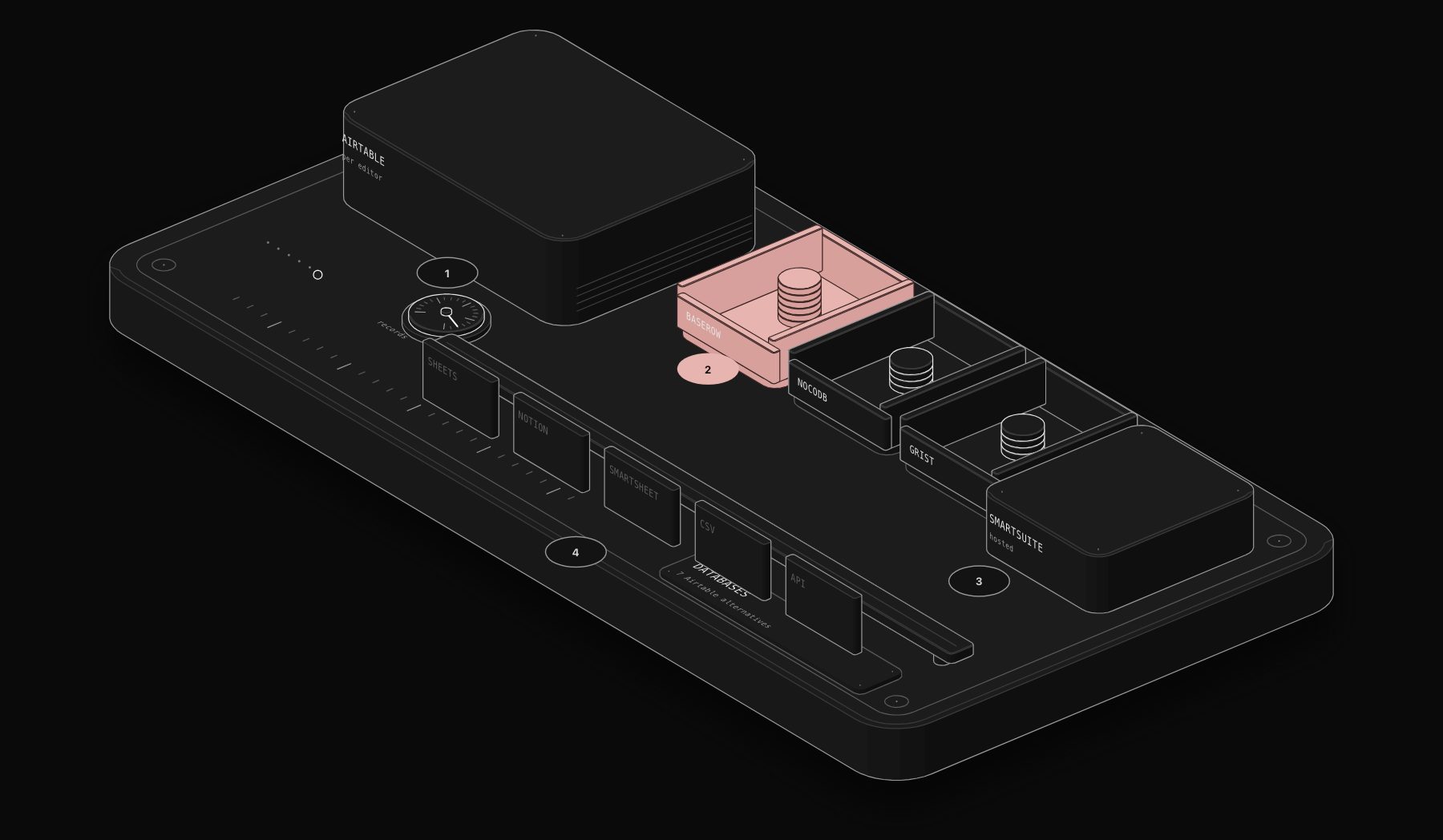
Airtable made the spreadsheet-database mainstream: tables that link to each other, views for every team, forms, interfaces and automations. But as teams grow, three problems come up again and again. Per-seat pricing climbs fast, record limits per base start to bite, and data sits in a platform you cannot host yourself. This guide compares the seven Airtable alternatives worth considering in 2026, from open-source databases you can run on your own server to hosted platforms with richer project views, and shows which one fits which team.
Quick verdict. Choose Baserow if you want the closest open-source Airtable experience, hosted or self-hosted. Choose NocoDB if you want a spreadsheet interface on top of a real SQL database you control. Choose SmartSuite if you want a hosted, Airtable-style relational platform with more built-in views. Choose Grist if your team thinks in formulas. Choose Smartsheet for project management, Notion for docs with light databases, and Google Sheets when a spreadsheet is honestly enough.
Why Teams Look for an Airtable Alternative
Cost is the first reason. Airtable's Team plan is reported at about $20 per editor per month billed annually ($24 monthly) and Business at about $45 ($54 monthly). A 25-editor team on Business pays roughly $13,500 per year at list price. Viewers and form submitters are free, but every person who edits data counts.
Limits are the second. Third-party guides report about 50,000 records per base on Team and 125,000 on Business, plus caps on automation runs. Growing operations hit those ceilings.
Control is the third. Airtable is cloud-only. For companies with data residency requirements or sensitive customer data, a self-hosted option matters.
At a Glance
| Tool | Type | Self-hosting | Starting paid price (approx.) | Best for |
|---|---|---|---|---|
| Baserow | Open-source no-code database | Yes | Premium around $10, Advanced around $18 per user per month | Closest open-source Airtable replacement |
| NocoDB | Open-source spreadsheet UI on SQL | Yes | Free self-hosted, paid cloud plans | Teams with technical skills and existing databases |
| SmartSuite | Hosted work management platform | No | From around $15 per user per month | Airtable-style relational work with more views |
| Grist | Open-source spreadsheet-database | Yes | Free tier, paid plans around $8 to $10 per user per month | Formula-heavy teams and data control |
| Smartsheet | Spreadsheet-style project management | No | Pro around $9, Business around $19 per user per month | Project managers, Gantt and resources |
| Notion | Docs and databases workspace | No | Plus around $8 to $10 per user per month | Docs-first teams with light data |
| Google Sheets | Spreadsheet | No | Included in Google Workspace | Simple lists and small teams |
All prices come from public pages and third-party guides at the time of writing, vary by billing cycle and change regularly. Confirm them on each vendor's site before you decide.
The PURIST Fit Score: How We Compare Them
| Dimension | What it measures | Weight |
|---|---|---|
| Airtable-like power | Linked records, rollups, views, forms and interfaces | 25% |
| Ease of use | How fast a non-technical team becomes productive | 25% |
| Cost at scale | Real cost for a growing team, including record limits | 30% |
| Data ownership and scale | Self-hosting, export, API and how far it scales | 20% |
The Comparison
| Tool | Airtable-like power | Ease of use | Cost at scale | Data ownership and scale | PURIST Fit Score |
|---|---|---|---|---|---|
| Baserow | 8/10 | 8/10 | 9/10 | 9/10 | 8.5/10 |
| NocoDB | 7/10 | 6/10 | 10/10 | 10/10 | 8.3/10 |
| Grist | 7/10 | 7/10 | 9/10 | 8/10 | 7.8/10 |
| SmartSuite | 9/10 | 8/10 | 7/10 | 6/10 | 7.6/10 |
| Notion | 5/10 | 9/10 | 8/10 | 5/10 | 6.9/10 |
| Google Sheets | 3/10 | 9/10 | 10/10 | 4/10 | 6.8/10 |
| Smartsheet | 5/10 | 7/10 | 7/10 | 6/10 | 6.3/10 |
Our weights favour cost and ownership for growing teams. If you want a hosted product with the richest Airtable-like features and do not need self-hosting, SmartSuite moves to the top.
The Seven Alternatives in Detail
Baserow
Baserow is the most direct open-source alternative to Airtable. It offers tables, linked rows, lookups, formulas, grid, gallery, form and kanban views, an application builder and a REST API. You can use its cloud service or self-host it with Docker. Some views, such as kanban, timeline and calendar, and some AI features sit in paid tiers, even when self-hosted.
Best for: teams that want Airtable's feel with the option of running it on their own infrastructure.
Watch out for: fewer third-party integrations and a smaller template ecosystem than Airtable.
NocoDB
NocoDB turns a database such as PostgreSQL or MySQL into a spreadsheet-like interface with grid, gallery, form and kanban views and an automatic API. Because the data lives in a standard SQL database, there is no practical record limit beyond your server, and developers can query the same data directly.
Best for: teams with someone technical, companies that already have a database, and high-volume data.
Watch out for: setup and maintenance are your responsibility when self-hosted, and the interface is less polished for non-technical users.
SmartSuite
SmartSuite is a hosted work management platform with an Airtable-style relational model: linked records, rollups, many field types and views including Gantt, timeline, map, calendar and kanban, plus automations and dashboards. It is designed to cover project management, CRM-style tracking and operations in one place.
Best for: teams that like Airtable's model but want more built-in views and process features.
Watch out for: no self-hosting, and migration from Airtable may require rebuilding linked records and automations after a CSV import, according to some reviews.
Grist
Grist combines a spreadsheet with a relational database. Formulas use Python, tables can reference each other, and layouts can show linked data side by side. It is open source with a hosted service and a self-hosted option.
Best for: finance, operations and analyst teams who think in formulas and want data control.
Watch out for: a different mental model from Airtable, and fewer integrations.
Smartsheet
Smartsheet looks like a spreadsheet but is built for project and work management: Gantt charts, dependencies, resource management, dashboards, forms and approvals. It is common in larger organizations and project offices.
Best for: project managers and PMOs who need schedules and resources more than relational data.
Watch out for: weak relational modelling compared with Airtable; it is not a database replacement.
Notion
Notion's databases support views, relations and rollups inside a docs-first workspace. For teams whose data is closely tied to documents, such as content calendars, wikis, meeting notes and light CRMs, it can replace Airtable and a wiki in one subscription.
Best for: small teams that live in documents and have modest data needs.
Watch out for: performance and structure limits with large or highly relational datasets, and limited automation compared with Airtable.
Google Sheets
Many Airtable bases are honestly lists that a spreadsheet handles well. Google Sheets is included in Google Workspace, everyone knows it, and it connects to almost every tool.
Best for: simple lists, small teams and early-stage processes.
Watch out for: no linked records, weak permissions per row and fragile structure as more people edit.
The Real Cost Comparison Nobody Publishes
Approximate annual cost for a team of 15 editors at list prices, before discounts and taxes.
| Tool | Approximate annual cost (15 editors) |
|---|---|
| Airtable Team | about $3,600 |
| Airtable Business | about $8,100 |
| Baserow cloud Premium | about $1,800 |
| Baserow or NocoDB self-hosted | server around $240 to $960 per year, plus paid features if needed |
| SmartSuite (entry plan) | about $2,700 |
| Grist (paid plan) | about $1,400 to $1,800 |
| Smartsheet Business | about $3,400 |
| Notion Plus | about $1,400 to $1,800 |
| Google Sheets | included in Google Workspace |
Self-hosting is cheapest on paper but adds setup, updates, backups and security work. Count a few hours per month of technical time.
How to Migrate Away from Airtable
- 1 Inventory your bases: tables, linked fields, formulas, automations, interfaces and integrations.
- 2 Export each table to CSV, and note that attachments and linked records need special handling.
- 3 Recreate the structure in the new tool, starting with linked fields, then formulas and views.
- 4 Rebuild automations, ideally in an independent automation platform so they survive future switches.
- 5 Run both systems in parallel for a short period, then switch over.
Baserow and some other tools offer Airtable importers that bring in structure and data; test them on a copy before you rely on them.
Where n8n Fits in the Picture
The hardest part of leaving Airtable is often the automations and integrations, not the data. Building them in n8n instead of inside the database keeps them portable: the same workflow can read and write Airtable today and Baserow, NocoDB or a SQL database tomorrow. n8n has native nodes for Airtable, Baserow, NocoDB, Google Sheets and Notion. See our guide to Airtable automation workflows with n8n and our n8n cloud vs self-hosted pricing guide.
How to Choose in Five Questions
- 1 How many people edit data, and how fast will that number grow?
- 2 How many records will your largest table hold in two years?
- 3 Do you need self-hosting or a specific data region?
- 4 Is the core need relational data, project schedules or documents?
- 5 Who will maintain the tool, and how technical are they?
Frequently Asked Questions
What is the best free alternative to Airtable?
For an open-source, self-hosted option, Baserow and NocoDB are the strongest. Grist also offers a free tier and an open-source edition. For simple lists, Google Sheets is free with a Google account.
Is there an open-source Airtable?
Yes. Baserow, NocoDB and Grist are open source and can be self-hosted. Baserow is the closest to Airtable's interface, NocoDB sits on top of a SQL database, and Grist focuses on spreadsheet-style formulas.
How much does Airtable cost per user?
Third-party guides report Team at about $20 per editor per month billed annually ($24 monthly) and Business at about $45 ($54 monthly), with Enterprise priced on request. Read-only users are free. Check Airtable's pricing page for current figures.
Is Notion a good Airtable replacement?
For docs-first teams with light data, yes. For large or highly relational datasets, or heavy automation, Notion is usually weaker than Airtable or Baserow.
Is Smartsheet better than Airtable?
For project management with Gantt charts, dependencies and resources, Smartsheet is often stronger. For relational data and custom apps, Airtable and its database-style alternatives are better.
Can I import my Airtable bases into another tool?
Usually yes, through CSV exports or a dedicated importer in tools such as Baserow. Linked records, attachments, formulas and automations often need to be rebuilt or checked manually.
Which Airtable alternative handles the most records?
NocoDB, because it runs on a standard SQL database, scales furthest. Self-hosted Baserow also handles large tables, depending on your server.
Can I automate workflows with these alternatives?
Yes. Most have built-in automations, and an automation platform such as n8n connects them to your CRM, forms, email and other tools, which also makes future migrations easier.
Sources and Further Reading
Pricing and limits reflect public vendor pages and third-party guides at the time of writing and differ between sources in places. Confirm details on Airtable, Baserow, NocoDB, SmartSuite, Grist, Smartsheet and Notion. For more workspace comparisons, see our Asana vs Monday vs ClickUp vs Notion guide.
To move your data and automations off Airtable without breaking the processes that depend on them, book a free automation audit.
Tags
Purist Team
The PURIST editorial team covers automation, AI agents, and operations strategy for businesses scaling with n8n, Make, and Claude AI.