Most n8n social media automation tutorials show you how to post the same caption to five platforms at once. That is the easy 20% of the problem, and it is also the part that adds the least value, since scheduling tools have handled cross-posting for a decade. The actual leverage in social automation is upstream and downstream of the post itself: turning one piece of source content into platform-native variants automatically, and turning engagement data back into decisions about what to make next.
In short. Cross-posting the same caption everywhere is the least valuable part of social media automation. The real gains with n8n come from turning one source piece into platform-native variants automatically and feeding engagement data back into what you create next, with a person approving posts before they go out.
This guide covers the n8n workflows that matter for teams running content operations across 3 or more platforms, including the repurposing logic and performance feedback loop that a basic scheduler cannot replicate.
Why Cross-Posting Alone Is the Wrong Automation Target
Posting identical content to LinkedIn, Instagram, and TikTok simultaneously is a mistake dressed up as efficiency. Each platform's algorithm rewards different signals: LinkedIn favors text-native posts with a strong first two lines, Instagram rewards saves and shares over likes, TikTok rewards watch-through rate above almost everything else. A single asset blasted identically to all three underperforms on every one of them compared to a version adapted to that platform's actual ranking signals.
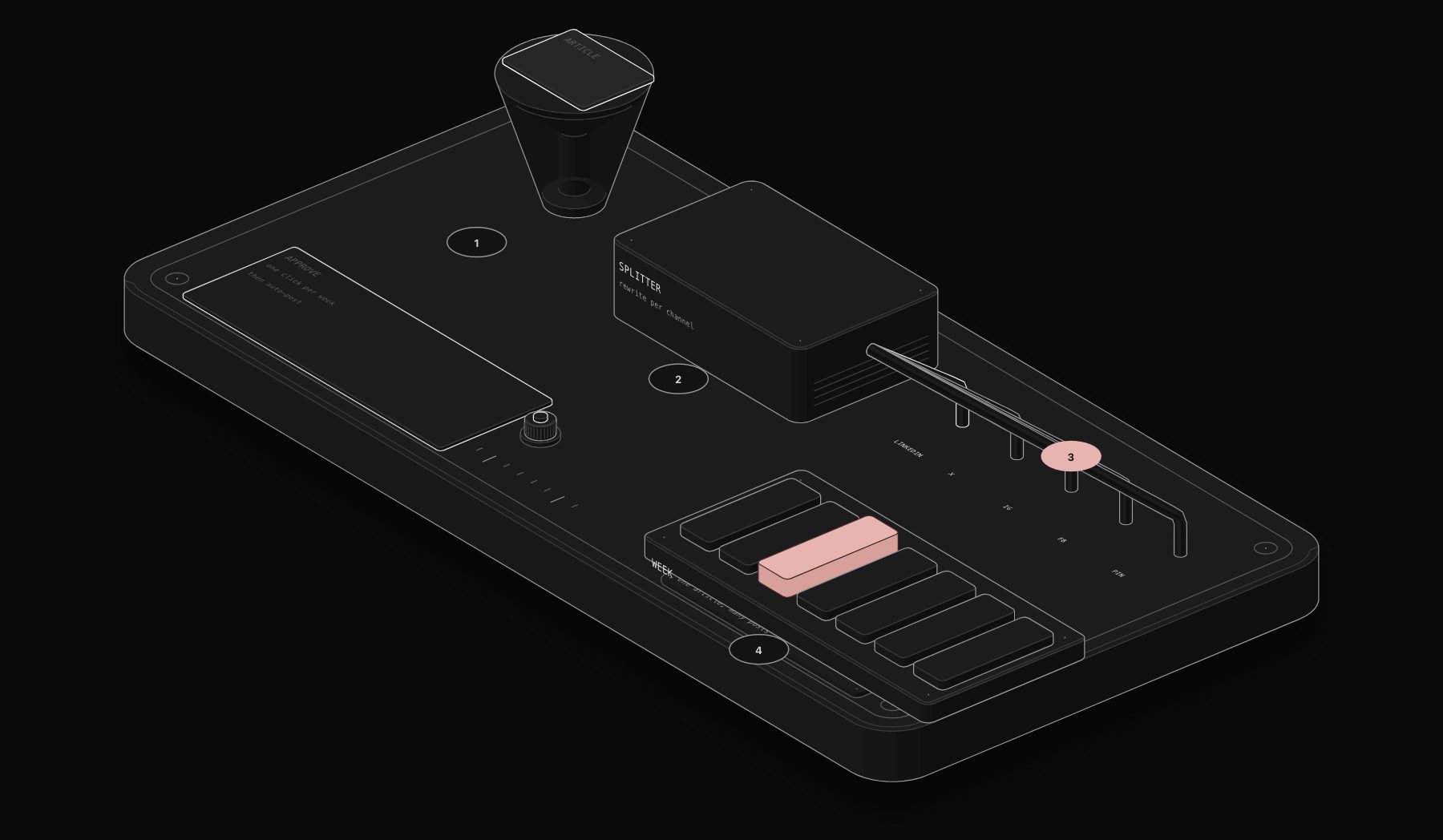
The automation worth building does not cross-post. It transforms: taking one source asset (a long-form article, a podcast clip, a customer story) and generating platform-appropriate variants, each with its own hook, format, and caption structure, before anything gets scheduled.
The n8n Social Media Automation Stack
- Trigger layer: a new item in your content calendar (Notion or Airtable database), a new blog publish webhook, or a manually triggered "repurpose this" action.
- Transformation layer: Claude AI generates platform-specific variants from the source content: a LinkedIn text post with a pattern-interrupt first line, an Instagram caption with an emoji-led hook and hashtag block, a TikTok/Reels script broken into shot-by-shot beats.
- Asset layer: for video/image-based platforms, this step also handles cropping to the correct aspect ratio (1:1, 4:5, 9:16) and generating platform-correct thumbnail frames.
- Scheduling layer: Buffer, Later, or the native platform APIs, triggered by n8n once content passes a human review step, not before.
- Feedback layer: a scheduled pull of engagement metrics per post, 48 and 168 hours after publish, feeding back into a scoring table that tells you which hooks and formats are actually working.
Building It: Source-to-Multi-Platform Workflow
Step 1: Centralize your source content
Every piece of repurposable content (articles, podcast transcripts, customer testimonials, internal wins) lands in one Notion or Airtable database as the single source of truth, tagged by content type and target audience.
Step 2: Trigger the transformation step
When a new row is marked "ready to repurpose," n8n pulls the source content and passes it to Claude with platform-specific prompt instructions: LinkedIn gets an instruction to write in first person with a scroll-stopping opening line and no more than 3 short paragraphs; Instagram gets an instruction to lead with an emoji-anchored hook and end with a question that drives comments; TikTok gets an instruction to output a 20 to 40 second shot list, not a caption.
Step 3: Route to human review
Generated drafts land in a Slack channel or a review database, not directly to scheduling. This is the step most "fully automated" social tools skip, and it is exactly why fully automated posting tends to produce generic, off-brand content. A 2-minute human review before scheduling keeps the brand voice intact without requiring a human to write from scratch.
Step 4: Schedule via API, not manual upload
Approved content triggers n8n to call the Buffer or Later API (or native Meta/LinkedIn APIs for teams with the volume to justify direct integration) to schedule the post at the platform-specific optimal time already established in your posting history.
Step 5: Pull performance data and close the loop
48 hours and again 7 days after each post goes live, n8n pulls engagement metrics via each platform's API and appends them to a performance table, tagged by hook type, format, and content pillar. This is what turns social automation from a time-saver into a genuine strategic input.
The Data Nobody Automates: A Hook Performance Table
Here is an illustrative example of the hook-scoring table this workflow produces (sample numbers, not real client data), the kind of performance view a generic scheduling tool never surfaces:
| Hook type | Platform | Avg engagement rate | Avg watch-through / read-through | Sample size |
|---|---|---|---|---|
| Contrarian statement ("Most X advice is wrong") | 6.8% | N/A | 42 posts | |
| Numbered list preview ("3 mistakes that...") | 4.1% | N/A | 38 posts | |
| Question hook ("Ever wonder why...") | 3.2% | 61% | 55 posts | |
| Behind-the-scenes framing | 5.4% | 74% | 29 posts | |
| Pattern interrupt (unexpected visual in first 1s) | TikTok | N/A | 58% | 61 posts |
| Direct-to-camera problem statement | TikTok | N/A | 71% | 47 posts |
A pattern worth testing on your own data: hooks that make an implicit promise ("here is the mistake," "here is what nobody tells you") often outperform generic curiosity hooks on engagement. This is the kind of insight a repurposing-and-feedback workflow surfaces automatically after a few weeks of data, versus something a team would need months of manual spreadsheet tracking to notice.
n8n Templates Worth Starting From
Rather than building from scratch, several n8n community templates cover pieces of this stack reliably: an RSS-to-social trigger template for blog repurposing, a Buffer/Later API scheduling template, and a Claude-based content transformation template. None of these alone build the full feedback loop described above, which is the piece that requires custom workflow logic tailored to your specific content pillars and platforms.
If you would rather have this built and maintained for you, our n8n automation agency deploys workflows like this one in production within days.
Frequently Asked Questions
Can n8n post directly to Instagram and TikTok without a third-party scheduler?
Yes, via the Meta Graph API for Instagram and TikTok's Content Posting API, but both require app review and business verification that takes 1 to 3 weeks to approve. Most teams start with a Buffer or Later API integration and move to direct API access once posting volume justifies the setup overhead.
How much does an n8n social media automation workflow cost to run?
Self-hosted n8n has no per-workflow fee; the ongoing cost is server hosting (typically $10 to $30/month) plus AI API usage for the transformation step (usually $15 to $50/month depending on content volume) plus your existing scheduling tool subscription.
Does automating content repurposing hurt engagement compared to hand-crafting every post?
Not when a human review step stays in the loop. The engagement drop happens specifically when brands skip review and let AI-generated content publish unedited, since audiences detect generic phrasing quickly. Kept as a draft-and-approve workflow, repurposed content performs comparably to hand-written posts, at a fraction of the production time.
What is the ideal team size to justify building this?
Teams publishing to 3 or more platforms with at least 2 to 3 pieces of source content per week see the clearest ROI, since below that volume the time saved does not yet outweigh the setup investment. A free automation audit can confirm whether your specific content volume justifies the build.
How is this different from using Zapier for the same workflow?
Zapier can handle the trigger and scheduling steps, but its per-task pricing becomes expensive at content-calendar volume, and its branching logic is more limited than n8n's for the platform-specific transformation step described above. Self-hosted n8n removes the per-task cost ceiling entirely.
Tags
Purist Team
The PURIST editorial team covers automation, AI agents, and operations strategy for businesses scaling with n8n, Make, and Claude AI.