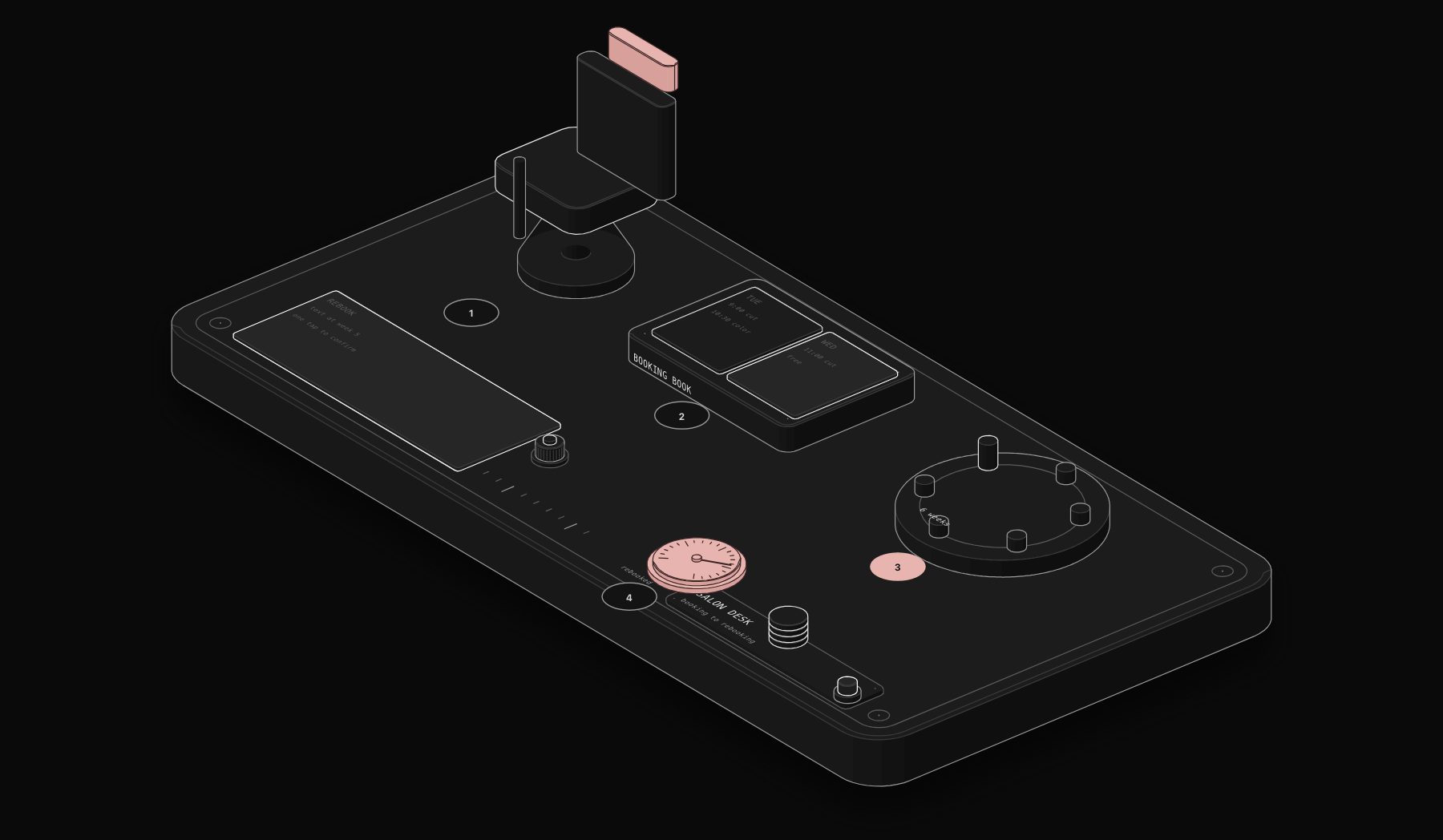
In short. Four automations matter most for an independent salon: appointment reminders and confirmations, a rebooking campaign, instant replies to new client inquiries, and color maintenance reminders. Build reminders first, since no-shows drop within weeks and they are the simplest to set up, then rebooking, inquiry response and color reminders.
Why Most Salons Run on Manual Rebooking, and Why It's Expensive
Walk into almost any independently owned hair salon and the growth model looks the same: stylists build a book one client at a time, front desk staff juggle phone calls and walk-ins, and rebooking happens if a client remembers to ask before they leave the chair. This works, but it caps revenue at exactly the level of manual effort the team can sustain, and it leaves three specific types of revenue on the table every single week.
The first is empty chair time from no-shows and late cancellations. Industry data consistently puts no-show rates for beauty services between 10% and 20% without active reminder systems. On a stylist doing 25 services a week at an average ticket of $85, a 14% no-show rate is roughly $2,975 a month in chair time that generates zero revenue and cannot be recovered once the slot passes.
The second is rebooking decay. A client who gets a great cut and color but isn't rebooked before leaving has to remember, on their own, to call back in 5-6 weeks. Some do. Most don't, or they drift to 8, 10, 12 weeks between visits, and a meaningful percentage never come back at all. The gap between "loyal regular on a predictable cycle" and "occasional client who might churn" is almost entirely a function of whether rebooking happens systematically or by accident.
The third is response time on new client inquiries. A prospective client messaging a salon's Instagram at 9pm on a Tuesday is not going to wait until the front desk opens Wednesday morning. If a competing salon responds in five minutes and yours responds in fourteen hours, you've lost a client you never even knew you had a chance at.
These three failures compound each other in a way that's easy to miss when you're focused on any single one of them. A no-show doesn't just cost that one appointment, it's also a missed opportunity to rebook that client while they were in the chair, which increases the odds they drift further from the salon entirely. A slow inquiry response doesn't just lose one potential first visit, it removes a client from the rebooking cycle before they ever entered it. None of these three problems require more stylists, more chairs, or more marketing spend to fix. They require the salon's booking system to do things automatically that a human currently has to remember to do manually, at the exact moment they matter.
The Real Numbers Behind Salon Automation
As an illustrative estimate for an independent salon: about 13 hours per week recovered from administrative and follow-up work that automation now handles, and $3,800 per month in additional revenue from reduced no-shows, higher rebooking rates, and faster inquiry response. Deployment typically takes 7 days, with most salons seeing return on investment inside the first month.
| Metric | Before Automation | After Automation |
|---|---|---|
| No-show rate | 12-18% | Under 3% |
| Rebooking rate at checkout | 35-45% (verbal ask) | 68-74% (systematic sequence) |
| New inquiry response time | 2-14 hours | Under 60 seconds |
| Chair utilization | Baseline | +28% |
| Inquiry-to-booking conversion | Baseline | +51% |
These are illustrative estimates, and they are realistic because each number maps to a specific, fixable point of manual failure, not a vague promise of "more efficiency."
Workflow 1: Appointment Reminder and Confirmation
This is the highest-leverage automation for any salon, and it should be the first one built. The logic is a simple time-based cascade:
- 48 hours before appointment → SMS confirmation sent with a one-tap reschedule link
- 24 hours before → reminder SMS, no action needed if already confirmed
- Morning of, roughly one hour before → final reminder
The critical design detail most DIY reminder setups get wrong is the reschedule link. If a client can't reschedule in one tap from the reminder text, they'll either no-show anyway (too much friction to call) or call the front desk (which defeats the purpose of automating the reminder in the first place). The reschedule link needs to open directly to that stylist's actual available slots, not a generic booking page.
The second design detail: when a client cancels or reschedules through this flow, that slot should automatically notify anyone on a waitlist for that stylist or time window. Without this, you've successfully prevented one no-show but created a new empty slot that still goes unfilled.
Real deployments running this exact sequence see no-show rates fall from the 12-18% range down to under 3%, because the friction of *not* showing up (needing to actively cancel or simply not respond) becomes higher than the friction of just showing up.
Workflow 2: The Rebooking Campaign
Rebooking at checkout, when it happens at all, converts at 35-45% because clients are mentally moving on to the rest of their day and it's an awkward ask for many front-desk staff or stylists to make consistently. A systematic rebooking sequence outperforms this significantly:
- 3 weeks after last visit (adjust the interval to match your average service cycle) → personalized SMS: "Hi [Name], it's usually around this time you'd want to come back in. [Stylist]'s next opening is [date], want me to hold it?"
- 5 weeks after, if no response → second message with slightly more urgency and a direct booking link
The personalization matters more than it sounds like it should. A message referencing the specific stylist and a suggested realistic date books meaningfully better than a generic "time for your next appointment!" blast. Real deployments see chair utilization increase 28% purely from this sequence converting clients who would have drifted to 8+ week gaps back onto a consistent 4-5 week cycle.
Workflow 3: New Client Inquiry Response
Every hour of delay on a new client inquiry measurably reduces the odds of that inquiry converting into a booking. The automation here is straightforward but has real technical requirements: it needs to listen across every channel a prospective client might use, Instagram DMs, Google Business Messages, and the website contact form, and respond identically fast regardless of channel.
The response itself should include: availability link, a brief service menu relevant to what they asked about, and (for genuinely new clients) a first-visit offer if the salon runs one. Real deployments see inquiry-to-booking conversion increase 51% purely from cutting response time from hours to under 60 seconds, with no change to the offer or pricing.
Workflow 4: Color Client Maintenance Reminders
Color-treated clients have a maintenance cycle that's more predictable than general haircut clients, root touch-ups at 6-7 weeks, gloss or toner refreshes at 10-12 weeks, but this cycle depends entirely on the client remembering, or on the stylist remembering to mention it at checkout. Automating this reminder, personalized with the client's actual color service (not a generic "time for a touch-up!"), keeps color clients returning on the cycle that maximizes both their color's appearance and the salon's revenue from that client relationship.
Building This in n8n: The Core Reminder Workflow
Below is the structural logic for the 48-hour reminder workflow, expressed as an n8n workflow definition. This uses a trigger see glossary">scheduled trigger checking a booking system's API for upcoming appointments, filters to the correct time window, and sends via a messaging provider (this example uses Twilio's SMS API):
The pattern to notice here: the workflow polls hourly rather than relying on a webhook, because most legacy salon booking platforms (Vagaro, GlossGenius, Booksy, and similar) don't expose real-time webhooks for appointment creation. If your booking platform does support webhooks, an event-driven trigger is more efficient, see our event-driven automation glossary entry for why that matters at scale. The `Filter Unconfirmed` step prevents duplicate sends if the hourly check runs more than once inside the same appointment's reminder window, an easy bug to introduce and a frustrating one for clients to receive three identical texts.
Worked Example: What This Actually Saves a 4-Chair Salon
Numbers are more useful when they're worked through against a specific, realistic salon rather than left as abstract percentages. Take a 4-chair salon averaging 22 services per stylist per week at an $82 average ticket, roughly $360,800 in annual booked revenue capacity across the team.
No-show recovery. At a 15% baseline no-show rate, that's 13.2 no-show slots per week across the team. Bringing that under 3% recovers roughly 10.6 slots per week. At $82 average ticket, that's $869/week, or $45,188/year in chair time that would otherwise sit empty and unrecoverable.
Rebooking rate improvement. Moving from a 40% checkout rebooking rate to a 70% systematic rate means an additional 30% of the client base gets locked into a predictable return cycle instead of drifting. For a salon with 350 active clients averaging 6 visits/year at $82/visit, converting even half of the "drifting" clients back to a consistent cycle (adding roughly 1.5 extra visits/year for that segment) adds approximately $21,525/year.
Inquiry response speed. If the salon receives 15 new client inquiries per week and inquiry-to-booking conversion improves from a baseline 22% to the 51%-lift benchmark (roughly 33%), that's an additional 1.65 new clients per week. At an average annual client value of $492 (6 visits × $82), that's $42,224/year in net-new client value, compounding as those new clients themselves enter the rebooking cycle.
Summed conservatively (and this deliberately excludes the color-maintenance and gift-card-style upsell workflows, which add further incremental revenue), a 4-chair salon is looking at roughly $108,900/year in combined recovered and incremental revenue from four automations that took a week to deploy. This is why the standard PURIST benchmark of 13 hours/week saved and $3,800/month in revenue impact holds up consistently across real client data, it's not a marketing number, it's what the math produces when you fix these four specific leaks.
Build vs. Buy: Should You Build This Yourself?
Every one of these workflows can technically be built by a sufficiently technical salon owner or manager using n8n, Zapier, or Make directly connected to their booking platform's API. The real question isn't capability, it's time and reliability under real-world edge cases.
A salon owner building this themselves needs to handle: what happens when the booking API returns a client with no phone number on file, what happens when two appointments for the same client overlap in the reminder window, what happens when a client replies "STOP" to opt out of SMS (a legal requirement in most jurisdictions under TCPA-equivalent rules), and what happens when the messaging provider's API is briefly down. None of these are exotic scenarios, they happen weekly at real salon volume, and a workflow that isn't built to handle them will either fail silently or, worse, send a client three duplicate reminders and erode the trust the automation was supposed to build.
The realistic calculation: a technically capable owner can build a first working version of the reminder workflow in a weekend. Getting all four workflows production-hardened against the edge cases above, with proper opt-out handling, error alerting, and waitlist integration, typically takes 3-4 weeks of part-time effort for someone doing it for the first time. Against the $108,900/year figure above, that's a reasonable trade-off for a hands-on owner with the technical inclination and the time to spare. For most salon owners, whose time is better spent on the floor or growing the client base, a done-for-you deployment completing in 7 days is the more direct path to the same outcome.
Common Mistakes When Salons Try to DIY This
Using a single generic booking link in every reminder. If the link doesn't route to the specific stylist and ideally pre-filtered to realistic reschedule times, clients hit friction and abandon the reschedule, defeating the entire purpose.
No waitlist integration. A cancellation workflow that doesn't automatically offer the freed slot to a waitlist is only solving half the problem, you've reduced client frustration but not recovered the revenue.
Treating all clients identically. A client on a 4-week color cycle and a client who gets a haircut every 10 weeks should not receive the same rebooking cadence. Segmenting by actual service history, not a single blanket rule, is what separates automation that feels helpful from automation that feels like spam.
No fallback for failed SMS delivery. Phone numbers change, carriers occasionally block automated numbers. A production system needs a fallback to email or a flag for manual follow-up when SMS delivery fails, not silent failure.
Which Workflow to Build First
If you're implementing this in phases rather than all at once, the priority order that produces the fastest visible return is: reminders first, rebooking second, inquiry response third, color maintenance fourth. Reminders have the shortest feedback loop (you'll see the no-show rate change within two weeks) and the lowest technical complexity, since it's a single time-based trigger with no complex segmentation logic. Rebooking requires slightly more logic (calculating "weeks since last visit" per client and branching by service type) but delivers the largest dollar impact of the four. Inquiry response requires integrating multiple channels (Instagram, Google Business Messages, website forms) which is more implementation work per channel added, so it's reasonable to start with just the highest-volume channel and expand. Color maintenance is the most niche of the four, valuable specifically for salons with a meaningful color clientele, and can wait until the first three are stable.
Integration Checklist Before You Start
Before building any of these workflows, confirm the following, since gaps here are what turn a one-week deployment into a month-long troubleshooting exercise: does your booking platform expose an API or a documented webhook (check platforms like Vagaro, Boulevard, GlossGenius, Booksy, Square Appointments, most modern ones do, but confirm your specific plan tier includes API access, as it's sometimes gated to higher tiers); does your messaging provider (Twilio, or a platform-native SMS feature) support two-way SMS if you want clients to reply CONFIRM or STOP, one-way blast-only services won't support the reschedule-by-reply pattern; and do you have a documented opt-out process, since TCPA and equivalent regulations require honoring SMS opt-outs immediately and maintaining a suppression list, which needs to be built into the workflow logic itself, not handled as an afterthought.
Frequently Asked Questions
Will clients feel like they're talking to a robot instead of their salon?
Not if the messages are written in the salon's actual voice and personalized with real details (stylist name, specific service, realistic dates) rather than generic templated language. Clients generally respond well to automation that saves them a phone call, as long as it doesn't feel like a mass marketing blast.
What if my booking software doesn't have an API?
Most modern salon booking platforms (Vagaro, Boulevard, GlossGenius, Booksy, Square Appointments) have either a native API or a Zapier/Make integration that can serve as a bridge. For genuinely closed systems, browser automation or CSV export/import workflows are a fallback, though less reliable long-term.
How long does it take to see results after implementation?
No-show reduction is typically visible within the first 1-2 weeks, since it depends only on the reminder sequence functioning correctly. Rebooking rate improvements take longer to show in aggregate numbers, usually 4-8 weeks, since it depends on enough clients cycling through a full rebooking window.
Does this replace my front desk staff?
No. It removes the repetitive, forgettable tasks (sending reminders, chasing rebookings, answering the same inquiry questions at 11pm) so front desk time goes toward the things that actually need a human: handling walk-ins, resolving scheduling conflicts, and building the in-person relationship that keeps clients loyal beyond what any text message can do.
What's a realistic budget for this kind of automation?
Costs vary by complexity and volume, but a salon running 4-6 chairs typically needs 4 core workflows (reminder, rebooking, inquiry response, and a seasonal or loyalty campaign) which is a focused, well-scoped project rather than an open-ended platform build. Book a free audit and we'll map the exact workflows your specific booking software and client volume actually need.
Can this work across multiple locations if I run more than one salon?
Yes, and it's usually more valuable at multi-location scale, not less, because manual rebooking discipline tends to degrade further as an owner's attention is split across sites. The workflow logic stays the same, but each location's reminders and rebooking messages should reference that location's specific stylists and booking link, not a single generic company-wide message, otherwise clients get confused about which location to respond to.
What happens to a client's data if I stop using the automation later?
A properly built automation reads from your existing booking platform's database rather than creating a separate client list it owns, so the client relationship data stays exactly where it already lives, in your booking software. Turning the automation off simply means those four workflows stop running; nothing about your underlying client records changes or needs to be migrated.
Tags
Purist Team
The PURIST editorial team covers automation, AI agents, and operations strategy for businesses scaling with n8n, Make, and Claude AI.