In short. The biggest time drain at an auto repair shop is customers calling to ask about their vehicle. Automate repair status updates first, then review requests, then follow-up on declined estimates and service reminders. Status updates cut the phone interruptions service advisors deal with all day.
The Phone Call Problem Every Service Advisor Knows
Ask any service advisor at an auto repair shop what consumes the most unplanned time in their day, and the answer is almost always the same: customers calling to ask where their vehicle is in the repair process. "Is it done yet?" "Did you find out what's wrong?" "Can I still pick it up today?" Each call takes two to five minutes, interrupts whatever the advisor was doing, and provides zero additional value beyond information the shop already has and could have proactively shared.
At a shop processing 40 vehicles a week, even a conservative estimate of two status-check calls per vehicle at three minutes each is four hours of service advisor time weekly spent on calls that automated status updates make entirely unnecessary. That's before counting the second, third, and fourth-order effects: the advisor who's on the phone with a status-check call can't attend to the customer standing at the counter, and the shop's actual capacity to write new repair orders quietly shrinks.
Three other patterns compound this same underlying problem, work the shop already knows needs doing systematically but that depends on someone remembering to do it manually every single time. Service reminders based on mileage and time interval get sent inconsistently, so customers lapse to whichever shop happens to be top of mind when something breaks, rather than returning proactively for scheduled maintenance. Review requests depend on a service advisor remembering to ask at checkout, and even when remembered, a customer who says "sure, I'll leave a review" at the counter forgets within hours once they're back in traffic. And declined service estimates, work the shop already diagnosed and quoted, but the customer said not right now to, get filed away and never revisited, even though a meaningful share of those customers would proceed if reminded at the right moment.
The Real Numbers Behind Auto Shop Automation
As an illustrative estimate, automating these four workflows could recover about 16 hours per week, primarily service advisor time no longer spent on status calls and manual review asks, and add about $5,800 per month in revenue from declined-estimate recovery and stronger repeat visit rates from consistent service reminders. Deployment takes 7 days.
| Workflow | Manual Baseline | Automated Result |
|---|---|---|
| Status update calls | 2-4 calls/vehicle | Zero required |
| Review request | Verbal ask, inconsistent | 6x review volume |
| Review rating maintained | Variable | 4.8★ average |
| Declined estimate recovery | Rarely followed up | 22% convert within 90 days |
Workflow 1: Automated Repair Status Updates
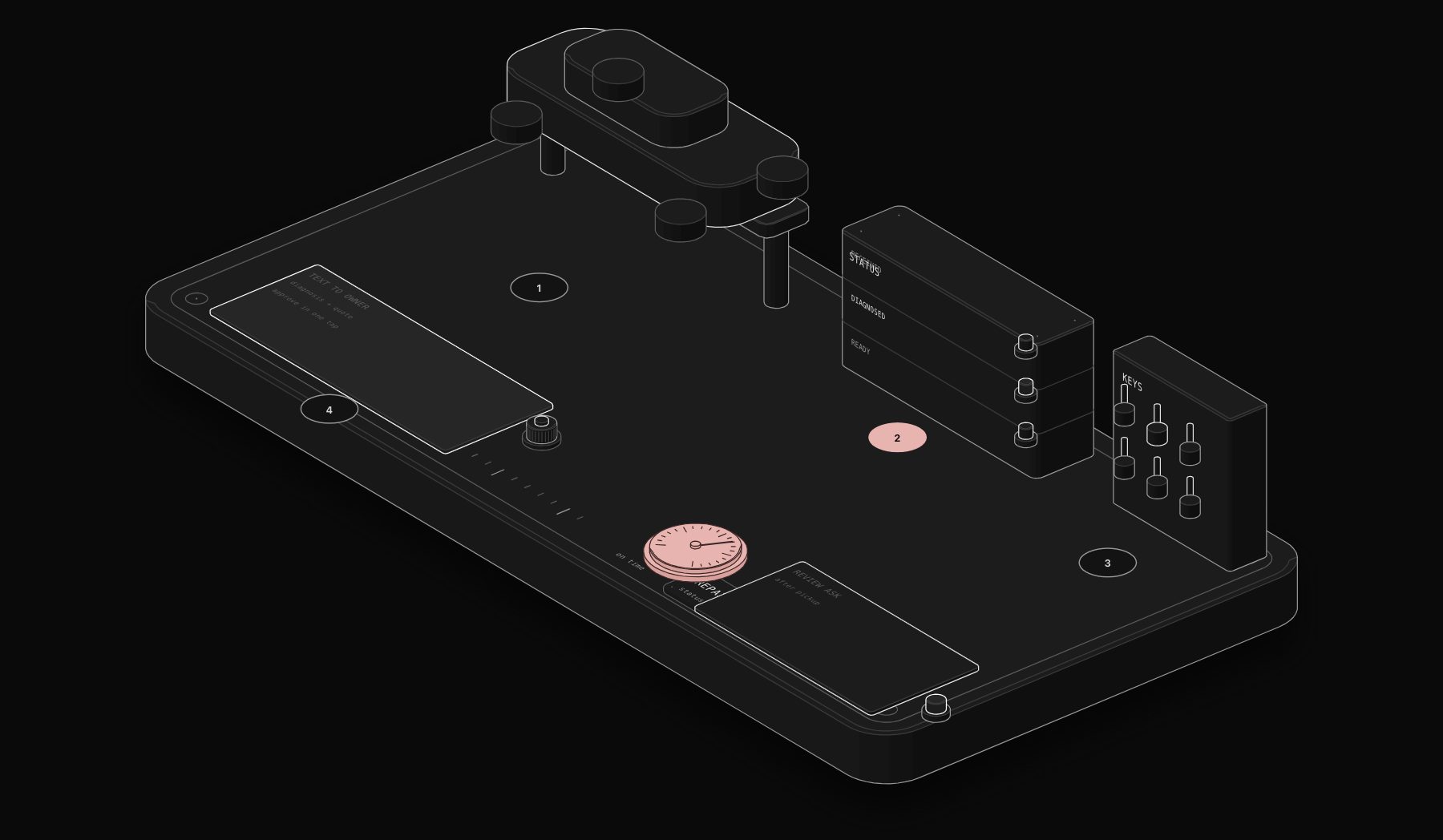
The workflow structure mirrors the natural stages a vehicle actually moves through: check-in triggers an automatic confirmation SMS. Diagnosis complete triggers an update with the specific findings and a link to approve or decline the estimate, digitally, without a phone call. Repair in progress (for jobs spanning more than a few hours) triggers a brief "we're working on it" update at a sensible interval. Ready for pickup triggers a final notification with the total and, ideally, a payment link that lets the customer pay before arriving, cutting the pickup transaction down to handing over keys.
The technical requirement here is a shop management system that exposes vehicle status changes via API or webhook (most modern platforms like Tekmetric, Shopmonkey, and Mitchell 1 do), since the automation needs to react to real status transitions, not run on a fixed schedule that might fire before a status has actually changed.
Workflow 2: Service Reminder Campaigns
Unlike a hair salon's fixed weekly rebooking cycle, auto service intervals depend on both time elapsed and mileage driven, which vary significantly by customer. The workflow needs to track both dimensions per vehicle: an oil change reminder fires based on whichever threshold (time or mileage) the vehicle is projected to hit first, using average mileage patterns from the vehicle's service history to estimate current odometer reading between visits. Tire rotation, annual inspection, and brake service reminders follow the same dual-threshold logic, each on its own appropriate interval.
This is meaningfully more sophisticated than a simple "email every 3 months" blast, and that sophistication is exactly what makes the difference between reminders customers find genuinely useful (arriving right when their specific vehicle needs attention) versus reminders that feel generic and get ignored.
Workflow 3: Review Collection System
The timing detail that matters most here: sending the review request 2 hours after pickup, while the positive experience of a completed repair and clear communication is still fresh, rather than the next day when the moment has faded into the background of a customer's normal routine. The message should link directly to the shop's Google review page, not a generic feedback form, since the entire goal is public review volume, not private feedback collection (which is a different, also valuable, but separate workflow).
Real deployments see review volume increase roughly 6x compared to verbal, checkout-counter asking, and shops running this consistently maintain 4.8-star average ratings, both because volume increases and because timing the ask to the moment of peak satisfaction skews the distribution of reviews received toward the positive end.
Workflow 4: Declined Service Follow-Up
This is the workflow most shops skip entirely, and it's leaving diagnosed, quoted, ready-to-book revenue unclaimed. When a customer declines a recommended service (brake pads at 30%, a battery testing marginal, an air filter overdue), a 30-day follow-up message referencing the specific declined item ("we noticed you declined the brake pad replacement, still noticing that squeaking noise?") converts roughly 22% of declined estimates within 90 days. This isn't a discount-driven pitch, it's a well-timed reminder about work that was already diagnosed and priced, for a problem the customer already knows exists.
Why Status Updates Matter More in Auto Repair Than Almost Any Other Vertical
There's a specific anxiety pattern in auto repair that doesn't show up the same way in most other service categories covered in this series: a customer without their vehicle is, for the duration of the repair, without a primary mode of transportation, which creates a much higher-stakes information need than, say, waiting to hear back about a hair appointment reschedule. A customer who doesn't know whether their car will be ready today, tomorrow, or three days from now can't plan their week, can't commit to picking up their kids, can't confirm whether they need a rental car, all of which compounds the frustration of not knowing and makes the phone call to check status feel urgent and justified from the customer's side, even though it's exactly the kind of interruption that pulls a service advisor away from moving other repair orders forward.
This is worth naming explicitly because it changes how the status-update workflow should be evaluated: it's not simply a nice-to-have convenience, it's addressing a real, structurally higher-anxiety information gap than most of the other automation opportunities in this series, which is part of why the time-savings and satisfaction improvements from getting it right tend to be larger than a superficial read of "just send some texts" would suggest.
Segmenting Status Updates by Repair Complexity
Not every repair order needs the full four-stage update sequence described above. A quick oil change that's in and out within 30 minutes doesn't need a "diagnosis complete" stage at all, since there's no meaningful diagnostic step separate from the service itself. A production system should branch based on repair type:
| Repair Type | Stages Needed | Typical Duration |
|---|---|---|
| Quick service (oil change, tire rotation) | Checked in → Ready | Under 1 hour |
| Standard repair (brakes, single-system) | Checked in → Diagnosis → Ready | Few hours to 1 day |
| Complex diagnostic (intermittent issue) | Checked in → Diagnosis → In progress → Ready | 1-3 days |
| Major repair (engine, transmission) | Checked in → Diagnosis → In progress (multiple updates) → Ready | 3+ days |
Applying the full four-stage sequence uniformly to a quick oil change wastes messaging on a repair simple enough that the "ready for pickup" message alone covers the customer's actual information need, while a major multi-day repair genuinely benefits from more frequent "still working on it" touchpoints that a shorter repair doesn't need at all.
Building This in n8n: Repair Status Update Workflow
The webhook-based trigger here, rather than the hourly polling pattern used in the salon example, works because most modern shop management platforms do expose real-time status-change webhooks, making event-driven automation both possible and preferable, it reacts the instant a status changes rather than waiting for the next scheduled check.
Worked Example: What This Saves and Adds for a 40-Vehicle-a-Week Shop
Status call time recovered. At 2 status calls avoided per vehicle, 3 minutes each, across 40 vehicles/week, that's 4 hours/week of service advisor time, roughly 208 hours/year. At a fully loaded advisor cost of $32/hour, that's $6,656/year in freed capacity, capacity that goes toward writing more repair orders rather than answering the phone.
Declined estimate recovery. If the shop diagnoses an average of 15 declined-but-quoted services per week at an average ticket of $340, recovering 22% within 90 days adds roughly 3.3 recovered jobs/week, or $58,344/year in revenue that was already diagnosed and priced but previously abandoned.
Review-driven new customer acquisition. Moving from a modest review baseline to 6x volume while maintaining a 4.8-star average measurably improves local search visibility and click-through on Google listings; while harder to attribute to an exact dollar figure, shops running this consistently report new-customer inquiry volume increasing in the following months as review count and rating both improve.
Build vs. Buy: Should You Build This Yourself?
The technical bar for a shop management system integration is generally lower than in industries with fragmented, non-standardized booking software, most auto shop management platforms have mature APIs since the industry has consolidated around a handful of major systems. The complexity that separates a working prototype from a production system shows up in handling status transitions that skip stages (a quick job that goes straight from checked-in to ready-for-pickup without a separate diagnosis step), handling multiple vehicles for the same customer without cross-contaminating status updates, and ensuring the review request doesn't fire for a customer who had a genuinely bad experience (a repair that took multiple attempts, a comeback for the same issue), where an automated 5-star review ask would be tone-deaf and could damage trust rather than build it.
Integration Checklist Before You Start
Confirm your shop management system (Tekmetric, Shopmonkey, Mitchell 1, or similar) exposes webhooks or a polling-friendly API for status changes; confirm your SMS provider supports two-way messaging if you want customers to approve estimates by reply rather than only via a web link; and establish a clear rule for suppressing the review request workflow on any repair order flagged with a comeback, complaint, or multiple-visit resolution, since sending a cheerful review ask after a bad experience actively works against you.
Which Workflow to Build First
Status updates should be first regardless of shop size, it has the most immediate, visible impact on service advisor workload and requires no complex segmentation logic, just a reliable trigger on status change. Review collection is second, since it's simple to build and the revenue-adjacent benefit (local search visibility) compounds over time. Declined estimate follow-up is third, it requires slightly more data structuring (tracking which specific line items were declined, not just that "an estimate was declined") but delivers the largest direct dollar impact of the four. Service reminders can come last, since they require the most sophisticated logic (dual time/mileage thresholds) and the benefit, while real, plays out over a longer time horizon than the other three.
Common Mistakes When Shops Try to DIY This
Sending the review request to every customer regardless of experience. As noted above, this is the single most damaging mistake, an automated positive-tone review ask sent after a legitimately bad repair experience compounds the damage rather than mitigating it.
Generic reminders that ignore vehicle-specific service history. A reminder that doesn't reference the customer's specific vehicle and its actual service history reads as spam and gets ignored at a much higher rate than one referencing "your 2019 Honda Accord is due for its 60,000-mile service."
No fallback for customers without a mobile number on file. Older customer records, especially at shops that have been operating for decades, often lack a mobile number. A production system needs an email fallback path, not just silent exclusion from the automation.
Failing to track attribution on the declined-estimate recovery. Without tracking which recovered jobs came from the automated follow-up versus organic return visits, you lose the ability to prove and refine the 22% conversion figure against your own shop's specific data.
Frequently Asked Questions
Will customers feel like they're getting spammed with texts about their car?
Not if each message is tied to a genuine status change or a specific, relevant reminder. The complaint pattern shops need to avoid is generic, frequent marketing-style messaging unrelated to the customer's actual vehicle or repair, which is a different (and much less effective) pattern than the status-driven and vehicle-specific approach described here.
What happens if a repair takes much longer than expected, do customers get repeatedly updated?
A well-built workflow includes a maximum-frequency rule for "still working on it" updates, typically once every 24-48 hours for a multi-day repair, rather than firing on every internal status note, which would quickly become noise rather than useful information.
Can this integrate with financing or payment plan providers many shops use for larger repairs?
Yes, most major auto repair financing providers (Synchrony, Sunbit, and similar) offer APIs or webhook integrations that can trigger into the same automation system, for example sending a financing application link alongside a large estimate rather than only a standard approval link.
How does this handle fleet or commercial accounts with multiple vehicles?
Fleet accounts need status updates and reminders scoped per-vehicle but often need billing and estimate approval routed to a single fleet manager contact rather than an individual vehicle owner, which is a configuration difference the workflow needs to account for during setup rather than a fundamentally different system.
What's a realistic timeline to see the review volume increase?
Review volume increases are visible almost immediately, typically within the first 1-2 weeks, since it depends only on the review-request workflow firing correctly after each completed repair.
How does the shop avoid annoying repeat customers who already know the process and don't need every stage explained?
The messaging tone should stay brief and factual rather than explanatory for every stage regardless of how many times a given customer has been through the process before; a returning customer's third repair order doesn't need the confirmation message to re-explain what "diagnosis complete" means, it just needs the specific finding and next step, which naturally keeps repeat-customer messaging efficient without needing separate logic for new versus returning customers.
What happens if a customer doesn't respond to the diagnosis approval link, does the vehicle just sit unrepaired?
A follow-up reminder should fire a few hours after the initial diagnosis message if no approval action has been taken, since a customer may simply not have seen the message yet; if there's still no response by end of business day, this is exactly the kind of case that should escalate to a phone call from the service advisor rather than continuing to wait indefinitely on an automated channel alone.
Can this system handle warranty or insurance-covered repairs where the approval process involves a third party, not just the vehicle owner?
Yes, though the approval-link workflow needs an additional branch for these cases: rather than sending the estimate directly to the customer for approval, the system should route to whatever the shop's normal warranty or insurance authorization process is, with the customer instead receiving a status-only update noting that the repair is pending third-party authorization, since asking a customer to "approve" a cost that isn't actually theirs to approve creates confusion rather than clarity.
Is there a risk that customers start expecting an unrealistic level of instant communication once this system is in place?
This is worth watching for, and it argues for setting clear expectations in the very first confirmation message about roughly how often updates will occur for their specific repair type, rather than leaving the cadence undefined and allowing customers to assume a higher-frequency default than the shop actually intends to provide. Book a free audit and we'll map these four workflows against your specific shop management system.
Tags
Purist Team
The PURIST editorial team covers automation, AI agents, and operations strategy for businesses scaling with n8n, Make, and Claude AI.