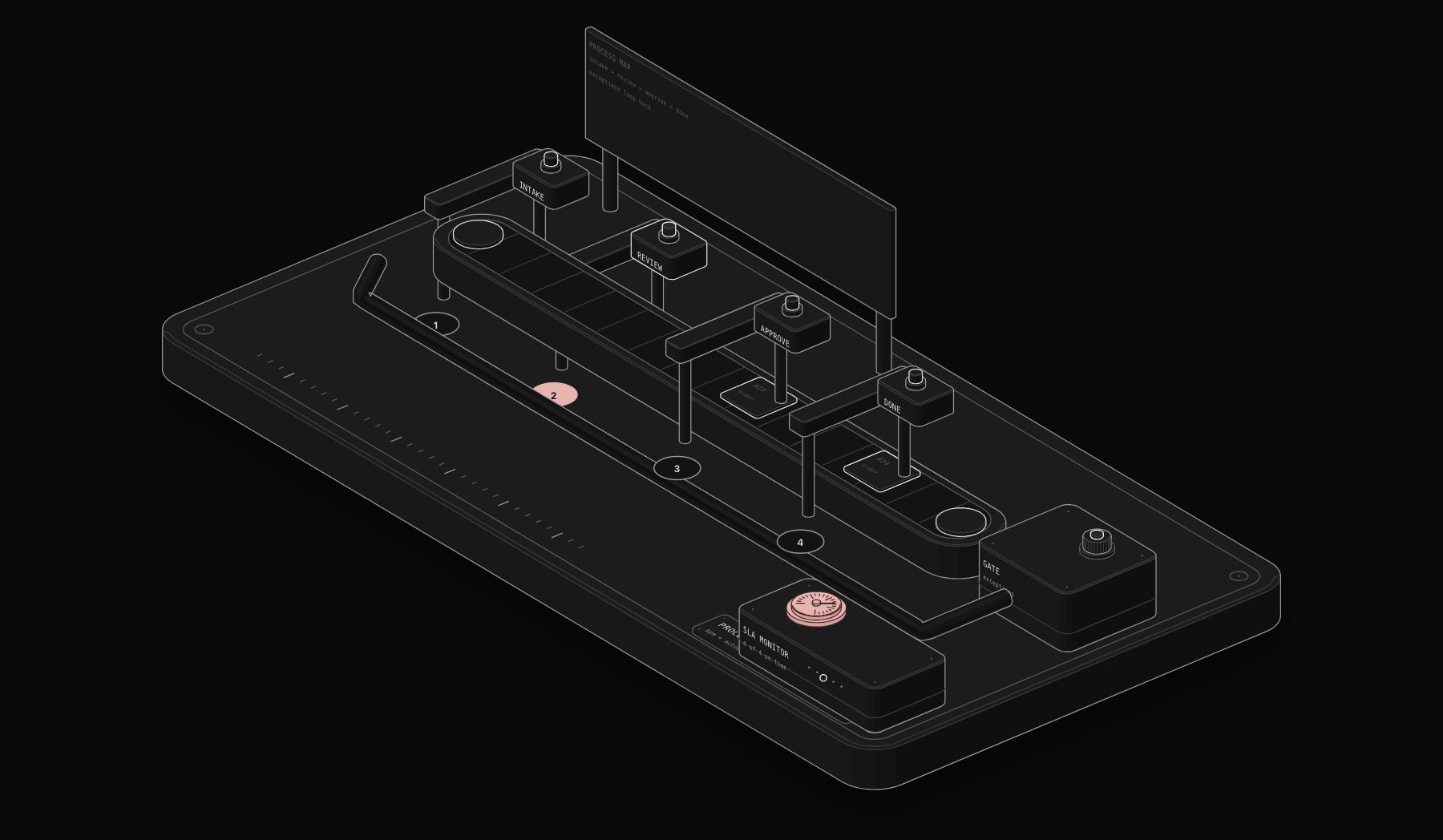
Business Process Management existed as a discipline decades before any of today's workflow automation platforms did. It has a formal notation for modeling processes, a maturity model for measuring how well an organization understands its own operations, and a governance philosophy that predates the current wave of no-code tools by twenty years. What has changed recently is not BPM itself, but how fast and how cheaply the automation half of that discipline can now be implemented, thanks to platforms like n8n and AI-driven decision steps that used to require custom enterprise software.
This guide treats BPM as what it actually is: a methodology for understanding and improving how work moves through an organization, with modern workflow automation tooling as the execution layer that makes the methodology's recommendations real. It goes deeper into process mapping, BPMN basics, governance, and the BPM lifecycle than a typical "automate your business" guide, because that methodology layer is exactly what most businesses skip on their way to buying automation software, and skipping it is why so many automation projects underdeliver.
Updated October 2026.
The Short Answer
Business process management (BPM) is the discipline of mapping, improving and governing how work flows through a business. Workflow automation is the tooling that executes those mapped steps without manual effort. You need both: BPM decides what the process should be, automation makes it run.
| BPM | Workflow automation | RPA | |
|---|---|---|---|
| What it is | A management method | Software that runs process steps | Bots that mimic clicks in existing screens |
| Main output | A mapped, agreed, measured process | Steps that run on their own between apps | Automated screen work in legacy systems |
| Typical tools | BPMN modelers, process mining | n8n, Make, Zapier, Power Automate | UiPath, Automation Anywhere, Power Automate Desktop |
| Best when | The process itself is unclear or disputed | The process is clear and spans several apps | A legacy app has no API |
What BPM Actually Is, Separate from the Software
Business Process Management is the discipline of identifying, modeling, analyzing, improving, and continuously monitoring an organization's business processes. It is a management practice, not a piece of software. A business can practice good BPM using a whiteboard and a spreadsheet; a business can also buy expensive BPM software and practice terrible BPM if it skips the underlying discipline of actually understanding and improving its processes.
The BPM lifecycle, as commonly taught, has five stages: design (mapping how a process should work), model (documenting it formally, often in BPMN notation), execute (running the process, increasingly with automation), monitor (measuring how the process actually performs against goals), and optimize (using that measurement to improve the process, then returning to design). Most businesses that jump straight into buying automation software skip the design and model stages entirely and go straight to execute, which is why so many automation projects end up automating a process nobody actually verified was the right process to run in the first place.
A widely cited 2024 process mining study found that businesses skip formal process mapping before automating in roughly 70% of first-time automation projects, and those projects are more than twice as likely to require a significant rebuild within the first year compared to projects that mapped the process properly before building.
An Introduction to BPMN for Non-Specialists
Business Process Model and Notation, BPMN, is the standard visual language for documenting processes formally. You do not need to become a BPMN certification expert to get real value from it; even a basic working knowledge dramatically improves how clearly a team can communicate about a process before automating it.
The core elements worth knowing:
- Events (drawn as circles): something that happens, like a form being submitted (start event) or a process finishing (end event)
- Activities (drawn as rounded rectangles): a task someone or something performs, like reviewing an application or sending an invoice
- Gateways (drawn as diamonds): decision points where the process branches based on a condition, like "is the order value above $1,000"
- Sequence flows (arrows): the order in which events, activities, and gateways connect
A basic BPMN diagram for a client onboarding process might show a start event (form submitted), an activity (validate details), a gateway (does the client need a custom contract, yes or no), two different activity paths depending on that answer, and an end event (client fully onboarded). Drawing this out, even informally, before building the automated version forces a team to agree on exactly what the process actually does, including all its branches, before anyone writes a single workflow step.
Why This Matters More Now, Not Less
It is tempting to assume that with AI able to make more flexible, judgment-based decisions inside a workflow, formal process mapping matters less than it used to. The opposite is closer to true. When a decision point in a process is going to be handled by an AI judgment call rather than a rigid rule, it becomes more important, not less, to have mapped out exactly what inputs that decision should consider and what the range of acceptable outcomes looks like, so the AI's behavior can be evaluated against a clear specification rather than vague expectations.
The BPM Lifecycle Applied to Modern Workflow Automation
Design: Mapping the Process as It Actually Works
Before touching any automation platform, map the process as it is genuinely executed today, not as it is supposed to work according to the employee handbook. This means interviewing the people who actually do the work and documenting every exception they mention, even ones that feel like edge cases. The gap between the documented process and the actual process is almost always larger than expected, and automating the documented version while missing the real exceptions is a primary reason automated workflows break in their first month.
Model: Formalizing It So Everyone Agrees
Turn the mapped process into a visual diagram, using BPMN or a simplified equivalent, that the whole team can review and confirm accurately reflects reality. This step catches disagreements before they become bugs: two team members who each thought they knew "how the process works" frequently discover they have been doing it slightly differently, and that discrepancy needs resolving before automation, not discovered after the fact when the automated version behaves unexpectedly for one team's cases.
Execute: Building the Automated Version
Only once design and modeling are done does the actual workflow automation build happen, on a platform like n8n, translating the modeled process (including its gateways and exception paths) into an executing workflow. This is the stage most "how to automate your business" content jumps straight to, treating it as the whole project rather than one of five stages.
Monitor: Measuring What Actually Happens
Once live, the process needs measurement against defined metrics: cycle time (how long an item takes end to end), throughput (how many items complete per period), and error or exception rate (how often the process fails to complete normally). Without this stage, "the automation is working" remains an impression rather than a fact, and genuine problems (a bottleneck at a specific gateway, an exception path that fires far more often than expected) go unnoticed for months.
Process monitoring is not the same as workflow execution logging. Execution logs tell you whether individual workflow runs succeeded or failed technically. Process monitoring tells you whether the business outcome, faster onboarding, lower error rates, higher throughput, is actually improving. A workflow can execute successfully on every run while the underlying business process still performs poorly, if the process design itself has a structural bottleneck the automation faithfully reproduces every time.
Optimize: Closing the Loop
Data from the monitoring stage feeds back into design: a gateway that routes 40% of items down an "exception" path is a signal that the exception is not actually exceptional and the main process design should account for it directly, not treat it as a rare edge case. This closes the lifecycle loop and is where genuine, compounding process improvement happens, distinct from the one-time gain of automating a process for the first time.
BPM Governance for Small and Mid-Sized Businesses
Large enterprises build entire teams around BPM governance: process owners, a center of excellence, formal change control for any process modification. Most small and mid-sized businesses do not need that overhead, but skipping governance entirely creates its own problems, specifically, workflows that nobody owns, that drift out of sync with how the business actually operates, and that break silently when an upstream system changes.
A right-sized governance approach for a smaller business assigns one clear owner per major process (not necessarily a full-time role, just clear accountability), requires that any change to a live workflow gets documented, even briefly, so there is a record of what changed and why, and schedules a periodic review (quarterly is reasonable for most processes) to check the process against its original design and update the BPMN diagram if reality has drifted from the documented version.
Common Governance Failures in Growing Businesses
- No documented owner: when the person who built the workflow leaves, nobody knows how it works or who to ask
- Undocumented changes: a workflow gets tweaked to handle an urgent one-off situation, and the tweak becomes permanent without anyone updating the process documentation
- No periodic review: a process that was correctly modeled a year ago has quietly drifted as the business added new products, customer segments, or team members, and the automation has not kept pace
Where Automation Tooling Fits Into the BPM Lifecycle
Modern workflow automation platforms are not a replacement for BPM methodology; they are the execution and monitoring layer that makes a well-designed process fast and observable. A platform like n8n executes the workflow, provides execution logs and history that feed the monitoring stage, and, with AI decision nodes, can even handle the judgment-based gateways that used to require a person reading and deciding. But the platform cannot substitute for the design and modeling work: no tool can tell you whether you have correctly identified every branch in your actual process, or whether the exception path your team invented eight months ago to handle an unusual client should now be part of the main process design.
This is the core argument for treating BPM as a methodology that sits above the tooling choice, rather than something a workflow automation platform makes obsolete. The businesses getting the best results from modern automation platforms are consistently the ones that did real process design and mapping work before building, not the ones that treated the platform's visual builder as a substitute for that thinking.
#
For sector-by-sector benchmarks on what automation actually delivers, see the PURIST State of Automation Report 2026.
Frequently Asked Questions
Do I need to learn formal BPMN notation to benefit from BPM methodology?
No. The core value of BPM, mapping a process honestly, agreeing on its actual steps and exceptions, and monitoring outcomes, does not require certified BPMN expertise. A simplified flowchart using the same basic shapes (start and end points, tasks, decision diamonds) captures most of the communication benefit for a small or mid-sized business, without needing formal training.
Is BPM only relevant for large enterprises?
BPM as a formal discipline with dedicated staff and a center of excellence is mostly an enterprise practice. BPM as a methodology, mapping processes properly before automating, monitoring outcomes, and periodically reviewing whether the process still matches reality, benefits businesses of any size, and arguably delivers a higher relative return for smaller businesses that cannot afford to rebuild a broken automation project from scratch.
How is BPM different from a workflow automation platform like n8n?
BPM is the methodology: how to identify, model, execute, monitor, and improve a business process. n8n and similar platforms are the execution tooling: the software that actually runs the automated version of that process. A business can use n8n without practicing any real BPM (jumping straight to building without mapping), and historically many enterprise BPM suites required no automation tooling at all, relying purely on manual process execution with formal documentation. The two are complementary, not competing.
What is the fastest way to start applying BPM to an existing workflow automation project?
If you already have automated workflows built without much upfront process mapping, retrofit the monitoring and design stages rather than rebuilding from scratch. Document the process as it currently runs (including the automation), verify with the team that the documentation matches reality, and start tracking cycle time and exception rates going forward. This gives you the observability to identify where the existing automation is underperforming, without needing to pause and rebuild everything from a blank slate.
A Worked Example: Mapping a Client Onboarding Process Before Automating
Abstract lifecycle stages are easier to understand applied to a real process. Take client onboarding at a small professional services firm.
Design stage findings: interviewing the two people who handle onboarding revealed that the documented process (send welcome email, schedule kickoff call, create project folder) missed three exceptions that happen on a majority of real onboardings: clients who need a custom contract redline before proceeding, clients referred by an existing client who get a different welcome sequence, and clients who do not respond to the initial scheduling email and need a follow-up sequence after three days. None of these exceptions existed in the written process documentation, despite being common enough to affect most new clients.
Model stage output: a BPMN-style diagram showing the start event (signed agreement received), a gateway checking whether a custom contract redline is needed, a second gateway checking referral source, parallel activities for folder creation and calendar scheduling, a wait-and-check gateway for the three-day follow-up, and an end event once the kickoff call is confirmed. Reviewing this diagram with both team members surfaced a fourth undocumented exception: one team member handled referred clients differently than the other assumed, a discrepancy that had been quietly causing inconsistent client experience for months.
Execute stage build: the modeled process, including all four exception gateways, became an n8n workflow: contract status and referral source get checked automatically from CRM fields, the appropriate welcome sequence and folder structure get created based on those checks, and a scheduled check-in step handles the three-day follow-up automatically if no response is logged.
Monitor stage results: after six weeks of execution logging, the data showed the custom-contract-redline path was taking an average of nine days from trigger to resolution, far longer than any other branch, and was the single biggest driver of slow overall onboarding time.
Optimize stage action: rather than accepting nine days as fixed, the firm restructured that specific gateway to auto-notify the reviewing partner immediately with a clear deadline and an escalation after 48 hours of no action, cutting the average redline turnaround to just under four days on the next monitoring cycle.
This is the loop that a workflow platform alone, without the surrounding BPM discipline of mapping, modeling, and monitoring, would not have surfaced. The automation would have executed the original nine-day bottleneck faithfully and invisibly, on every single client, indefinitely.
Choosing the Right Level of BPM Rigor for Your Business Size
Not every business needs the same intensity of BPM practice, and over-applying enterprise-grade rigor to a ten-person business wastes time that would be better spent elsewhere. A useful way to calibrate: businesses with fewer than approximately twenty employees typically get most of the value from lightweight process mapping (an informal diagram, a short review with the people who do the work) and basic monitoring (tracking cycle time and exception frequency in a simple dashboard), without needing dedicated process owner roles or formal change-control documentation.
Mid-sized businesses, roughly twenty to two hundred employees, benefit from adding clearer process ownership (a named person responsible for each major process, even as a part of a broader role) and slightly more formal change documentation, since the number of processes and the number of people touching them has grown enough that informal tribal knowledge starts breaking down.
Larger organizations, beyond a few hundred employees or operating in regulated industries, typically need the fuller enterprise BPM governance model: dedicated process owners, formal BPMN documentation maintained as a living artifact, and structured change control, because the coordination cost of undocumented, ad hoc process knowledge becomes genuinely risky at that scale.
Signs You Need More BPM Rigor Than You Currently Have
- Two team members give different answers when asked to describe the same process
- A process broke when the person who built it left, and nobody else understood it well enough to fix it quickly
- Nobody can tell you, with actual data, how long the process typically takes end to end
- Changes get made to live automated workflows with no record of what changed or why
If any of these are true, the fix is rarely more automation technology. It is stepping back to the design and model stages this guide describes, even briefly, before touching the workflow builder again.
Tools That Support the Full BPM Lifecycle Today
A small number of modern tools now span multiple BPM lifecycle stages rather than handling only execution. Process mining and mapping tools help with the design stage by analyzing actual system logs to reconstruct how a process really runs, surfacing exceptions and variants a manual interview might miss. Workflow automation platforms like n8n handle the execute stage and provide the execution history that feeds monitoring. Business intelligence and dashboarding tools layered on top of workflow execution data handle the monitor stage properly, turning raw execution logs into the cycle-time and throughput metrics that the optimize stage actually needs. Few small businesses need all three simultaneously from day one, but knowing this fuller toolset exists helps avoid the trap of assuming a workflow automation platform alone covers the entire BPM lifecycle.
Making BPM and Modern Automation Work Together
The businesses that get the most durable value from workflow automation are not the ones with the most sophisticated AI or the flashiest no-code builder. They are the ones that treated process design and mapping as a real step, not a formality to rush past on the way to building, and that built in monitoring from the start so process improvement becomes a continuous loop rather than a one-time project.
PURIST combines proper process mapping with production workflow automation on n8n and Claude AI, treating the design and monitoring stages of the BPM lifecycle as part of every engagement rather than an optional extra. If your current automation feels like it is executing a process nobody properly verified was the right one to run, book a free automation audit and we will map your actual process honestly before recommending anything.
The discipline predates the tooling by decades for a reason: the hard part of improving how work moves through an organization was never really the software. It was always the honest, sometimes uncomfortable work of mapping how things actually happen, agreeing on the exceptions, and measuring whether a change genuinely helped. Modern automation platforms make executing on that discipline faster and cheaper than ever, but they do not do the discipline for you.
Tags
Purist Team
The PURIST editorial team covers automation, AI agents, and operations strategy for businesses scaling with n8n, Make, and Claude AI.